Cámaras de seguridad
Cómo prepararse para un instalador de Lorex en Indiana
Prepárate para una instalación de concesionarios Lorex con preparación del sitio, cheques de red y entrenamiento del usuario.
Prepárate para una instalación de concesionarios Lorex con preparación del sitio, cheques de red y entrenamiento del usuario.
El dolor generalmente aparece antes de que llegue el instalador: nadie ha confirmado dónde vivirá el NVR, el propietario quiere acceso móvil pero nadie sabe quién debe ser administrador, y el equipo asume que el cableado viejo o el poder probablemente está bien. Así es como los días de instalación se convierten en pedidos de cambio.
La solución es una lista de verificación de disponibilidad simple que cubre el acceso al sitio, las condiciones de montaje, la capacidad de red, los objetivos de retención y el desvío del usuario. Use esta guía junto a nuestra servicios de seguridad y redes Así que Lorex instala empezar limpio y mantenerse soportable después de la entrega.
Puntos clave
Prepárate para una instalación de concesionarios Lorex con preparación del sitio, cheques de red y entrenamiento del usuario.
- Confirme mapa de cobertura y objetivos de retención antes de instalar día.
- Prepa energía, red y superficies de montaje para ahorrar tiempo.
- Planifique funciones de usuario y acceso de aplicaciones para los administradores.
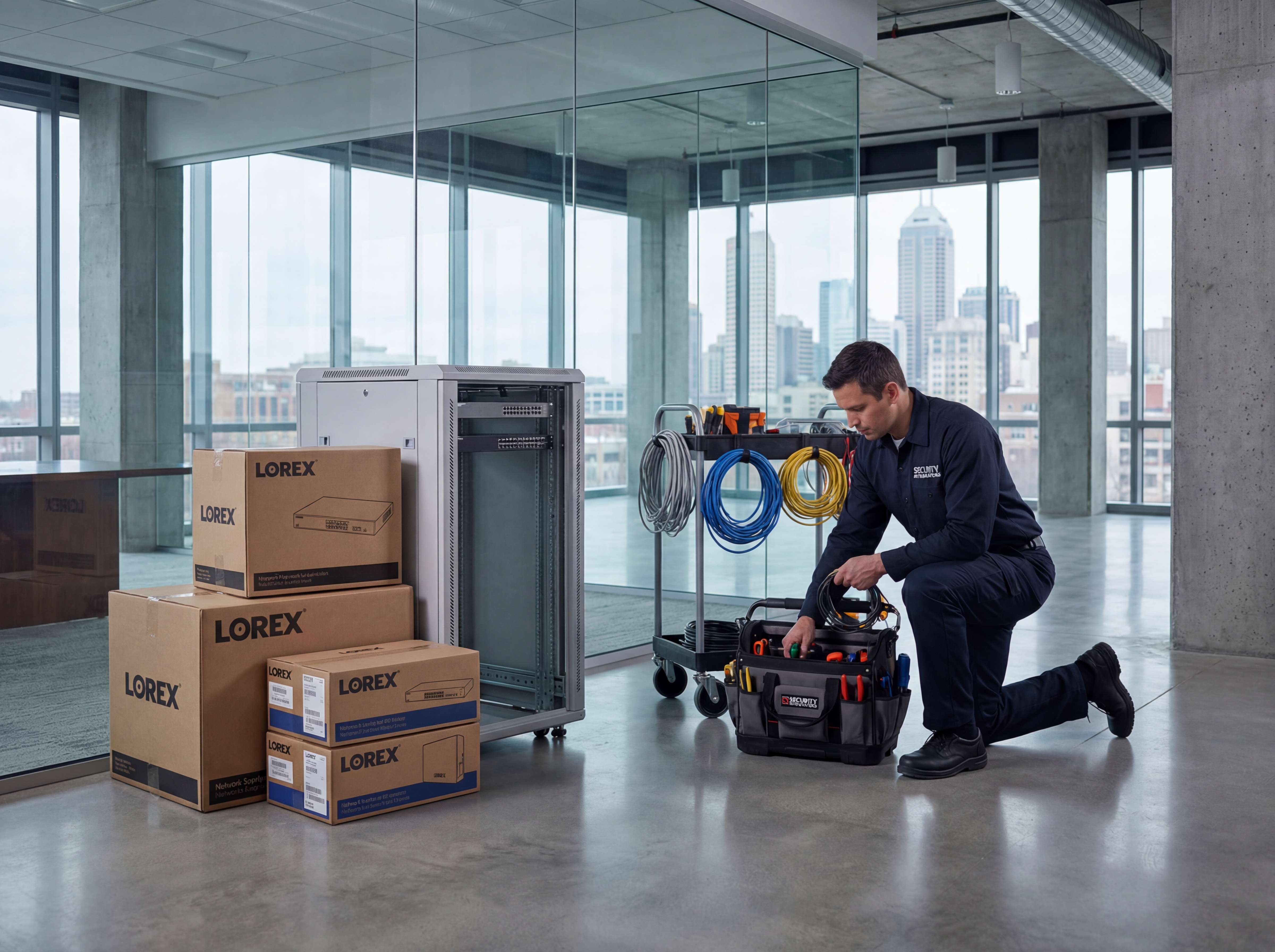
Preparación del sitio y logística: Lorex distribuidor instalar
Los pasos pequeños hacen que se instale más rápido y más limpio.
- Acceso a escaleras claras a entradas, lotes y pasillos interiores.
- Verificar la potencia PoE y la estabilidad de Internet donde el NVR vivirá.
- Protege las zonas de montaje del polvo y la humedad antes de la llegada.
Capacitación y entrega
Una buena entrega mantiene a los equipos confiados después de irnos.
- Decide quién necesita permisos de vista, reproducción y exportación en vivo.
- Programar un corto entrenamiento para administradores en la aplicación Lorex y alertas.
- Guardar las credenciales de administración de forma segura con un contacto de copia de seguridad.
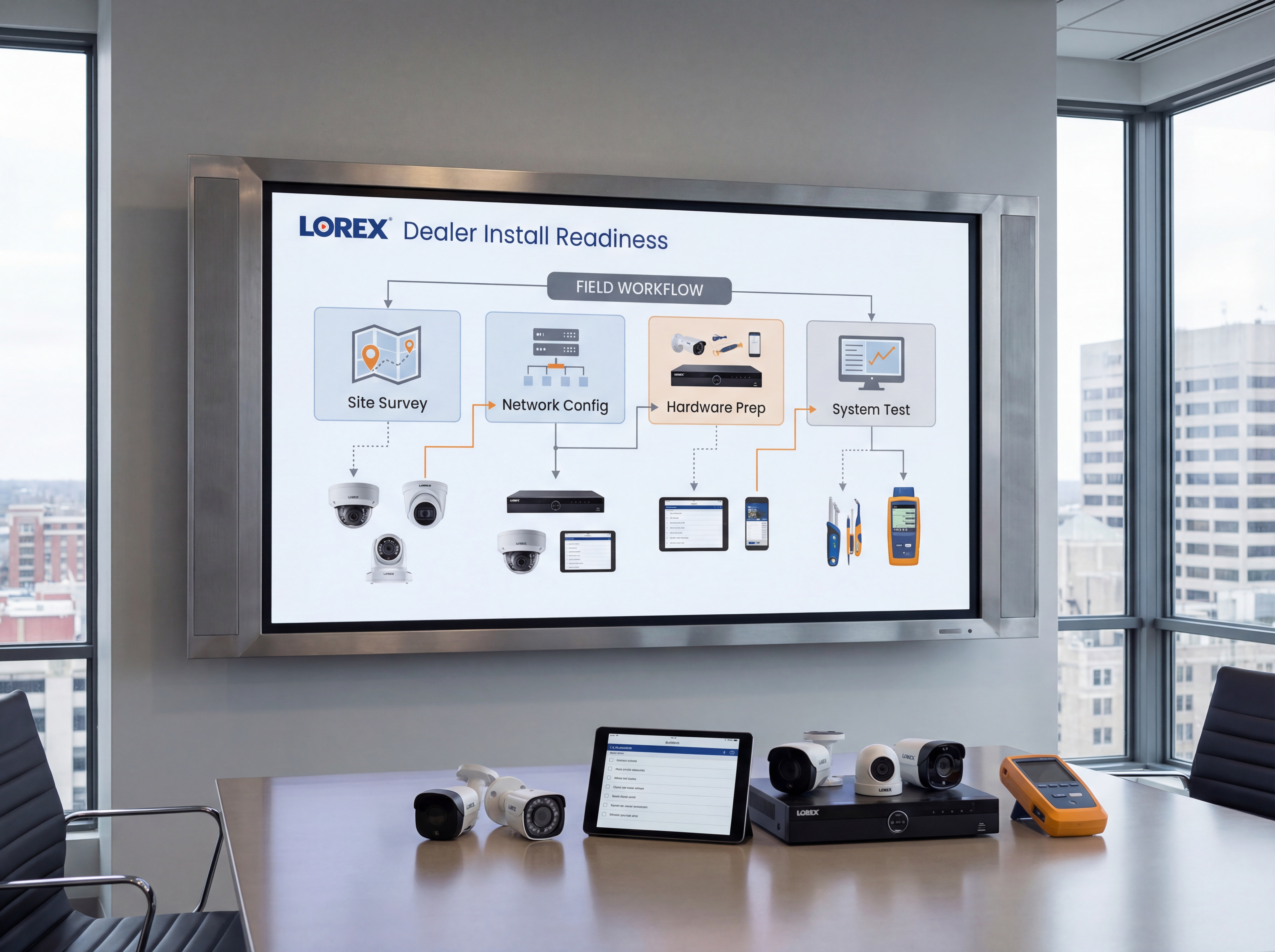
Aplicación de la hoja de ruta
Mover de las suposiciones inciertas del día de instalación a un despliegue limpio con menos sorpresas y una mejor entrega.
- Confirme el plan de cobertura, los objetivos de retención y si Lorex es el adecuado para la propiedad.
- Verificar el acceso a la escalera, superficies de montaje, potencia, capacidad de conmutación y colocación de NVR.
- Decide quién es el dueño de la cuenta de administración, el acceso de aplicaciones y la configuración de alerta antes de instalar el día.
- Completar la instalación, etiquetado, pruebas y entrenamiento de gerente con un handoff documentado.
- Revisar la calidad de las imágenes, la salud del almacenamiento y el acceso del usuario después de la primera semana en vivo.
Herramientas, métricas y plantillas
Traiga datos a cada decisión. Seguimiento de la adopción, tiempo de trabajo y ROI para que los interesados permanezcan alineados.
Qué monitorear
- Tiempo de actualización y respuesta de alerta
- Uso de ancho de banda y almacenamiento
- Cambios de acceso a los usuarios y registros de auditoría
- Patrones de entradas y correcciones recurrentes
Palabra clave & Objetivos
- Lorex distribuidor instalar
- Lorex Indiana
- cámara instalación prep
- Lista de verificación Lorex
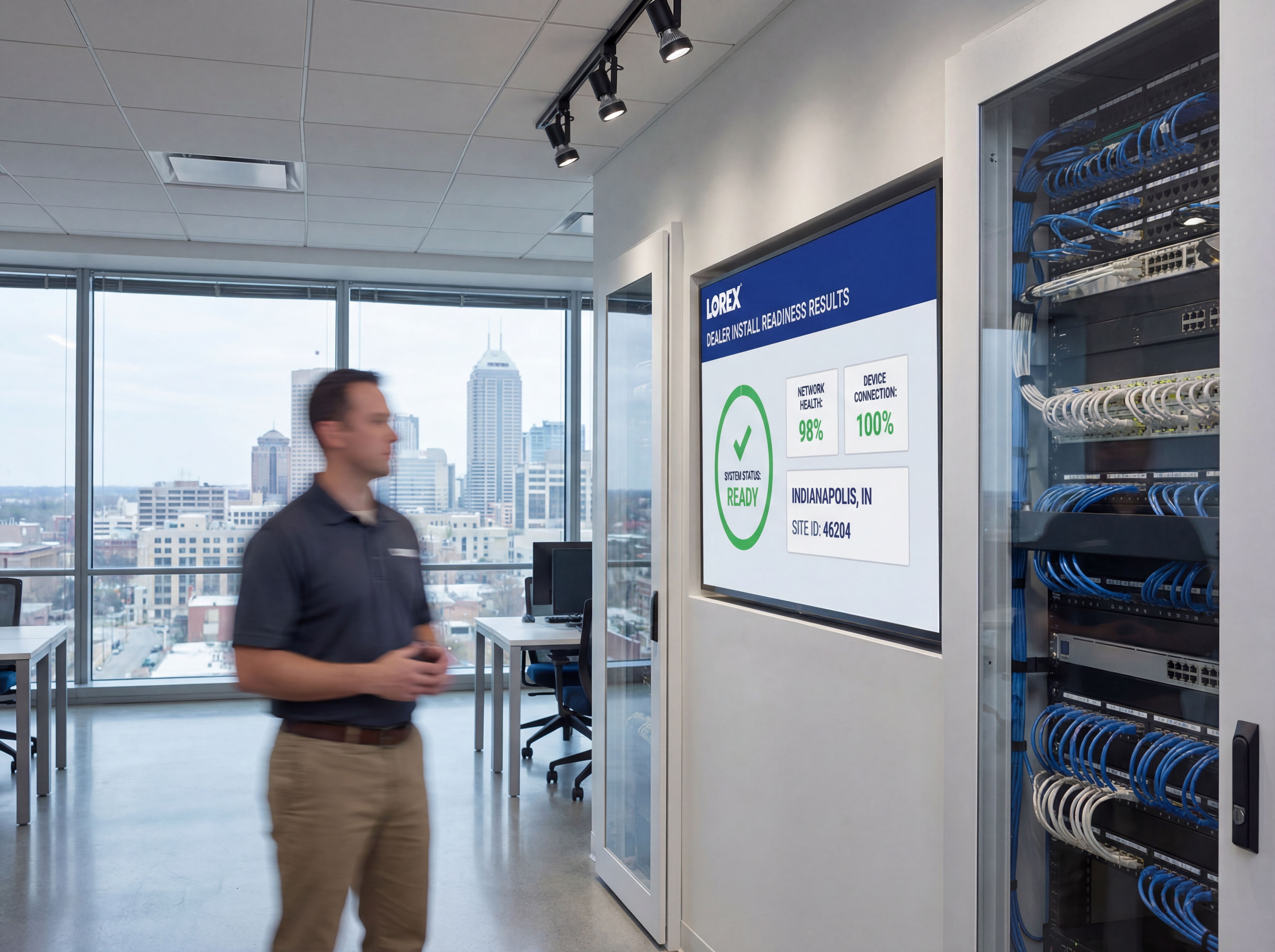
Playbook: plan, despliegue, mantenga
Utilice este esquema de tres fases para mantener los proyectos predecibles y asegurarse de que cada participante sepa lo que está sucediendo a continuación.
- Descubrimiento y mapeo: confirmar objetivos, dispositivos de inventario y cobertura de documentos o necesidades de rendimiento con fotos y diagramas.
- Diseño y aprobaciones: seleccione los tigres de hardware, finalice los montajes o racks, y se alinea en el nombre, VLANs, retención y alerta.
- Estadificación y configuración: perfiles preconfigurados, SSIDs, reglas y alertas para instalar el día se centra en el trabajo físico limpio.
- Instalación y validación: montaje, terminación, etiqueta, luego prueba flujos en vivo, mapas de calor Wi-Fi, almacenamiento y failover.
- Entrenamiento y desvío: registra los pasos cortos de estilo loom, comparte las credenciales de forma segura, y confirma quién es el dueño del administrador en curso.
- Atención continua: horario trimestral sintonización, firmware y auditorías para que el tiempo de trabajo, la seguridad y el rendimiento no se deslice.
Si quieres este hecho por ti, entrega esta lista de verificación a nuestro equipo y devolveremos un plan de instalación y monitoreo.
Errores comunes para evitar
La mayoría de los retrasos provienen de pequeños controles. Prevenirlos delante.
- Saltar un paseo por el sitio: sin fotos y mediciones, monturas, conductos y vías de cable se improvisan en el día de instalación.
- Potencia subyacente o ancho de banda: Los presupuestos de PoE, la capacidad de UPS y los auriculares de uplink necesitan espacio para el crecimiento.
- No hay convenciones para nombrar: puertos, cámaras, SSIDs o VLANs sin etiquetar lentas y confunden futuros administradores.
- Olvidar el acceso de los usuarios: definir quién puede ver, exportar o administrar antes del lanzamiento para evitar brechas de seguridad.
Medición y presentación de informes
Report on outcomes so leadership sees ROI and teams stay funded.
KPI operacionales
- Tiempo de actualización y tiempo medio para restaurar
- Volumen de alerta, falsos positivos y tiempos de respuesta
- Utilización del almacenamiento vs. objetivos de retención
- Alambrado de banda durante el uso máximo
Business KPIs
- Reducción de incidentes y multas resueltas
- Logros de seguridad y cumplimiento
- Marcas de satisfacción cliente o arrendatario
- Tiempo ahorrado en auditorías e investigaciones
Comparta un resumen mensual de una página que resalta los temas de acción, bloqueadores y próximos cambios para que todos los interesados permanezcan alineados.
Lista de comprobación de la preparación de Indiana antes de instalar un distribuidor Lorex
Comience con los bloqueadores prácticos que crean retrasos diarios: habitaciones cerradas, cableado débil, sin mapa de cámara final, sin plan meteorológico para carreras exteriores, o sin decisión en donde debe vivir el grabador y la pantalla.
La solución es una lista de verificación de disponibilidad que alinea operaciones, propiedad y el instalador antes de la llegada. Cuando todos están de acuerdo en cobertura, almacenamiento, acceso a aplicaciones y acceso físico, las instalaciones se mueven más rápido y entrenan mejor las tierras.
Utilizamos este flujo de trabajo con empresas de Indiana que quieren instalar días más limpios y menos sorpresas de apoyo después de que el sistema Lorex sea entregado al personal.
- Finalizar el mapa de la cámara, las vistas al blanco y cualquier zona de obligada captura.
- Confirme la potencia, los puertos de conmutación, el presupuesto PoE y la red alcanzan a cada ubicación de la cámara.
- Elija la ubicación del grabador con ventilación, seguridad física y monitoree el acceso en mente.
- Establecer objetivos de retención antes de que el almacenamiento se ordene o configura.
- Decide quién necesita permisos de administración, visión en vivo, reproducción y exportación.
- Preparar escaleras, ascensor y acceso a la habitación para que el tiempo de instalación no se desperdicia.
Explore nuestra servicios de seguridad y redes si quieres que un equipo se encargue de la instalación de Lorex, la preparación de la red y la entrega post-instalación.
Post-instalación de mantenimiento y plan de entrega para sistemas Lorex
Una instalación suave es sólo la solución si el sitio puede realmente ejecutar el sistema después. Los administradores necesitan saber cómo comprobar la reproducción, confirmar las cámaras están en línea, y solicitar soporte sin compartir el acceso maestro en todas partes.
Construir un plan de entrega que cubre la configuración de aplicaciones, pasos de exportación, advertencias de almacenamiento, y que aprueba cambios. Esto reduce la confusión después de incidentes y mantiene el sistema compatible con la rotación del personal.
- Horario de reproducción post-instalación y cheques de salud de cámara durante la primera semana.
- Document how to export clips and where those exports should be stored.
- Revisa las advertencias de almacenamiento, cámaras offline, y los logins fallidos mensualmente.
- Planifique actualizaciones de firmware durante las ventanas de bajo tráfico aprobadas.
- Funciones de los usuarios de auditoría después de la rotación del administrador o cambios de organización.
- Refresca los contactos de apoyo y las notas de escalada cada trimestre.
Sowynet proporciona soporte continuo para que los sistemas Lorex se mantengan utilizables, documentados y más fáciles de solucionar después del día de instalación.
¿Listo para el día de instalación?
Manejamos a Lorex distribuidor instala en todo el estado con preparación clara y entrenamiento.
Reserva mi Lorex instalarPreguntas Los equipos de Indiana hacen antes de un distribuidor Lorex instalar
Antes de aprobar una instalación de Lorex, los propietarios generalmente quieren saber si el sistema se ajusta a la propiedad, si la red está lista, y si el personal será capaz de utilizarla sin llamadas de apoyo constantes.
- ¿Ya sabemos las zonas exactas y las vistas que el sistema debe cubrir?
- ¿Puede el cableado actual, los interruptores y internet apoyar el diseño?
- ¿Dónde vivirá el grabador, y quién puede acceder físicamente?
- ¿Cuántos días de retención necesitamos realmente?
- ¿Quién obtiene derechos de administración contra derechos de visión básicos?
- ¿Quién maneja soporte cuando una cámara se apaga después de la instalación?
Estos puntos de control le ayudan a evitar las sorpresas comunes del día de instalación que convierten un proyecto simple en uno más largo.
Plazo de instalación para un distribuidor Lorex
Una instalación típica de Indiana comienza con confirmación final de preparación, luego se mueve a través de cableado y montaje, configuración de grabador, el usuario a bordo, y una ventana de validación corta después de go-live.
- Encuesta final del sitio, confirmación de acceso y revisión de cobertura.
- Cabling, PoE provisioning, montaje y etiquetado físico.
- Configuración del grabador, configuración de políticas de retención y creación del usuario.
- Vista en vivo, reproducción y pruebas de alerta con el equipo de gerente.
- Registro post-instalación para confirmar la calidad de las imágenes y la preparación de soporte.
También ofrecemos soporte continuo para mantener las imágenes fiables y la documentación de entrega actual durante todo el año.
Marco de ejecución
Prepare el sitio para que el día de instalación no se convierta en solución de problemas
Dolor: la cámara se instala desacelerando cuando la potencia, las gotas de red, las decisiones de cobertura y la colocación del grabador aún no se resuelven cuando el instalador llega.
Solución: confirme las rutas de cableado, presupuesto PoE, lista de cámaras, ubicación de grabadora y flujo de trabajo de aprobación antes de que el primer soporte vaya en la pared.
Resultado: las instalaciones terminan más rápido, las órdenes de cambio se mantienen más bajas, y la entrega es más limpia para el equipo que tiene que vivir con el sistema.
- Aprobar la lista exacta de la cámara y las zonas de montaje antes de instalar el día.
- Verifique la capacidad de conmutación, presupuesto PoE y espacio de rack para el grabador.
- Compruebe las rutas del cable, el acceso al ascensor y los permisos de trabajo después de las horas.
- Decide quién se registra en la cobertura y quién recibe acceso de administrador.
- Preparar etiquetas, nombres de red y ajustes de retención con antelación.
- Planifique un paso final para la revisión de imágenes y la capacitación del personal.
Si desea ayuda para prepararse para la instalación, Calendario del examen de la preparación y comprobaremos el alcance con su equipo.
Preguntas frecuentes
Cuestiones comunes
Comparte estas respuestas con interesados o asistentes para acelerar las aprobaciones.
¿Cuánto tarda un Lorex instalado?
La mayoría de los sitios pequeños tardan un día; los campus más grandes son graduales con horarios claros.
¿Puedes usar el cableado existente?
Si prueba limpio y cumple con las especificaciones, sí. Reemplazamos las carreras fallidas según sea necesario.
¿Te encargas de la configuración de aplicaciones?
Sí. A bordo de los administradores, ponemos alertas y compartimos una guía de arranque rápido.
Resumen
Cámaras de seguridad de un vistazo
Puntos clave para compartir con los equipos antes de la planificación.
- Mapa de cobertura y retención antes de instalar día Mapa de cobertura y retención antes de instalar día.
- Prepa energía, red y montajes para ahorrar tiempo Prepa energía, red y montajes para ahorrar tiempo.
- Administradores de capacitación y credenciales seguras Entrenar a los gerentes y obtener credenciales.
Utilice este resumen para dar a su equipo contexto rápido.
Dolor - Solución - Marco de resultados
¿Por qué la configuración importa más que la preferencia de marca
Dolor: Incluso el hardware de cámara sólida no funciona cuando la cobertura, el cableado y los detalles de aprobación siguen siendo decididos durante la instalación.
Corrección: Utilice una lista de verificación de disponibilidad que confirme los criterios de infraestructura, propiedad y aceptación antes de que comience la tripulación.
Resultado: Smoother instala, limpia la entrega, y menos problemas de soporte justo después de go-live.
Siguiente paso
Utilice la lista de verificación de disponibilidad antes de que llegue el hardware
Comience con la página de servicio relacionada, luego alinear el camino, la preparación de la red y los pasos de señalización antes del día de instalación.
Eso mantiene el proyecto centrado en la ejecución en lugar de decisiones de último minuto.
También da a los propietarios y administradores una visión más clara de lo que todavía necesita aprobación.
Revisión de la disponibilidad de instalaciónLectura relacionada
Explore guías y páginas de servicio relacionadas
Estos enlaces amplían el tema y ayudan a los lectores a comparar los siguientes pasos prácticos.
Carga de recursos relacionados...
Cargando publicaciones recientes...