Redes
Ubiquiti Network Design Indiana: Principios para edificios
Diseño de redes Ubiquiti para oficinas de Indiana, campus y hogares con cobertura, seguridad y capacidad de PoE en mente.
Las decisiones de diseño Ubiquiti importan más antes de montar el primer punto de acceso. Los equipos de Indiana a menudo como el ecosistema UniFi, pero el éxito real proviene de la planificación de cobertura, la presupuestación PoE, la estructura VLAN y la seguridad del controlador, no sólo la marca de hardware.
Dolor: el negocio quiere un despliegue Ubiquiti limpio, pero el diseño todavía depende de las adiciones de pie cuadrado duro y los defectos genéricos. Solución: densidad del mapa, materiales, backhaul, funciones del controlador y carga futura del dispositivo antes de comenzar la instalación. Resultado: Wi-Fi más limpio, gestión más simple, y una configuración UniFi que es más fácil de expandir y apoyar.
Use esto como una hoja de trabajo de diseño o lista de verificación de revisión junto a nuestra servicios de seguridad y redes. Normalmente se combina con un Lista de verificación de actualización de red y a lista de verificación de endurecimiento de cámara cuando UniFi también apoya la vigilancia.
Puntos clave
Buen diseño Ubiquiti comienza con cobertura, retroceso y planificación de controladores, no sólo recoger puntos de acceso de una lista de productos.
- Planifican el backhaul cableado y la densidad de AP basado en paredes y imágenes cuadradas.
- Reserva presupuesto PoE para cámaras, APs y VoIP con asiento.
- Utilice VLANs y reglas de cortafuegos para aislar cámaras, POS e invitados.
Coverage and capacity: Ubiquiti network design Indiana
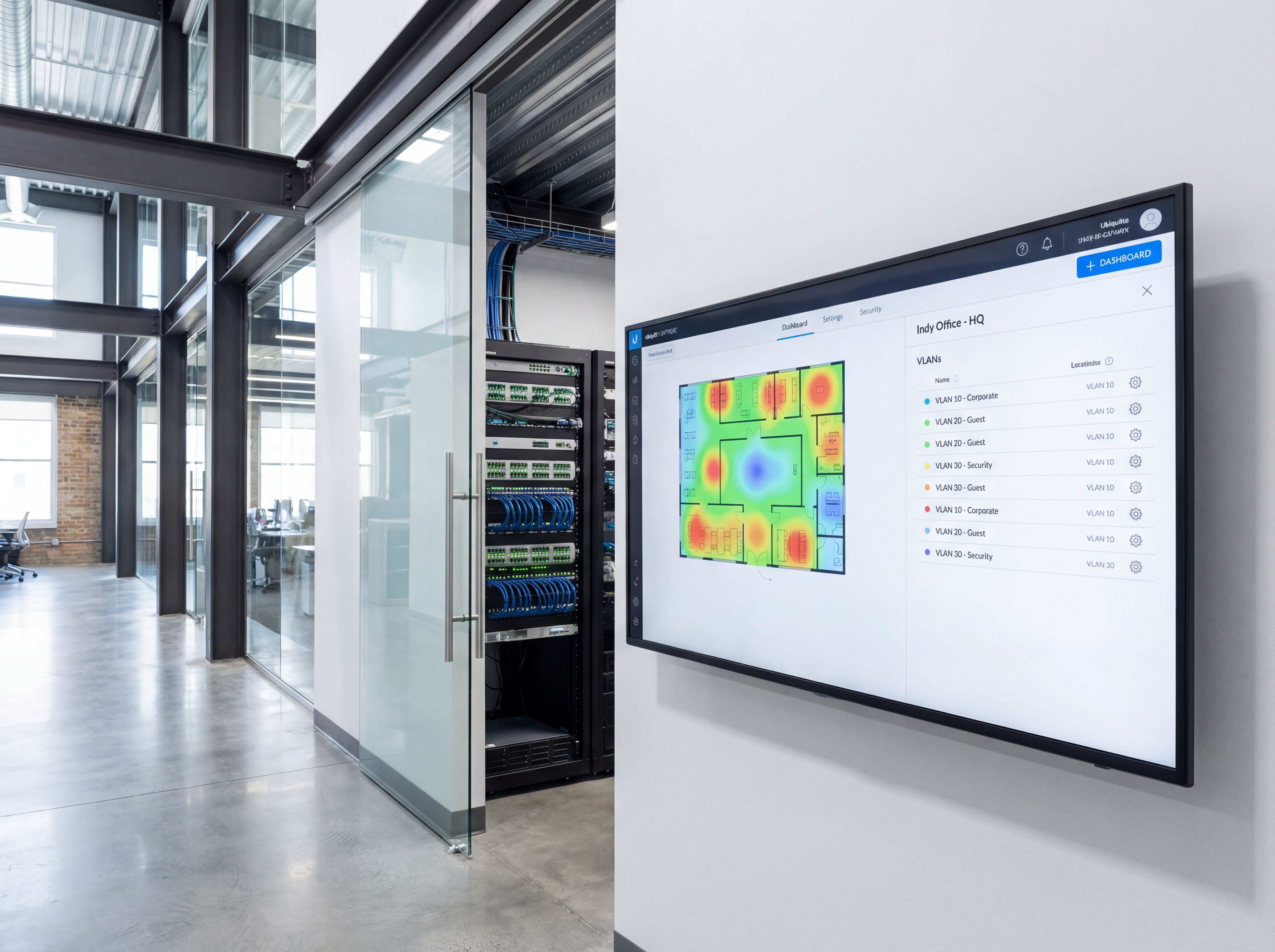
Colocar APs basados en materiales de construcción, no solo en imágenes cuadradas.
- Utilice mapas de calor para evitar solapas y zonas muertas en estructuras de ladrillo o metal.
- Backhaul APs con alambre donde sea posible; malla solamente donde el cableado es imposible.
- Cambios de tamaño para cargas PoE actuales y futuras.
Seguridad y gestión
Mantener implementaciones Unifi simples, documentadas y seguras.
- Cree VLANs para cámaras, POS, invitados y personal con espacios DHCP claros.
- Forzar MFA para los controladores y mantener las copias de seguridad versionadas.
- Supervisa la utilización de enlaces y alertas para que te tomes los problemas temprano.
Aplicación de la hoja de ruta
Mover de la planificación a la implementación en vivo con un proceso claro de cinco pasos.
- Llamada de descubrimiento para confirmar objetivos, presupuesto y hardware preferido.
- Estudio del sitio con fotos, alturas de montaje y ruta para poder y datos.
- Plantillas de configuración para nombrar, VLANs, retención y alerta.
- Instalación en el sitio con listas de verificación de validación y el usuario a bordo.
- Seguimiento posterior al lanzamiento, presentación de informes y sintonización trimestral.

Herramientas, métricas y plantillas
Traiga datos a cada decisión. Seguimiento de la adopción, tiempo de trabajo y ROI para que los interesados permanezcan alineados.
Qué monitorear
- Tiempo de actualización y respuesta de alerta
- Uso de ancho de banda y almacenamiento
- Cambios de acceso a los usuarios y registros de auditoría
- Patrones de entradas y correcciones recurrentes
Palabra clave & Objetivos
- Ubiquiti design Indiana
- Prácticas óptimas unificadas
- PoE planning
- Diseño VLAN
Playbook: plan, despliegue, mantenga
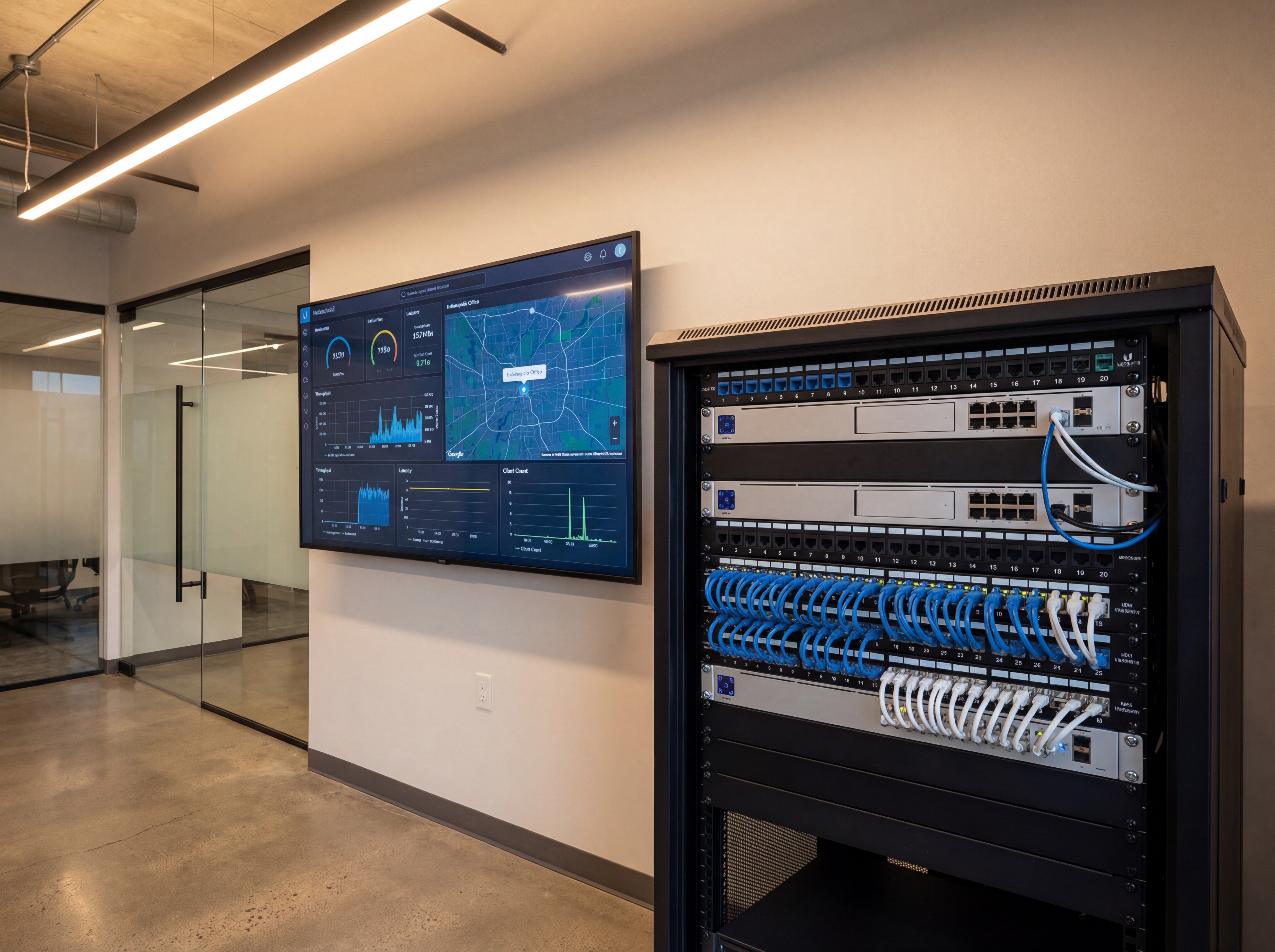
Utilice este esquema de tres fases para mantener los proyectos predecibles y asegurarse de que cada participante sepa lo que está sucediendo a continuación.
- Descubrimiento y mapeo: confirmar objetivos, dispositivos de inventario y cobertura de documentos o necesidades de rendimiento con fotos y diagramas.
- Diseño y aprobaciones: seleccione los tigres de hardware, finalice los montajes o racks, y se alinea en el nombre, VLANs, retención y alerta.
- Estadificación y configuración: perfiles preconfigurados, SSIDs, reglas y alertas para instalar el día se centra en el trabajo físico limpio.
- Instalación y validación: montaje, terminación, etiqueta, luego prueba flujos en vivo, mapas de calor Wi-Fi, almacenamiento y failover.
- Entrenamiento y desvío: registra los pasos cortos de estilo loom, comparte las credenciales de forma segura, y confirma quién es el dueño del administrador en curso.
- Atención continua: horario trimestral sintonización, firmware y auditorías para que el tiempo de trabajo, la seguridad y el rendimiento no se deslice.
Si quieres este hecho por ti, entrega esta lista de verificación a nuestro equipo y devolveremos un plan de instalación y monitoreo.
Errores comunes para evitar
La mayoría de los retrasos provienen de pequeños controles. Prevenirlos delante.
- Saltar un paseo por el sitio: sin fotos y mediciones, monturas, conductos y vías de cable se improvisan en el día de instalación.
- Potencia subyacente o ancho de banda: Los presupuestos de PoE, la capacidad de UPS y los auriculares de uplink necesitan espacio para el crecimiento.
- No hay convenciones para nombrar: puertos, cámaras, SSIDs o VLANs sin etiquetar lentas y confunden futuros administradores.
- Olvidar el acceso de los usuarios: definir quién puede ver, exportar o administrar antes del lanzamiento para evitar brechas de seguridad.
Medición y presentación de informes
Report on outcomes so leadership sees ROI and teams stay funded.
KPI operacionales
- Tiempo de actualización y tiempo medio para restaurar
- Volumen de alerta, falsos positivos y tiempos de respuesta
- Utilización del almacenamiento vs. objetivos de retención
- Alambrado de banda durante el uso máximo
Business KPIs
- Reducción de incidentes y multas resueltas
- Logros de seguridad y cumplimiento
- Marcas de satisfacción cliente o arrendatario
- Tiempo ahorrado en auditorías e investigaciones
Comparta un resumen mensual de una página que resalta los temas de acción, bloqueadores y próximos cambios para que todos los interesados permanezcan alineados.
Plan de lanzamiento de Indiana para principios de diseño de red Ubiquiti
Ubiquiti Network Design Principles funciona mejor cuando la salida comienza con la topología correcta. Mapa densidad de dispositivo, áreas de trabajo y cualquier cámara o POS necesita antes de ordenar hardware.
Un plan de cableado claro mantiene APs y conmutadores donde deben estar, mientras que VLAN protegen el tráfico sensible de las redes de invitados.
Entregamos Indianapolis y Carmel construyen con cableado etiquetado, enlaces probados y ajustes documentados para un soporte fácil.
- Identificar brechas de cobertura y zonas muertas por adelantado.
- Planifique la colocación de interruptores para cargas PoE y enlaces ascendentes.
- Negocios separados, invitados y tráfico de IoT.
- Normalizar el nombre SSID y la rotación de contraseñas.
- Prueba el ancho de banda para aplicaciones de vídeo, VoIP y cloud.
- Ventanas de mantenimiento de documentos y pasos de escalada.
¿Necesitas ayuda con la salida? Programar una evaluación de la red.
Lista de verificación de rendimiento para los principios de diseño de red Ubiquiti
Una vez que la red está en vivo, el monitoreo de rendimiento mantiene los Principios de Diseño de Red Ubiquiti confiables. Rastrear el uso por zona, observar la interferencia y ajustar la energía AP para mantener la cobertura consistente.
Un plan de apoyo documentado mantiene al personal en movimiento si algo rompe. Eso importa para empresas de Indiana que confían en aplicaciones de la nube, cámaras y VoIP.
- Baseline subir y descargar velocidades por sitio.
- Chequee el rendimiento y la calidad de envío.
- Interruptores de auditoría y presupuestos de PoE trimestralmente.
- Rotar contraseñas y refrescar las políticas de huéspedes.
- Revisar el inventario del dispositivo y reemplazar el hardware de envejecimiento.
- Pasos de escalada de documentos para las interrupciones.
¿Necesita ayuda continua? Utilice nuestro portal de soporte o solicitar una visita al sitio.
¿Quieres una revisión de diseño Unifi?
Planificamos las redes de Indiana con diagramas etiquetados, configs y planes de soporte.
Reserva una sesión de diseñoLista de verificación aprobada para los principios de diseño de la red Ubiquiti
Antes de aprobar Ubiquiti Network Design Principles, confirme las cuentas del plan para el recuento de dispositivos, objetivos de cobertura y soporte continuo. Esto mantiene los sitios de Indiana estable después de la salida.
- Mapa de cobertura para áreas de trabajo y estacionamiento.
- Presupuesto de PoE para puntos de acceso y cámaras.
- Diagrama de red con segmentación VLAN.
- Apoyo ISP o plan de failover.
- Ventanas de mantenimiento y plan de actualización.
- Apoyo escalada y tiempos de respuesta.
Suministramos estos artefactos como parte de cada evaluación de la red.
Sowynet plan de lanzamiento para Ubiquiti Network Design Principles
Entregamos una instalación limpia con configuraciones documentadas para que los equipos de Indiana puedan apoyar la red después del lanzamiento. Nuestro proceso mantiene las interrupciones bajas y el rendimiento alto.
- Revisión de diseño e inventario de dispositivos.
- Prepa de infraestructura y puesta en escena.
- Pruebas de instalación y validación in situ.
- Capacitación para personal y administradores.
- Seguimiento y apoyo continuos.
¿Listo para mejorar? Solicitar una consulta de red.
Marco de ejecución
Diseño redes UniFi alrededor de cobertura, conmutación y hábitos de gestión
Dolor: Los proyectos UniFi a menudo parecen simples hasta que la colocación de dispositivos inconsistentes, los enlaces débiles y los malos hábitos de controlador comienzan a crear problemas recurrentes.
Arreglar: planificar el diseño alrededor de la densidad de AP, cambiar roles, acceder al controlador, VLANs, y la forma en que el equipo realmente gestionará el sitio después de la instalación.
Resultado: la red funciona mejor día a día y se mantiene más fácil de expandir sin retrabajo desordenado.
- Mapa AP colocación con materiales de construcción y densidad de dispositivo real en mente.
- Interruptor separado, puerta de entrada y decisiones inalámbricas en lugar de comprar solo por paquete.
- Defina VLANs y SSIDs en torno a las necesidades empresariales, no por defectos genéricos.
- Mantenga el acceso del controlador y las prácticas de copia de seguridad documentadas desde el primer día.
- Revise los enlaces y presupuesto PoE antes de añadir más APs o cámaras.
- Revise el diseño después de la puesta en marcha para que los sitios futuros puedan reutilizar lo que funcionó.
Si usted está planeando o limpiando un despliegue UniFi, programar una revisión del diseño y vamos a ayudar a mapear el diseño adecuado.
Preguntas frecuentes
Cuestiones comunes
Comparte estas respuestas con interesados o asistentes para acelerar las aprobaciones.
¿Cuántos AP necesito?
Depende de la construcción. Las oficinas de Drywall pueden necesitar 1 por 1.000-1,500 pies cuadrados; la mampostería o el metal necesita más densidad.
¿Debería usar malla?
La malla está bien para las áreas de luz; APs de alambre donde se puede para la estabilidad y el rendimiento.
¿Cómo protejo el controlador?
Habilitar MFA, limitar funciones de administración, mantener copias de seguridad y colocar controladores en VLANs protegidos.
Resumen
Redes de un vistazo
Puntos clave para compartir con los equipos antes de la planificación.
- Diseño AP colocación de materiales y densidad, no adivinaciones Diseño AP colocación de materiales y densidad, no conjeturas.
- Wire backhaul y tamaño PoE para el crecimiento Wire backhaul y tamaño PoE para el crecimiento.
- Tráfico de segmentos y controladores seguros Tráfico de segmentos y controladores seguros.
Utilice este resumen para dar a su equipo contexto rápido.
Dolor - Solución - Marco de resultados
Por qué las redes UniFi todavía necesitan trabajo de diseño real
Dolor: Las interfaces amistosas pueden ocultar la colocación débil, los enlaces delgados y las prácticas de gestión sueltas hasta que los usuarios empiecen a sentir la inestabilidad.
Corrección: Tratar el diseño como un plan de red completo con funciones claras, objetivos de cobertura, VLANs y estándares de controlador.
Resultado: Mejor confiabilidad, expansión más fácil, y menos tiempo pasado persiguiendo configuración deriva.
Siguiente paso
Utilice la plataforma bien mediante la planificación del sitio correctamente primero
Utilice la página de servicio relacionada para mapear la colocación de AP, conmutación, VLAN y acceso al controlador antes de escalar el despliegue.
Eso mantiene el sistema limpio y compatible a medida que se añaden más dispositivos.
También hace de la plataforma un mejor ajuste para entornos multi-sitio o de cámara pesada.
Revisión de diseño de red UniFiLectura relacionada
Explore guías y páginas de servicio relacionadas
Estos enlaces amplían el tema y ayudan a los lectores a comparar los siguientes pasos prácticos.
Carga de recursos relacionados...
Cargando publicaciones recientes...