Security cameras
Access Control Integration with Security Cameras for Better Audits
Link access control events with camera footage to speed investigations and strengthen compliance.
Link access control events with camera footage to speed investigations and strengthen compliance.
Stakeholders in Indiana ask about placement, wiring, storage, and monitoring. This guide compiles proven answers so you can brief teams and move to install without delays.
Use it as a planning worksheet, a training piece for new managers, or a checklist alongside our security and networking services.
Key takeaways
Link access control events with camera footage to speed investigations and strengthen compliance.
- Tie door events to nearby camera timestamps for quick reviews.
- Standardize naming and time sync across systems.
- Protect data with role-based access and backups.
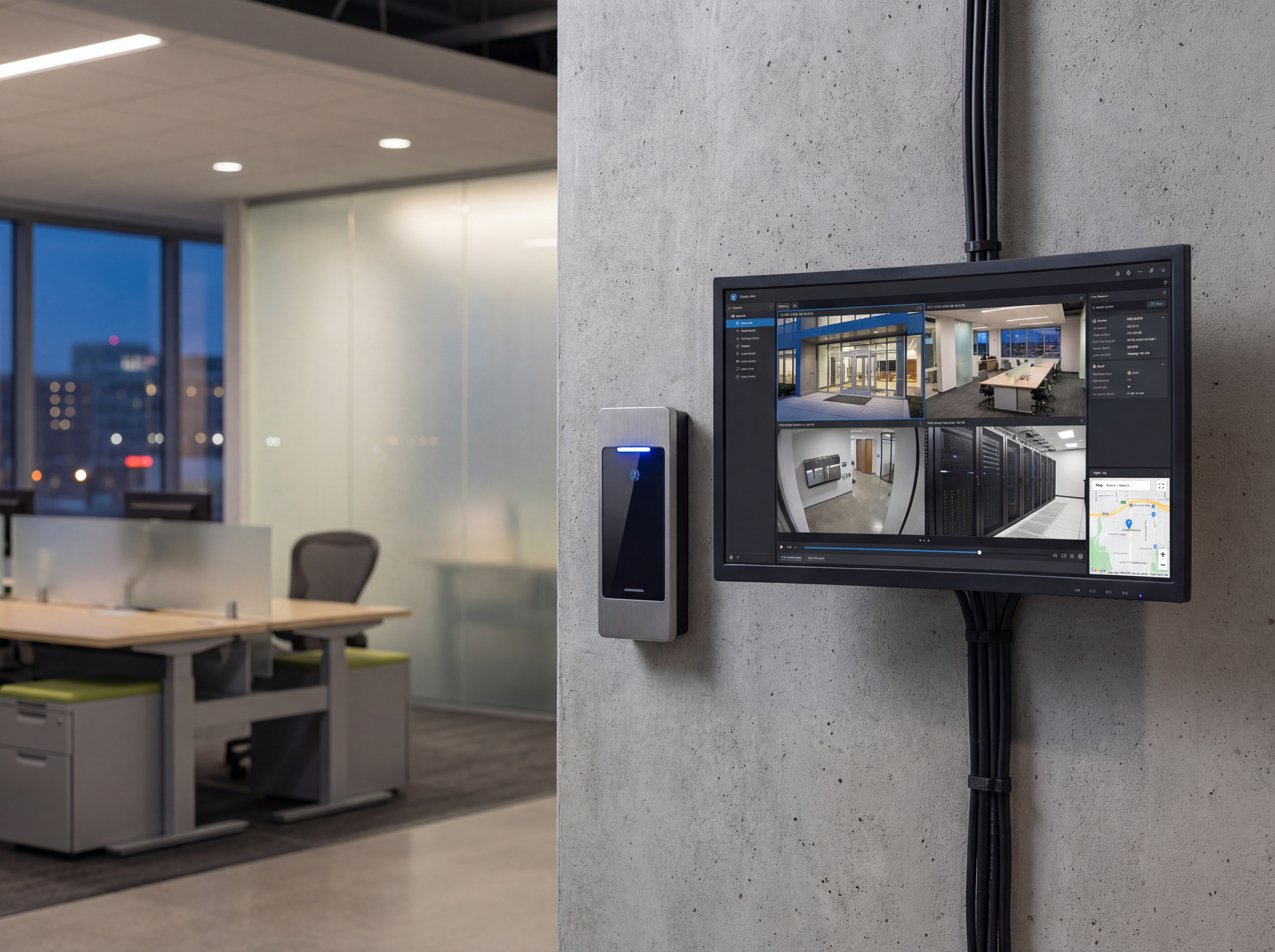
Design for traceability: access control integration
Consistent naming and time sync make investigations faster.
- Align reader names with camera IDs and physical locations.
- Sync NTP across controllers, cameras, and NVRs to avoid timestamp drift.
- Document who can view, export, and manage credentials.
Workflows that save time
Make footage retrieval easy for HR, safety, and IT.
- Tag cameras closest to entrances, elevators, and badge points.
- Use bookmarks or event triggers on NVRs for door forced/held events.
- Back up exports to secure cloud or NAS locations.
Implementation roadmap
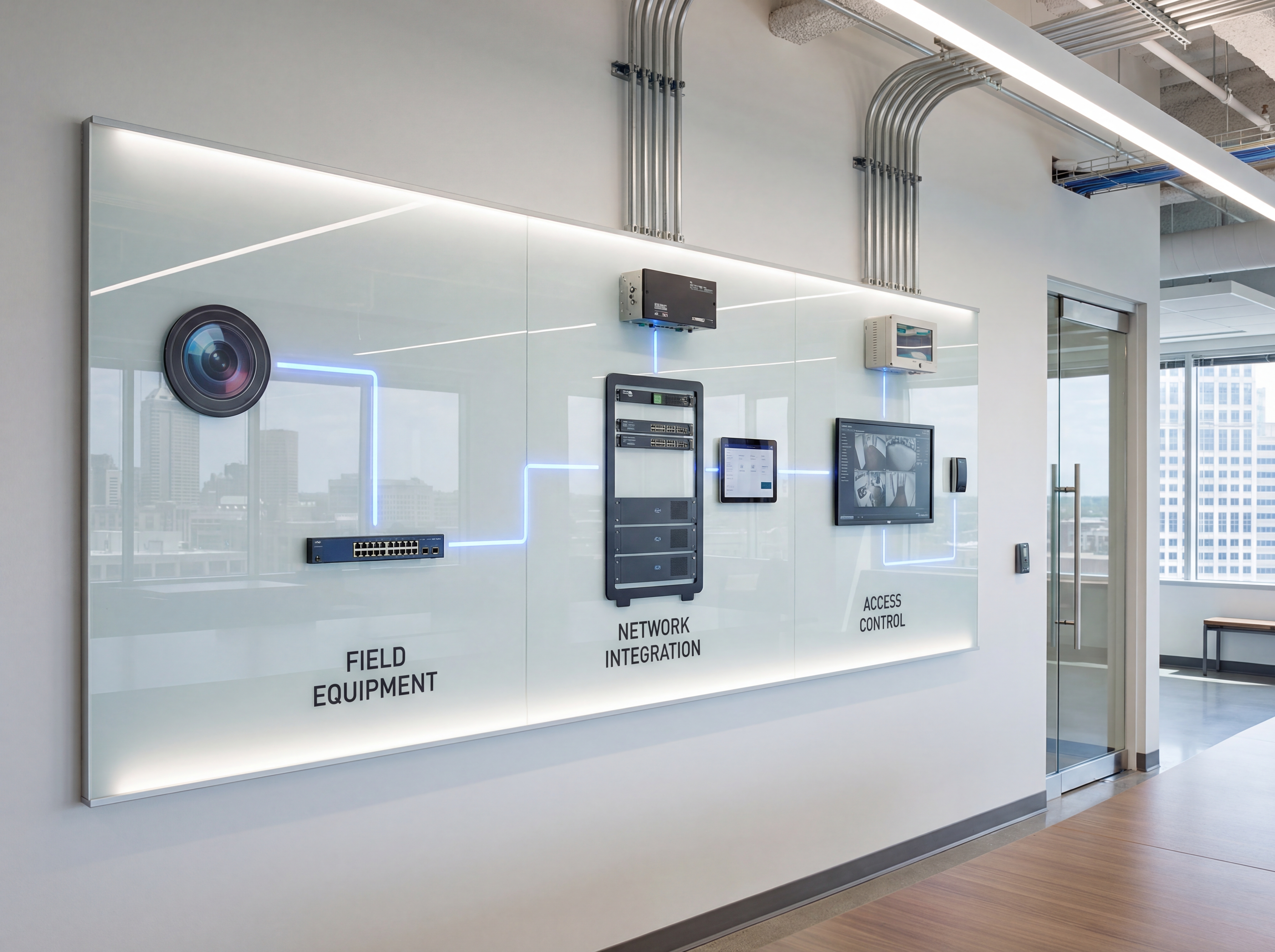
Move from planning to live deployment with a clear five-step process.
- Discovery call to confirm goals, budget, and preferred hardware.
- Site survey with photos, mounting heights, and pathing for power and data.
- Configuration templates for naming, VLANs, retention, and alerting.
- On-site install with validation checklists and user onboarding.
- Post-launch monitoring, reporting, and quarterly tune-ups.
Tools, metrics, and templates
Bring data to every decision. Track adoption, uptime, and ROI so stakeholders stay aligned.
What to monitor
- Uptime and alert responsiveness
- Bandwidth and storage utilization
- User access changes and audit logs
- Ticket patterns and recurring fixes
Keyword & intent targets
- access control integration
- door reader cameras
- audit trails
- security system design
Playbook: plan, deploy, maintain
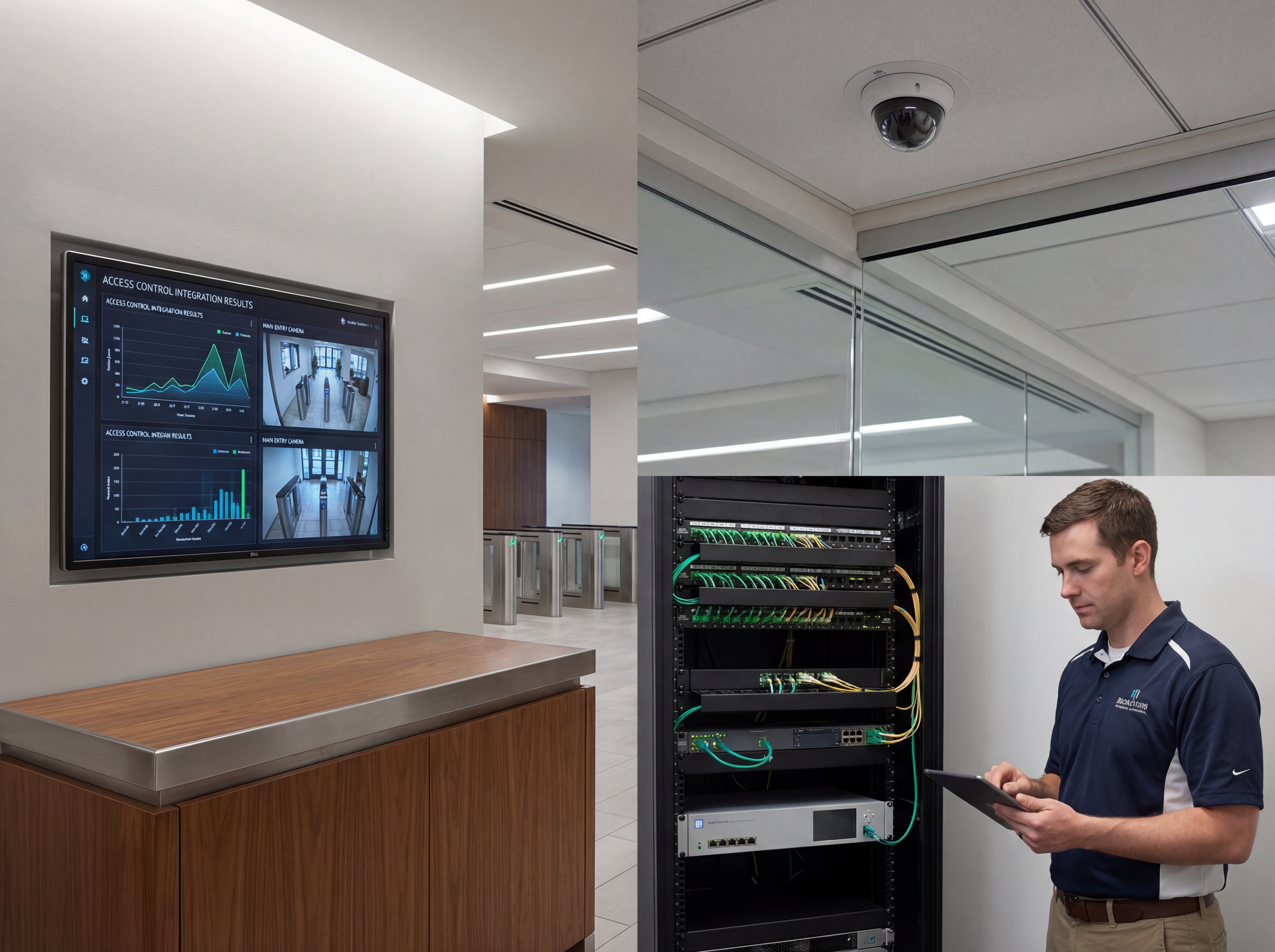
Use this three-phase outline to keep projects predictable and make sure every stakeholder knows what is happening next.
- Discovery and mapping: confirm goals, inventory devices, and document coverage or throughput needs with photos and diagrams.
- Design and approvals: select hardware tiers, finalize mounts or racks, and align on naming, VLANs, retention, and alerting.
- Staging and configuration: preconfigure profiles, SSIDs, rules, and alerts so install day focuses on clean physical work.
- Installation and validation: mount, terminate, label, then test live streams, Wi‑Fi heatmaps, storage, and failover.
- Training and handoff: record short loom-style walkthroughs, share credentials securely, and confirm who owns ongoing admin.
- Ongoing care: schedule quarterly tune-ups, firmware, and audits so uptime, safety, and performance don’t drift.
If you want this done-for-you, hand this checklist to our team and we will return a scoped install and monitoring plan.
Common mistakes to avoid
Most delays come from small oversights. Prevent them up front.
- Skipping a site walk: without photos and measurements, mounts, conduit, and cable paths get improvised on install day.
- Under-sizing power or bandwidth: PoE budgets, UPS capacity, and uplink headroom need headroom for growth.
- No naming conventions: unlabeled ports, cameras, SSIDs, or VLANs slow troubleshooting and confuse future admins.
- Forgetting user access: define who can view, export, or administer before launch to avoid security gaps.
Measurement and reporting
Report on outcomes so leadership sees ROI and teams stay funded.
Operational KPIs
- Uptime and mean time to restore
- Alert volume, false positives, and response times
- Storage utilization vs. retention targets
- Bandwidth headroom during peak use
Business KPIs
- Incident reductions and resolved tickets
- Safety/compliance milestones achieved
- Customer or tenant satisfaction scores
- Time saved on audits and investigations
Share a one-page monthly summary that highlights action items, blockers, and upcoming changes so every stakeholder stays aligned.
Indianapolis and Indiana planning checklist for Pairing Access Control with Security Cameras
Strong coverage starts with a site walkthrough and a simple map of entrances, parking, loading docks, and cash-handling areas. This is where Pairing Access Control with Security Cameras decisions should start so the footage matches how your team actually uses the space.
Plan for lighting, weather exposure, and camera heights before choosing hardware. Indiana weather swings make housing, seals, and cable routing just as important as lens choice.
We help teams in Indianapolis and Carmel align camera placement with network capacity, storage retention, and access control so investigations move faster.
- Map every entry, POS area, and high-value zone.
- Confirm resolution targets for faces, plates, and aisles.
- Plan retention days and storage for peak periods.
- Coordinate cabling paths and PoE switch capacity.
- Decide who can view, export, and audit footage.
- Add signage and policies that support compliance.
Explore our security and networking services for camera installs, NVR setup, and monitoring workflows.
Maintenance and response plan for Pairing Access Control with Security Cameras
Great footage is useless if cameras are offline. A maintenance plan keeps Pairing Access Control with Security Cameras reliable through winter storms, humidity swings, and power events that affect Indiana sites.
Build a response playbook so managers know how to pull clips fast, secure exports, and notify the right stakeholders. That consistency reduces risk and speeds investigations.
- Quarterly lens cleaning and focus checks.
- Firmware updates scheduled during low-traffic hours.
- Monthly storage health and backup verification.
- Test night vision and motion alerts by zone.
- Audit user access logs for compliance.
- Refresh incident response contacts every quarter.
Sowynet provides ongoing monitoring and support so your security footage is always ready when it matters.
Need help integrating?
We align access control and cameras with shared naming, time sync, and reporting.
Integrate my systemsQuestions Indiana teams ask before Pairing Access Control with Security Cameras
Property leaders in Indianapolis and Carmel want to know how Pairing Access Control with Security Cameras will reduce incidents, simplify investigations, and protect staff. Clear answers to the questions below prevent delays and change orders.
- Which zones need facial, plate, or aisle coverage?
- How many days of retention are required by policy?
- Who will review footage and how fast?
- Can the network support the camera load?
- Do we need access control integration?
- How will we keep cameras maintained year-round?
These checkpoints help you avoid gaps that show up after installation.
Installation timeline for Pairing Access Control with Security Cameras
A typical Indiana installation begins with a walkthrough and coverage map, followed by cabling, camera mounting, and NVR configuration. We finish with testing and training so your team can access footage immediately.
- Site survey and coverage plan.
- Cabling, PoE provisioning, and labeling.
- Camera mounting, aiming, and focus tuning.
- NVR setup, retention policies, and alerts.
- Training and a final footage verification.
We also offer ongoing support to keep footage reliable year-round.
Execution framework
Turn access and video events into a faster audit workflow
Pain: access events and camera footage often live in separate systems, so teams waste time matching timestamps, checking the wrong doorway, or exporting clips twice during an investigation.
Fix: map door names to camera names, keep every recorder on the same time source, and define one export process for managers, security staff, and IT.
Result: audits move faster, incident reviews are cleaner, and your team can answer who entered, when it happened, and which camera proves it without a scramble.
- Match every reader, door, and camera to one shared naming standard.
- Sync controllers, NVRs, and workstations to the same NTP source.
- Decide who can bookmark, export, and approve footage requests.
- Test one badge event all the way through to recorded video.
- Store one short response checklist with your incident log.
- Review failed events and missing footage during the monthly security check.
If your current setup still forces manual clip hunting, book a security review and we will map the workflow with your team.
Frequently asked questions
Common questions
Share these answers with stakeholders or assistants to speed approvals.
Do both systems need the same time source?
Yes. NTP sync prevents timestamp drift and speeds investigations.
Can I trigger recordings from door events?
Many NVRs support event-based bookmarks or increased bitrate on triggers.
Who should manage access?
Assign clear owners for credentials and footage exports to avoid gaps.
Quick summary
Security Cameras at a glance
Key points to share with teams before planning.
- Sync names and time between access and cameras Sync names and time between access and cameras.
- Use triggers and bookmarks for faster reviews Use triggers and bookmarks for faster reviews.
- Control roles and backups for both systems Control roles and backups for both systems.
Use this summary to give your team fast context.
Pain - Fix - Result Framework
Where integrated security systems usually break down
Pain: Badge events, door schedules, and footage timestamps do not line up, so reviews take too long and audits stay incomplete.
Fix: Standardize naming, sync time, and decide one owner for exports, retention, and exception review.
Result: Investigations speed up, audit trails improve, and managers spend less time reconstructing what happened.
Next step
Build the integration around one response path
Start with the service page below, then connect badge events, camera names, and export permissions to one operating checklist.
That gives staff a clear next step and keeps the system useful after the install is finished.
Use the same checklist during onboarding, audits, and post-incident review so the process stays consistent.
Review integration servicesRelated reading
Explore related guides and service pages
These links expand the topic and help readers compare practical next steps.
Loading related resources...
Loading recent posts...