Web design
Responsive Web Design and SEO: Why Mobile UX Matters
Responsive web design and SEO are stuck in the same car. If the site is slow, cramped, jumpy, or weird on mobile, rankings and leads both start asking to be dropped off early.
Key takeaways
Responsive design protects search visibility and conversion by making the site fast, readable, and easy to use on the screens people actually carry around.
- Lead with mobile intent. Put the offer, proof, and next step where thumbs and impatient humans can find them.
- Treat speed like sales support. Compress media, reduce layout shift, and monitor Core Web Vitals before traffic starts leaking.
- Keep the markup clean. Semantic headings, accessible controls, and crawlable content help users and search engines understand the page.
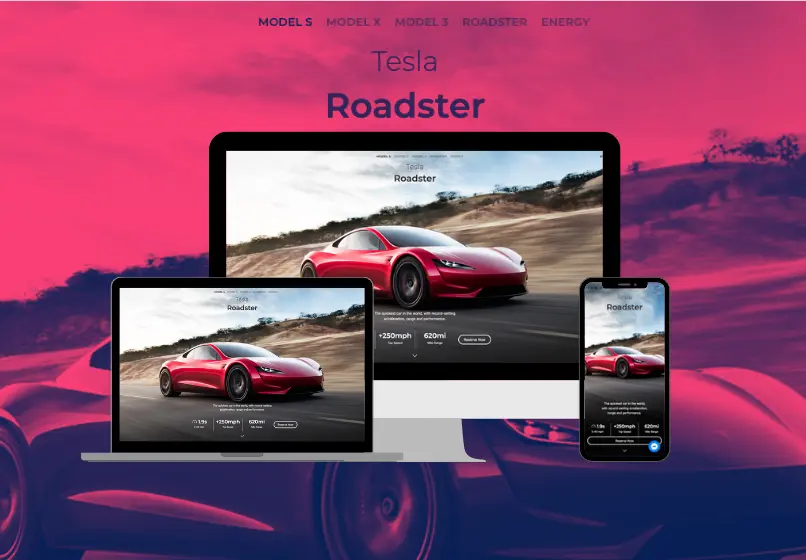
Why responsive web design and SEO belong together
Search engines can send visitors to the page, but the page still has to survive the first tap. If the navigation fights the screen, images shove content around, or the form behaves like it needs a nap, people leave.
Responsive web design keeps the experience stable across phones, tablets, and desktops. SEO gives that experience a better chance to be discovered. Together, they protect the path from ranking to revenue.
- Design mobile-first so key actions shine on small screens before scaling up.
- Optimize assets through compression, caching, and critical CSS to keep pages fast.
- Audit accessibility so contrast, typography, and navigation work for every visitor.
Good mobile design is not just "make it fit"
A site can technically fit on a phone and still feel like reading a menu through a keyhole. Strong responsive design sets content priority, spacing, tap targets, image behavior, and CTA placement for real mobile decisions.
That matters for SEO because engagement signals, speed, accessibility, and mobile usability all shape whether the page deserves more attention. Pretty is nice. Pretty and usable pays rent.
Use data before redesign drama begins
Pair regular usability reviews with analytics. Monitor bounce rate, scroll depth, form starts, call clicks, and conversions by device type so you know which template needs help first.
The goal is not to redesign everything because one button looked strange on an old phone. The goal is to find where mobile users drop, fix the cause, and measure whether the repair changed behavior.

Responsive design checklist before launch
Responsive design fails when teams only look at tidy screenshots instead of real usage. Before launch, test the layouts people actually use: phones in portrait, tablets in landscape, older browsers, slow connections, and key conversion pages with real forms and taps.
The goal is not to make every breakpoint look identical. It is to keep the most important actions readable, reachable, and fast no matter which screen a visitor uses.
That means treating responsive design as QA plus business logic, not visual polish wearing a nicer jacket.
- Test navigation, forms, and CTA buttons on real mobile devices.
- Check page speed on the templates that drive the most traffic.
- Verify tap targets, spacing, and font size on smaller screens.
- Review image behavior, cropping, and layout shifts at key breakpoints.
- Confirm tables, embeds, and cards do not break narrow layouts.
- Measure conversion rate by device type after launch.
Need help? Schedule a responsive audit.

Conversion workflow for responsive websites
Mobile visitors decide quickly whether the site feels trustworthy and usable. If buttons are cramped, pages jump, or forms fight the keyboard, conversion drops before the offer even gets to introduce itself.
Pair responsive improvements with clear calls to action, proof near key decision points, and a fast path to contact so better usability turns into better lead quality.
- Use a consistent primary CTA on every high-intent page.
- Add proof blocks near key decision points.
- Track form completion and call quality.
- Offer a quick audit or mobile UX review.
- Reduce fields and speed up the form experience.
- Review results monthly and iterate quickly.
Ready to improve conversion rates? Book a discovery call.

Upgrade to a responsive website that helps SEO
Work with Sowynet to audit mobile UX, resolve breakpoints, improve speed, and connect responsive web design to measurable SEO and conversion gains.
Schedule a responsive auditApproval checklist for responsive design updates
Before approving responsive design work, decision makers usually want clarity on device coverage, conversion impact, and whether the changes improve speed or just rearrange the layout.
- Clear scope for SEO, design, and content work.
- Timeline with milestones and check-ins.
- KPIs tied to leads and revenue.
- Proof of experience in Indiana markets.
- Reporting cadence and dashboard access.
- Plan for ongoing updates after launch.
We provide this detail during discovery so teams can approve quickly.

Implementation workflow for responsive design improvements
Our workflow keeps responsive projects organized and measurable. We align on device priorities, fix the highest-friction templates first, then launch with QA and tracking so the team can see the impact by device type instead of arguing from vibes.
- Device and template audit.
- Breakpoint planning and design updates.
- Performance tuning and QA testing.
- Launch with analytics by device type.
- Post-launch fixes and optimization.
If you want a roadmap, book a strategy call.
How responsive design builds trust faster
Visitors trust sites that feel stable and easy to use. Clean mobile spacing, readable type, fast image loading, and forms that work on the first try create confidence before anyone reads a case study or testimonial.
That is why responsive work often improves trust and conversion together. The site stops feeling fragile and starts feeling ready for real users.
- Use testimonials with names, roles, and outcomes.
- Show examples of before-and-after improvements.
- Offer a short assessment or audit as a CTA.
- Explain timelines and what to expect after kickoff.
- Link to service pages and supporting resources.
- Keep contact options visible throughout the page.
Need help with proof and positioning? Talk with our team.
Turning responsive design improvements into booked meetings
Great design only helps the business if the next step is obvious. Keep one primary CTA, reinforce it with proof, and make the contact flow as easy on mobile as ordering lunch.
When the CTA aligns with the usability promise of the page, visitors are more likely to stay engaged and convert.
- Use one CTA label across the page.
- Place the CTA above the fold and near FAQs.
- Add a short guarantee or risk reducer.
- Connect the CTA to a local service area.
- Include a simple booking or scheduling link.
- Confirm follow-up expectations on submission.
Need help? Talk with our team.
Polish the responsive experience before launch
A quick polish step keeps the experience fast, readable, and easy to act on. These final checks catch the issues that often survive design reviews but hurt real users.
- Check headings for clarity and keyword focus.
- Ensure proof points are near the CTA.
- Link to related blogs for depth.
- Reduce friction in the contact flow.
Need a second set of eyes? Schedule a review.
Execution framework
How to make responsive design improvements work in weekly operations
Pain: teams often know the site feels weak on mobile, but nobody owns the breakpoints, performance fixes, or form friction that actually cost conversions. Issues stay visible for months because they are treated like design polish instead of revenue risk.
Fix: treat responsive design like an operating system. Use one owner, one QA rhythm, one scorecard by device type, and one prioritized list of templates to improve.
Result: the site becomes easier to use, easier to trust, and easier to convert on the screens people use most.
- Review conversion rates by device type every week.
- Fix the highest-friction template before redesigning everything.
- Test forms, menus, and nav on real phones after each release.
- Track speed, layout shift, and CTA visibility on key pages.
- Keep one owner responsible for responsive QA and follow-through.
- Refresh weak templates first instead of rebuilding the whole site.
If you want this turned into a working improvement plan, book a strategy call and we will map the first 30 days with your team.
Frequently asked questions
Responsive web design and SEO essentials
These answers summarize how mobile UX, speed, and crawlable page structure work together before and after launch.
How does responsive web design help SEO?
It improves mobile usability, page speed, layout stability, and engagement. Those signals help the page perform better for visitors and search engines.
What should we test before launch?
Test menus, forms, CTA buttons, page speed, image behavior, layout shift, and important service pages on real phones, not only desktop previews.
Can responsive fixes improve conversions too?
Yes. Clear mobile spacing, fast pages, visible proof, and easy contact flows reduce friction so more visitors can become leads.
Quick summary
Responsive SEO fast facts
Responsive web design supports SEO when it keeps pages fast, stable, readable, crawlable, and easy to act on.
- Device coverage Fluid grids, modern breakpoints, and touch-friendly UI stop mobile drop-offs.
- Performance mindset Lightweight media, caching, and Core Web Vitals guard search visibility.
- Continuous QA Real-device testing plus analytics feedback keeps layouts honest.
Use this block when planning responsive site benefits or must-have tactics.
Pain - Fix - Result Framework
From mobile friction to measurable conversion gains
Pain: visitors hit cramped layouts, slow pages, and awkward forms on mobile and leave before acting.
Fix: we align breakpoints, performance, and CTA visibility so the site stays usable across real devices.
Result: better engagement, stronger trust, and more of your mobile traffic turning into leads.
Next step
Apply this topic with a responsive improvement plan
If this article matches what you need, connect it to one clear service page and one clear conversion goal.
Start with the related service page, then align mobile UX fixes and CTA paths so readers can take action faster.
That improves usability for people and gives the site a cleaner path from traffic to inquiry.
View the related service pageRelated reading
Explore related guides and service pages
These links expand the topic and help readers compare practical next steps.
Loading related resources...
Loading recent posts...