Cámaras de seguridad
Integración del control de acceso con cámaras de seguridad para mejores auditorías
Vincula eventos de control de acceso con imágenes de cámaras para acelerar las investigaciones y fortalecer el cumplimiento.
Vincula eventos de control de acceso con imágenes de cámaras para acelerar las investigaciones y fortalecer el cumplimiento.
Las partes interesadas en Indiana preguntan sobre la ubicación, el cableado, el almacenamiento y el monitoreo. Esta guía recopila respuestas comprobadas para que pueda informar a los equipos y pasar a la instalación sin demoras.
Úsela como una hoja de trabajo de planificación, una pieza de capacitación para nuevos gerentes o una lista de verificación junto con nuestros servicios de seguridad y redes.
Conclusiones clave
Vincula eventos de control de acceso con imágenes de cámaras para acelerar las investigaciones y fortalecer el cumplimiento.
- Vincula los eventos de puertas a las marcas de tiempo de las cámaras cercanas para revisiones rápidas.
- Estandariza los nombres y la sincronización de tiempo en todos los sistemas.
- Protege los datos con acceso basado en roles y copias de seguridad.
Diseño para la trazabilidad: integración del control de acceso
Los nombres consistentes y la sincronización de tiempo facilitan las investigaciones más rápido.
- Alinee los nombres de los lectores con los ID de las cámaras y las ubicaciones físicas.
- Sincronice NTP entre controladores, cámaras y NVR para evitar cambios en la marca de tiempo.
- Documente quién puede ver, exportar y administrar credenciales.
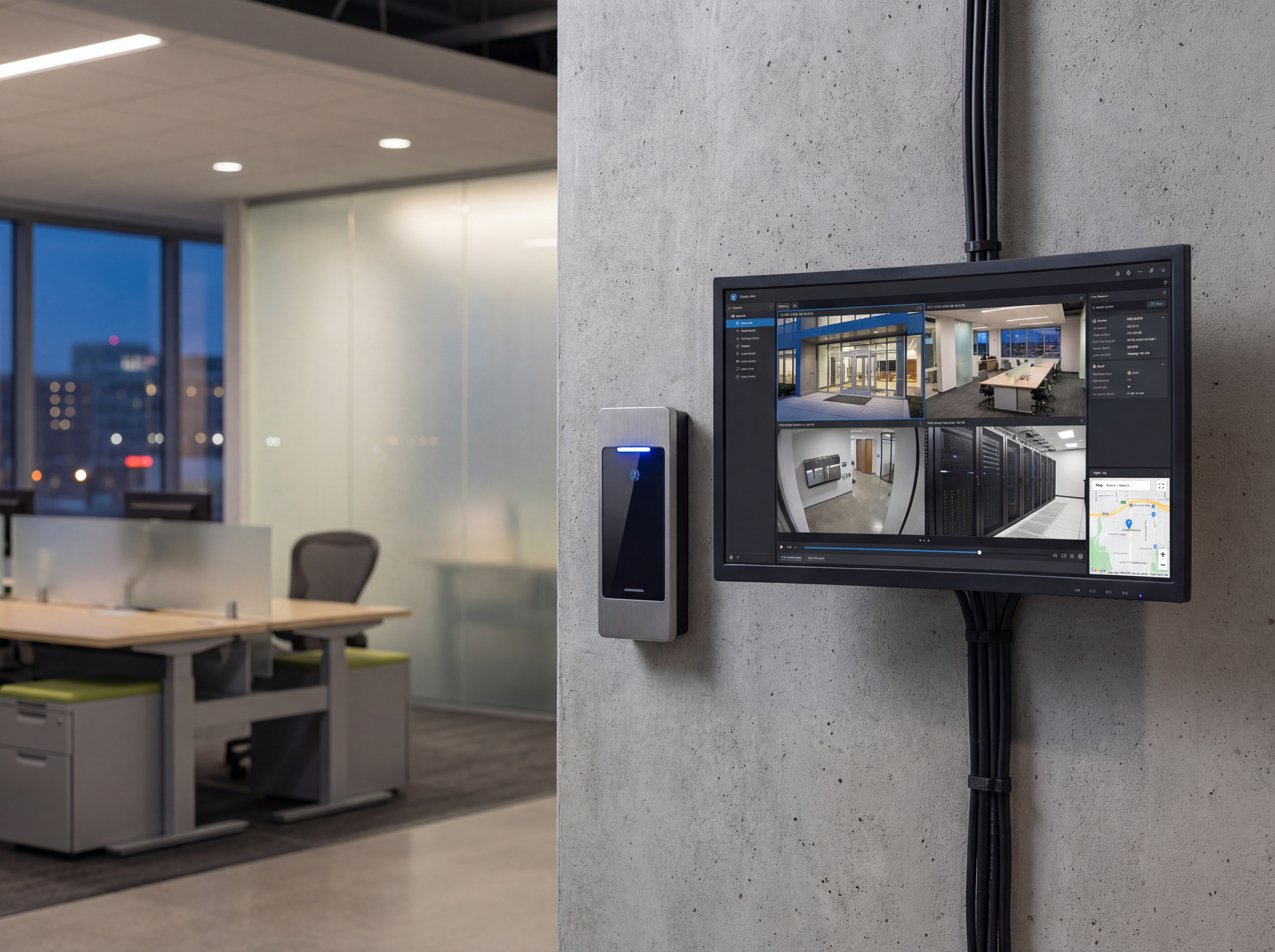
Flujos de trabajo que ahorran tiempo
Facilita la recuperación de imágenes para RRHH, seguridad y TI.
- Etiquete las cámaras más cercanas a entradas, ascensores y puntos de acceso.
- Utilice marcadores o activadores de eventos en NVR para eventos de puertas forzadas/retenidas.
- Realice copias de seguridad de las exportaciones en una nube segura o ubicaciones NAS.
Hoja de ruta de implementación
Pase de la planificación a la implementación en vivo con un proceso claro de cinco pasos.
- Llamada de descubrimiento para confirmar objetivos, presupuesto y hardware preferido.
- Estudio del sitio con fotografías, alturas de montaje y rutas para energía y datos.
- Plantillas de configuración para nombres, VLAN, retención y alertas.
- Instalación en el sitio con listas de verificación de validación e incorporación de usuarios.
- Monitoreo, informes y ajustes trimestrales posteriores al lanzamiento.
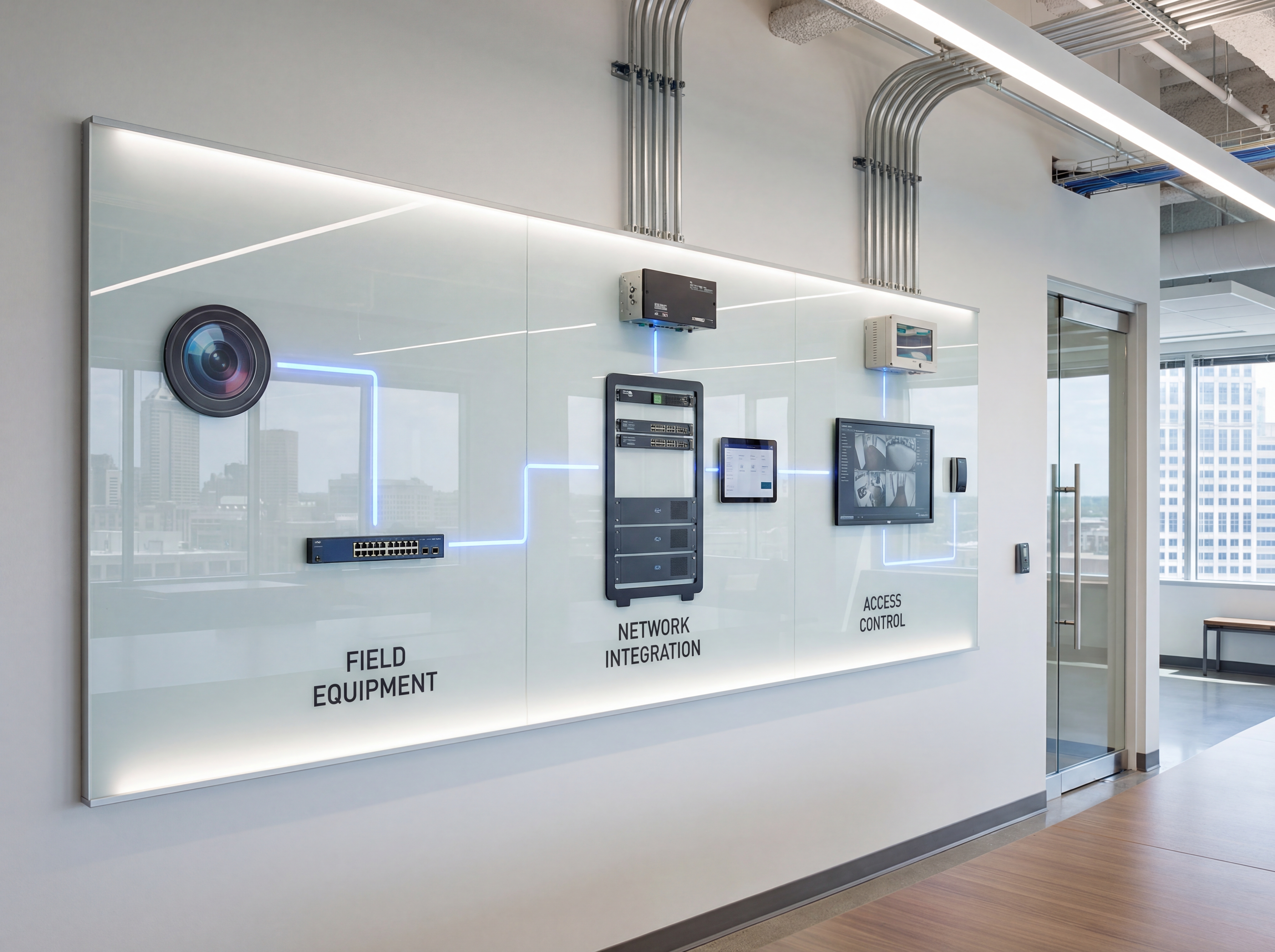
Herramientas, métricas y plantillas
Aporta datos a cada decisión. Realice un seguimiento de la adopción, el tiempo de actividad y el retorno de la inversión para que las partes interesadas estén alineadas.
Qué monitorear
- Tiempo de actividad y capacidad de respuesta de alertas
- Ancho de banda y utilización de almacenamiento
- Cambios de acceso de usuarios y registros de auditoría
- Patrones de tickets y correcciones recurrentes
Palabra clave & objetivos de intención
- integración de control de acceso
- cámaras lectoras de puertas
- pistas de auditoría
- diseño del sistema de seguridad
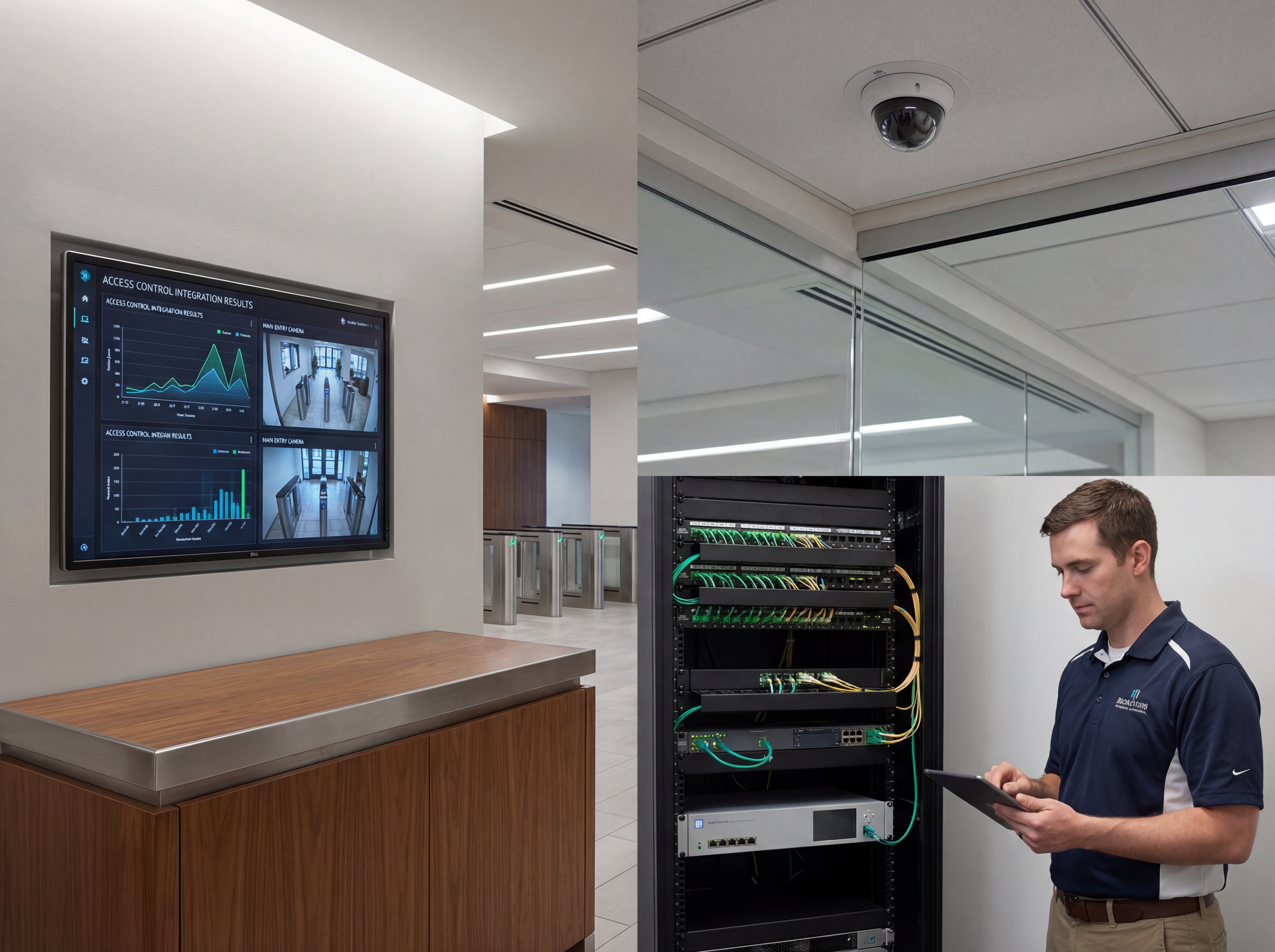
Libro de estrategias: planificar, implementar, mantener
Utilice este esquema de tres fases para mantener los proyectos predecibles y asegurarse de que todas las partes interesadas sepan lo que sucederá a continuación.
- Descubrimiento y mapeo: confirme objetivos, haga inventario de dispositivos y documente las necesidades de cobertura o rendimiento con fotografías y diagramas.
- Diseño y aprobaciones: seleccione niveles de hardware, finalice los montajes o bastidores y alinee los nombres, las VLAN, la retención y las alertas.
- Preparación y configuración: preconfigure perfiles, SSID, reglas y alertas para que el día de instalación se centre en un trabajo físico limpio.
- Instalación y validación: monte, finalice, etiquete y luego pruebe transmisiones en vivo, mapas de calor Wi-Fi, almacenamiento y conmutación por error.
- Capacitación y transferencia: registre breves recorridos estilo telar, comparta credenciales de forma segura y confirme quién es el propietario del administrador actual.
- Atención continua: programe ajustes, firmware y auditorías trimestrales para que el tiempo de actividad, la seguridad y el rendimiento no cambien.
Si desea que esto se haga por usted, entregue esta lista de verificación a nuestro equipo y le devolveremos una instalación específica y plan de seguimiento.
Errores comunes que se deben evitar
La mayoría de los retrasos se deben a pequeños descuidos. Evítelos desde el principio.
- Saltarse un recorrido por el sitio: sin fotos ni mediciones, los soportes, los conductos y las rutas de cables se improvisan el día de la instalación.
- Infradimensionamiento de potencia o ancho de banda: los presupuestos de PoE, la capacidad de UPS y el margen de enlace ascendente necesitan espacio para crecer.
- Sin convenciones de nomenclatura: puertos sin etiquetar, cámaras, SSID, o las VLAN ralentizan la resolución de problemas y confunden a los futuros administradores.
- Olvidar el acceso de los usuarios: defina quién puede ver, exportar o administrar antes del lanzamiento para evitar brechas de seguridad.
Medición e informes
Informar sobre los resultados para que el liderazgo vea el retorno de la inversión y los equipos mantengan la financiación.
KPI operativos
- Tiempo de actividad y tiempo medio de restauración
- Volumen de alertas, falsos positivos y tiempos de respuesta
- Utilización del almacenamiento vs. objetivos de retención
- Margen de ancho de banda durante el uso pico
KPI comerciales
- Reducciones de incidentes y tickets resueltos
- Hitos de seguridad/cumplimiento alcanzados
- Puntuaciones de satisfacción del cliente o inquilino
- Tiempo ahorrado en auditorías y investigaciones
Comparta un resumen mensual de una página que destaca los elementos de acción, los bloqueadores y los próximos cambios para que todas las partes interesadas se mantengan alineadas.
Lista de verificación de planificación de Indianapolis e Indiana para combinar el control de acceso con cámaras de seguridad
La cobertura sólida comienza con un recorrido por el sitio y un mapa simple de entradas, estacionamiento, muelles de carga y áreas de manejo de efectivo. Aquí es donde deben comenzar las decisiones sobre cómo combinar el control de acceso con las cámaras de seguridad para que el metraje coincida con cómo su equipo utiliza realmente el espacio.
Planifique la iluminación, la exposición a las condiciones climáticas y las alturas de las cámaras antes de elegir el hardware. Los cambios climáticos de Indiana hacen que la carcasa, los sellos y el enrutamiento de cables sean tan importantes como la elección de la lente.
Ayudamos a los equipos en Indianapolis y Carmel a alinear la ubicación de las cámaras con la capacidad de la red, la retención de almacenamiento y el control de acceso para que las investigaciones avancen más rápido.
- Asignar cada entrada, área de punto de venta y zona de alto valor.
- Confirmar objetivos de resolución para caras, placas y pasillos.
- Planifique los días de retención y el almacenamiento para los períodos pico.
- Coordine las rutas de cableado y la capacidad del conmutador PoE.
- Decida quién puede ver, exportar y auditar las imágenes.
- Agregue señalización y políticas que respalden el cumplimiento.
Explore nuestra seguridad y redes servicios para instalación de cámaras, configuración de NVR y flujos de trabajo de monitoreo.
Plan de respuesta y mantenimiento para emparejar el control de acceso con cámaras de seguridad
Las excelentes imágenes son inútiles si las cámaras están fuera de línea. Un plan de mantenimiento mantiene confiable el emparejamiento del control de acceso con las cámaras de seguridad durante las tormentas invernales, los cambios de humedad y los eventos de energía que afectan los sitios de Indiana.
Cree un manual de respuesta para que los gerentes sepan cómo extraer clips rápidamente, asegurar las exportaciones y notificar a las partes interesadas adecuadas. Esa coherencia reduce el riesgo y acelera las investigaciones.
- Limpieza de lentes y comprobaciones de enfoque trimestrales.
- Actualizaciones de firmware programadas durante las horas de poco tráfico.
- Verificación de copia de seguridad y estado del almacenamiento mensual.
- Pruebe alertas de movimiento y visión nocturna por zona.
- Auditoría registros de acceso de usuarios para cumplimiento.
- Actualice los contactos de respuesta a incidentes cada trimestre.
Sowynet proporciona monitoreo y soporte continuos para que sus grabaciones de seguridad estén siempre listas cuando sea necesario.
¿Necesita ayuda para la integración?
Alineamos el control de acceso y las cámaras con nombres compartidos, sincronización de tiempo e informes.
Integrar mis sistemasPreguntas que hacen los equipos de Indiana antes de vincular el control de acceso con las cámaras de seguridad
Los líderes de propiedades en Indianapolis y Carmel quieren saber cómo la vinculación del control de acceso con las cámaras de seguridad reducirá los incidentes, simplificará las investigaciones y protegerá al personal. Las respuestas claras a las siguientes preguntas evitan retrasos y cambios en las órdenes.
- ¿Qué zonas necesitan cobertura facial, de placa o de pasillo?
- ¿Cuántos días de retención requiere la política?
- ¿Quién revisará las imágenes y con qué rapidez?
- ¿Puede la red soportar la carga de la cámara?
- ¿Podemos ¿Necesitas integración de control de acceso?
- ¿Cómo mantendremos las cámaras en buen estado durante todo el año?
Estos puntos de control te ayudan a evitar espacios que aparecen después de la instalación.
Cronograma de instalación para emparejar el control de acceso con cámaras de seguridad
Una instalación típica de Indiana comienza con un recorrido y un mapa de cobertura, seguido del cableado, el montaje de la cámara y el NVR. configuración. Terminamos con pruebas y capacitación para que su equipo pueda acceder al metraje de inmediato.
- Estudio del sitio y plan de cobertura.
- Cableado, aprovisionamiento de PoE y etiquetado.
- Montaje, orientación y ajuste de enfoque de la cámara.
- Configuración de NVR, políticas de retención y alertas.
- Capacitación y verificación final del metraje.
También ofrecemos soporte continuo para mantener el metraje confiable durante todo el año.
Marco de ejecución
Convierta los eventos de acceso y video en un flujo de trabajo de auditoría más rápido
Problema: los eventos de acceso y el metraje de la cámara a menudo viven en sistemas separados, por lo que los equipos pierden tiempo haciendo coincidir marcas de tiempo y comprobando la puerta equivocada o exportar clips dos veces durante una investigación.
Solución: asigne nombres de puertas a nombres de cámaras, mantenga todas las grabadoras en la misma fuente de tiempo y defina un proceso de exportación para gerentes, personal de seguridad y TI.
Resultado: las auditorías avanzan más rápido, las revisiones de incidentes son más limpias y su equipo puede responder quién entró, cuándo sucedió y qué cámara lo demuestra sin problemas.
- Empareje cada lector, puerta y cámara con un nombre compartido estándar.
- Sincronice controladores, NVR y estaciones de trabajo con la misma fuente NTP.
- Decida quién puede marcar, exportar y aprobar solicitudes de material de archivo.
- Pruebe un evento de insignia hasta el video grabado.
- Guarde una breve lista de verificación de respuestas con su registro de incidentes.
- Revise los eventos fallidos y metraje faltante durante el control de seguridad mensual.
Si tu configuración actual aún requiere la búsqueda manual de clips, reserva una revisión de seguridad y mapearemos el flujo de trabajo con tu equipo.
Preguntas frecuentes
Preguntas comunes
Comparte estas respuestas con las partes interesadas o asistentes para acelerar las aprobaciones.
¿Ambos sistemas necesitan la misma fuente de tiempo?
Sí. La sincronización NTP evita la desviación de la marca de tiempo y acelera las investigaciones.
¿Puedo activar grabaciones de eventos de puerta?
Muchos NVR admiten marcadores basados en eventos o una mayor tasa de bits en los activadores.
¿Quién debe administrar el acceso?
Asigne propietarios claros para las credenciales y exportaciones de metraje que se deben evitar brechas.
Resumen rápido
Cámaras de seguridad de un vistazo
Puntos clave para compartir con los equipos antes de planificar.
- Sincronizar nombres y horas entre el acceso y las cámaras Sincronizar nombres y horas entre el acceso y las cámaras.
- Utilizar activadores y marcadores para revisiones más rápidas Utilice activadores y marcadores para revisiones más rápidas.
- Controle funciones y copias de seguridad para ambos sistemas Controle funciones y copias de seguridad para ambos sistemas.
Utilice este resumen para brindarle a su equipo un contexto rápido.
Marco de problemas, soluciones y resultados
Donde los sistemas de seguridad integrados suelen fallar
Problema: Los eventos de credenciales, los horarios de las puertas y las marcas de tiempo de las imágenes no se alinean, por lo que las revisiones tardan demasiado y las auditorías permanecen incompletas.
Solución: Estandarizar los nombres, sincronizar la hora y decidir un propietario para exportaciones, retención y revisión de excepciones.
Resultado: Las investigaciones se aceleran, los registros de auditoría mejoran y los gerentes dedican menos tiempo a reconstruir lo que sucedió.
Siguiente paso
Construya la integración en torno a una ruta de respuesta
Comience con la página de servicio siguiente y luego conecte la insignia. eventos, nombres de cámaras y permisos de exportación a una lista de verificación operativa.
Esto le brinda al personal un siguiente paso claro y mantiene el sistema útil una vez finalizada la instalación.
Utilice la misma lista de verificación durante la incorporación, las auditorías y la revisión posterior al incidente para que el proceso se mantenga consistente.
Revise los servicios de integraciónRelacionados leyendo
Explore guías y páginas de servicios relacionadas
Estos enlaces amplían el tema y ayudan a los lectores a comparar los siguientes pasos prácticos.
Cargando recursos relacionados...
Cargando publicaciones recientes...