Security cameras
Low-Voltage Prewire Plan for New Construction Security
Plan low-voltage prewire for cameras, access control, and networking so new builds stay flexible. low-voltage prewire plan is a core focus for this guide.
Plan low-voltage prewire for cameras, access control, and networking so new builds stay flexible.
Teams also ask what they should keep on the shelf for quick-install projects. A good prewire plan is not just about drawings. It is also about stocking the low-voltage parts that prevent return trips, change orders, and half-finished installs.
Use it as a planning worksheet, a training piece for new managers, or a checklist alongside our security and networking services.
Key takeaways
Plan low-voltage prewire for cameras, access control, and networking so new builds stay flexible.
- Run conduit and pull strings to future-proof entrances and eaves.
- Label every drop and leave slack for clean terminations.
- Coordinate with electricians and GCs to avoid rework.
Plan routes before drywall: low-voltage prewire plan
A few extra runs now save thousands later.
- Prewire entrances, garages, offices, and soffits for cameras and APs.
- Add conduit to gates, outbuildings, and parking where trenching is easier pre-pour.
- Document photos of every run for future service.
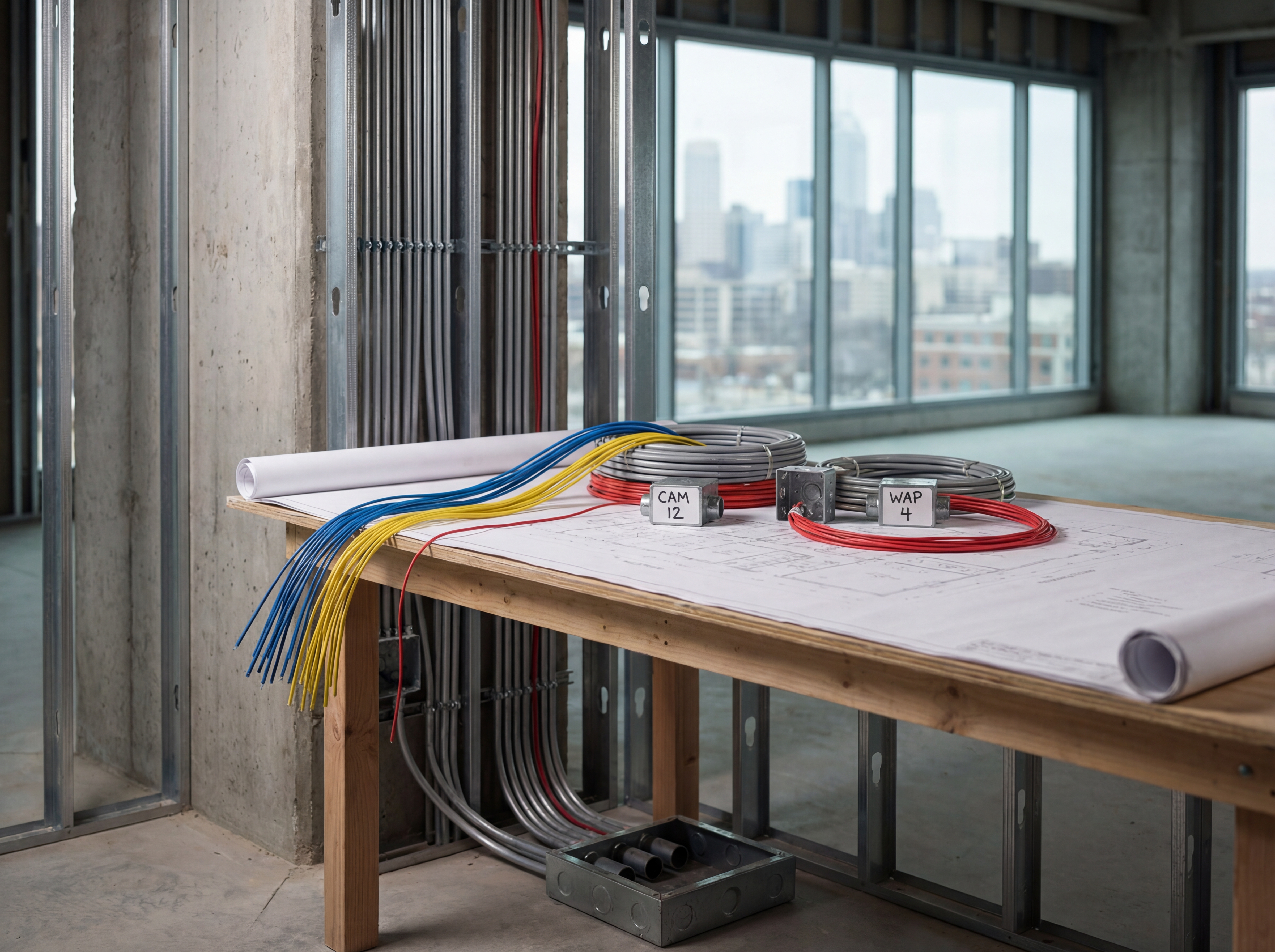
What should you stock for quick-install low-voltage security projects?
Stock the parts that stop field crews from waiting on simple missing items. The goal is not to hoard gear. The goal is to keep common installs moving when the scope is already approved and the team is on site.
- Bulk Cat6, patch cable lengths, jacks, keystones, and patch panels for the drops you install every week.
- Weather-rated boxes, conduit fittings, anchors, screws, and sealants for outdoor camera work.
- Label stock, velcro, rack hardware, and testers so crews can finish cleanly and document the work before leaving.
Implementation roadmap
Move from planning to live deployment with a clear five-step process.
- Discovery call to confirm goals, budget, and preferred hardware.
- Site survey with photos, mounting heights, and pathing for power and data.
- Configuration templates for naming, VLANs, retention, and alerting.
- On-site install with validation checklists and user onboarding.
- Post-launch monitoring, reporting, and quarterly tune-ups.

Build a warehouse stock list around the installs you repeat
Fast crews depend on repeatable kits. Stock by install pattern, not by random purchase history, so common camera, Wi-Fi, and access-control jobs leave the shop with fewer surprises.
What to stock first
- Core cable, connectors, labels, and consumables
- Common junction boxes, mounts, and conduit fittings
- Patch panels, rack shelves, and management hardware
- Spare injectors, small switches, and test tools
What to keep lean
- Slow-moving specialty mounts
- Brand-specific parts with long shelf time
- Oversized switch inventory
- One-off trim pieces without repeat demand
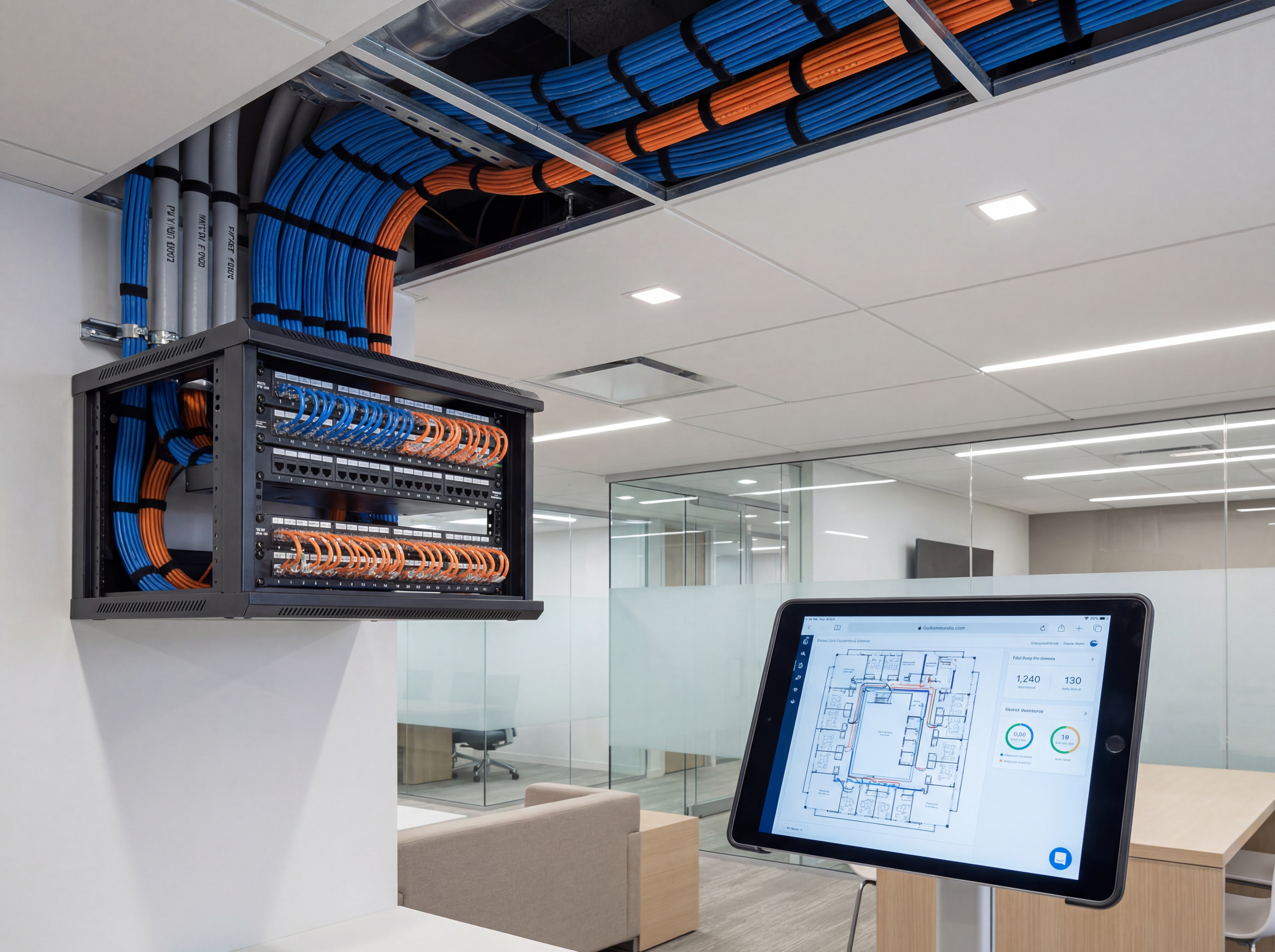
Playbook: plan, deploy, maintain
Use this three-phase outline to keep projects predictable and make sure every stakeholder knows what is happening next.
- Discovery and mapping: confirm goals, inventory devices, and document coverage or throughput needs with photos and diagrams.
- Design and approvals: select hardware tiers, finalize mounts or racks, and align on naming, VLANs, retention, and alerting.
- Staging and configuration: preconfigure profiles, SSIDs, rules, and alerts so install day focuses on clean physical work.
- Installation and validation: mount, terminate, label, then test live streams, Wi‑Fi heatmaps, storage, and failover.
- Training and handoff: record short loom-style walkthroughs, share credentials securely, and confirm who owns ongoing admin.
- Ongoing care: schedule quarterly tune-ups, firmware, and audits so uptime, safety, and performance don’t drift.
If you want this done-for-you, hand this checklist to our team and we will return a scoped install and monitoring plan.
Common mistakes to avoid
Most delays come from small oversights. Prevent them up front.
- Skipping a site walk: without photos and measurements, mounts, conduit, and cable paths get improvised on install day.
- Under-sizing power or bandwidth: PoE budgets, UPS capacity, and uplink headroom need headroom for growth.
- No naming conventions: unlabeled ports, cameras, SSIDs, or VLANs slow troubleshooting and confuse future admins.
- Forgetting user access: define who can view, export, or administer before launch to avoid security gaps.
Measurement and reporting
Report on outcomes so leadership sees ROI and teams stay funded.
Operational KPIs
- Uptime and mean time to restore
- Alert volume, false positives, and response times
- Storage utilization vs. retention targets
- Bandwidth headroom during peak use
Business KPIs
- Incident reductions and resolved tickets
- Safety/compliance milestones achieved
- Customer or tenant satisfaction scores
- Time saved on audits and investigations
Share a one-page monthly summary that highlights action items, blockers, and upcoming changes so every stakeholder stays aligned.
Local SEO and messaging checklist for Low-Voltage Prewire
Indianapolis and Carmel buyers compare multiple providers before they contact anyone. Low-Voltage Prewire should answer their questions clearly and show why Sowynet is the safe choice in Indiana.
Use keyword clusters, location signals, and proof points like case studies so search engines and humans both understand the value.
We align SEO, page speed, and conversion messaging so the content keeps readers engaged and moving toward a meeting.
- Map high-intent keywords to dedicated pages.
- Write headers that mirror local search phrases.
- Use proof: testimonials, results, and portfolios.
- Keep mobile speed fast for local searches.
- Link to service pages and related resources.
- Track rankings and update content quarterly.
Review our SEO services or website support for a full growth plan.
Conversion and analytics plan for Low-Voltage Prewire
SEO gains mean nothing without conversions. Pair Low-Voltage Prewire with strong calls to action, fast pages, and a clear next step for every reader.
Track leads, calls, and booked meetings so you know which topics move Indiana buyers forward.
- Set CTA rules for every page section.
- Track form submissions and call conversions.
- Use heatmaps to improve scroll depth.
- Measure keyword-to-lead performance.
- Review bounce rates by device and location.
- Test new headlines and value props monthly.
Sowynet can build dashboards so you see which keywords and pages drive revenue.
Designing a new build?
We create low-voltage plans for Indiana builders that keep security and networking future-ready.
Plan my prewireBuyer questions to answer with Low-Voltage Prewire
Local buyers research before they call. Low-Voltage Prewire should answer the questions below so visitors stay on your site longer and feel confident moving forward.
- What results can we expect and how fast?
- How does Sowynet compare to competitors?
- What does the process look like from start to finish?
- What industries or markets do you serve in Indiana?
- How do you report progress and ROI?
- What makes your team the safest choice?
Use these answers to build trust and reduce hesitation.
Sowynet delivery plan for Low-Voltage Prewire
We begin with research and a content plan, then design pages that guide visitors toward a clear CTA. Every page is optimized for speed, mobile use, and local search.
- Discovery and keyword research.
- Page outline and messaging plan.
- Design, copywriting, and SEO implementation.
- Launch with analytics and conversion tracking.
- Monthly updates and performance reviews.
Ready for a growth plan? Schedule a discovery call.
Execution framework
Use the prewire plan to protect future installs
Pain: teams skip low-voltage planning during construction, then pay more later when cameras, access points, displays, and readers need difficult retrofits.
Fix: map future device locations, homeruns, rack needs, and conduit routes while the walls are open and trades can still coordinate.
Result: later installs cost less, new systems go in faster, and the building is easier to adapt as needs change.
- Mark likely camera, AP, display, speaker, and reader locations early.
- Document homerun paths, rack destinations, and spare capacity.
- Coordinate low-voltage routes with electrical and HVAC before walls close.
- Plan conduit and pull boxes for hard exterior or high-ceiling runs.
- Reserve rack space, power, and cooling for future equipment.
- Store final as-builts where facilities and IT can both access them.
If your build-out is moving fast, book a prewire review and we will help catch the costly misses early.
Frequently asked questions
Common questions
Share these answers with stakeholders or assistants to speed approvals.
What should I keep in stock for quick-install projects?
Keep the parts that repeat across jobs: bulk cable, keystones, jacks, labels, anchors, weather boxes, conduit fittings, patch hardware, and test tools. Stock enough to finish common installs without waiting on a same-day parts run.
How should I organize low-voltage warehouse inventory?
Group inventory by repeat install type: camera rough-in, exterior finish, rack termination, and access-control door work. That makes staging faster than storing everything by manufacturer alone.
What parts most often slow down quick-install jobs?
Usually it is the simple parts: the right anchors, weather boxes, labels, patch hardware, conduit bodies, or spare testers. Those items cost little compared with the labor lost when a crew has to stop work.
Quick summary
Security Cameras at a glance
Key points to share with teams before planning.
- Prewire entrances, soffits, and offices before drywall Prewire entrances, soffits, and offices before drywall.
- Label and document every run with photos Label and document every run with photos.
- Coordinate heights and boxes with other trades Coordinate heights and boxes with other trades.
Use this summary to give your team fast context.
Pain - Fix - Result Framework
Why prewire decisions compound over time
Pain: Missing conduit, weak labeling, and undersized pathways turn every future upgrade into a slow retrofit.
Fix: Plan low-voltage pathways, spare capacity, and rack destinations while access is easy and trades are already on site.
Result: Cleaner builds, lower upgrade cost, and less disruption when new systems are added later.
Next step
Connect the prewire plan to the systems you expect to add
Use the related service page to turn construction drawings into a practical low-voltage roadmap for cameras, networking, and future expansion.
That gives contractors and operators one shared reference before walls close.
It also protects the budget from expensive change orders later.
Review low-voltage planningRelated reading
Explore related guides and service pages
These links expand the topic and help readers compare practical next steps.
Loading related resources...
Loading recent posts...