Security cameras
Weatherproofing Outdoor Security Cameras for Indiana Storms
Protect outdoor cameras from Indiana rain, snow, and heat so footage stays clear all year.
Protect outdoor cameras from Indiana rain, snow, and heat so footage stays clear all year.
Stakeholders in Indiana ask about placement, wiring, storage, and monitoring. This guide compiles proven answers so you can brief teams and move to install without delays.
Use it as a planning worksheet, a training piece for new managers, or a checklist alongside our security and networking services.
Key takeaways
Protect outdoor cameras from Indiana rain, snow, and heat so footage stays clear all year.
- Use proper housings, seals, and drip loops to keep water out.
- Plan for snow glare and heat with shades, IR tuning, and ventilation.
- Check mounts and gaskets every season to prevent failures.
Keep water and debris out
Moisture is the biggest threat to clarity and uptime.
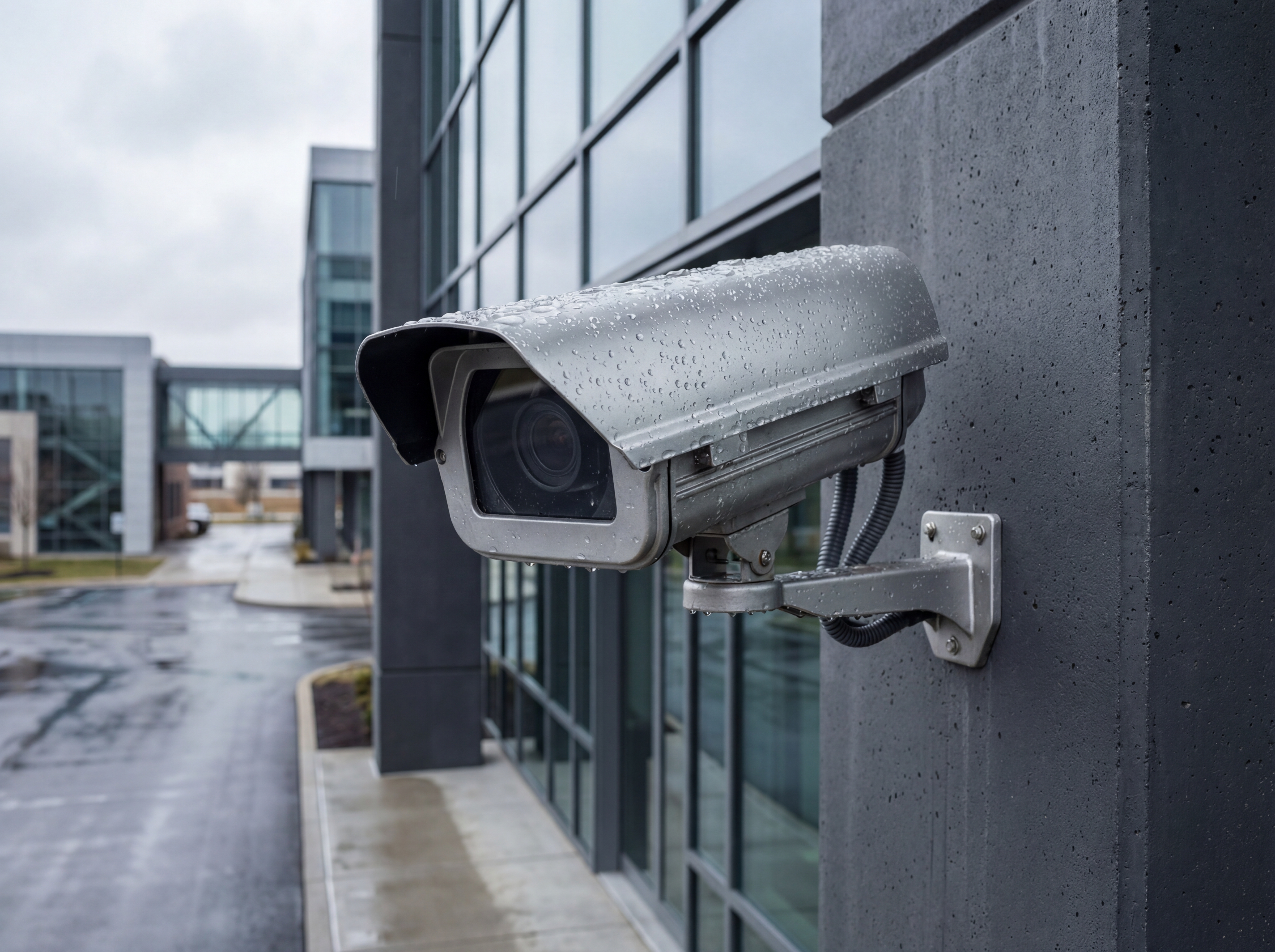
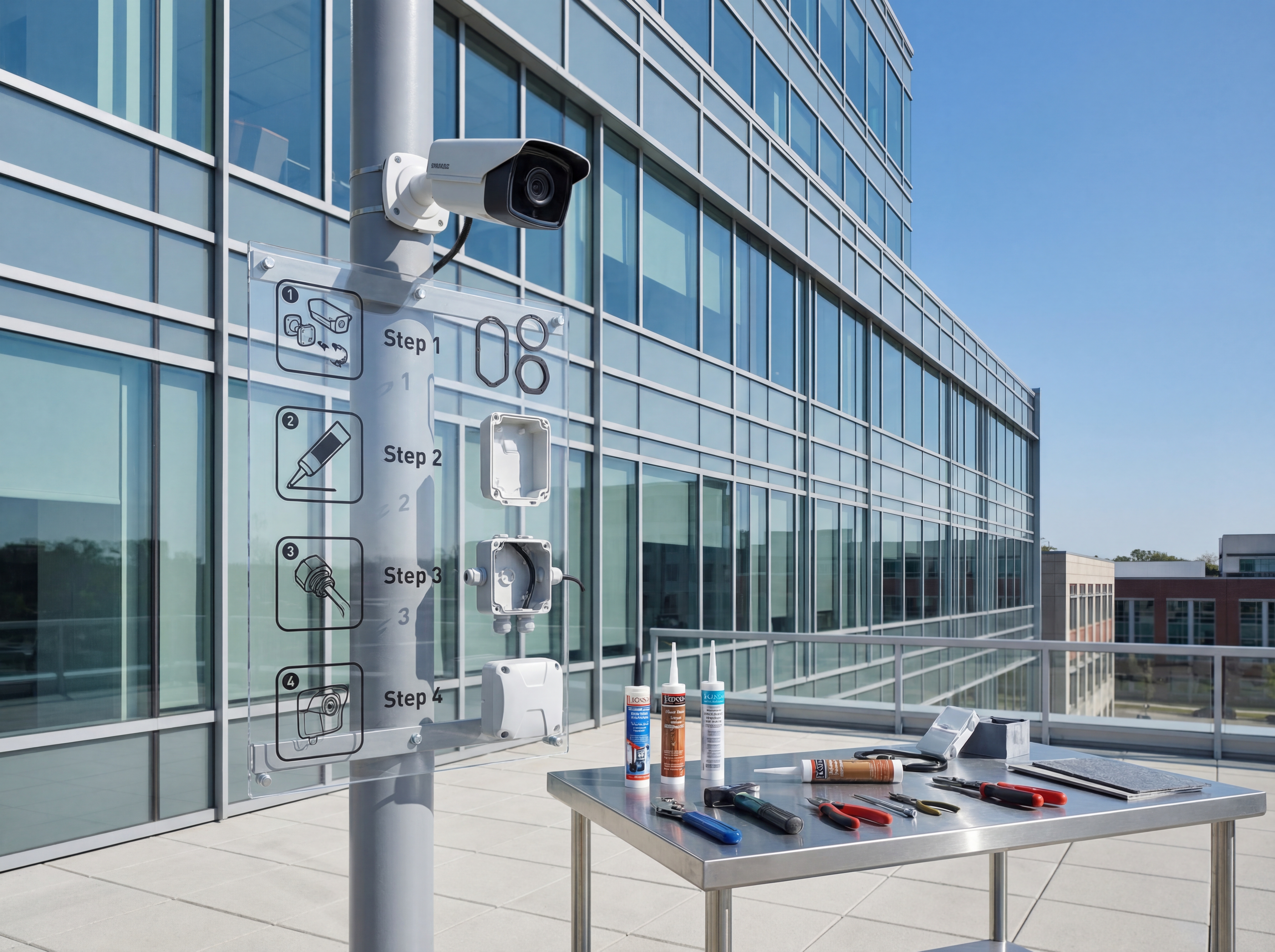
- Add weather hoods and sealed junction boxes with downward-facing cable exits.
- Use rated sealant around mounts on brick or siding and reapply yearly.
- Aim lenses away from direct sprinkler spray or gutter overflow.
Handle snow, sun, and heat
Seasonal extremes demand tuning and occasional accessories.
- Adjust IR to avoid snow bounce and add supplemental lighting where needed.
- Use sunshades to reduce glare and overheating on south-facing walls.
- Check vents and fans on enclosed housings before peak summer.
Implementation roadmap
Move from planning to live deployment with a clear five-step process.
- Discovery call to confirm goals, budget, and preferred hardware.
- Site survey with photos, mounting heights, and pathing for power and data.
- Configuration templates for naming, VLANs, retention, and alerting.
- On-site install with validation checklists and user onboarding.
- Post-launch monitoring, reporting, and quarterly tune-ups.
Tools, metrics, and templates
Bring data to every decision. Track adoption, uptime, and ROI so stakeholders stay aligned.
What to monitor
- Uptime and alert responsiveness
- Bandwidth and storage utilization
- User access changes and audit logs
- Ticket patterns and recurring fixes
Keyword & intent targets
- outdoor camera weatherproofing
- Indiana storms
- camera housing
- cold weather security cameras
Playbook: plan, deploy, maintain
Use this three-phase outline to keep projects predictable and make sure every stakeholder knows what is happening next.
- Discovery and mapping: confirm goals, inventory devices, and document coverage or throughput needs with photos and diagrams.
- Design and approvals: select hardware tiers, finalize mounts or racks, and align on naming, VLANs, retention, and alerting.
- Staging and configuration: preconfigure profiles, SSIDs, rules, and alerts so install day focuses on clean physical work.
- Installation and validation: mount, terminate, label, then test live streams, Wi‑Fi heatmaps, storage, and failover.
- Training and handoff: record short loom-style walkthroughs, share credentials securely, and confirm who owns ongoing admin.
- Ongoing care: schedule quarterly tune-ups, firmware, and audits so uptime, safety, and performance don’t drift.
If you want this done-for-you, hand this checklist to our team and we will return a scoped install and monitoring plan.
Common mistakes to avoid
Most delays come from small oversights. Prevent them up front.
- Skipping a site walk: without photos and measurements, mounts, conduit, and cable paths get improvised on install day.
- Under-sizing power or bandwidth: PoE budgets, UPS capacity, and uplink headroom need headroom for growth.
- No naming conventions: unlabeled ports, cameras, SSIDs, or VLANs slow troubleshooting and confuse future admins.
- Forgetting user access: define who can view, export, or administer before launch to avoid security gaps.
Measurement and reporting
Report on outcomes so leadership sees ROI and teams stay funded.
Operational KPIs
- Uptime and mean time to restore
- Alert volume, false positives, and response times
- Storage utilization vs. retention targets
- Bandwidth headroom during peak use
Business KPIs
- Incident reductions and resolved tickets
- Safety/compliance milestones achieved
- Customer or tenant satisfaction scores
- Time saved on audits and investigations
Share a one-page monthly summary that highlights action items, blockers, and upcoming changes so every stakeholder stays aligned.
Local site survey steps for Weatherproofing Outdoor Security Cameras
Indiana property teams get the best results from Weatherproofing Outdoor Security Cameras when the survey includes camera heights, lighting at night, and traffic flow. These details prevent blind spots and reduce rework.
Build the plan around risk zones, not just square footage. Loading docks, cash handling, and exterior doors need tighter coverage and faster access to footage.
We document storage needs, network capacity, and access control integration so footage is easy to find when incidents happen.
- Capture daytime and nighttime test shots for clarity.
- Confirm IP ratings for exterior cameras in Indiana winters.
- Size NVR storage for busy weeks and seasonal surges.
- Label every camera ID with a physical location map.
- Establish user roles for security, HR, and owners.
- Schedule quarterly audits to confirm coverage.
If you want help with the survey, schedule a site walkthrough with our team.
Operational playbook for Weatherproofing Outdoor Security Cameras
Once cameras are installed, the operational playbook keeps Weatherproofing Outdoor Security Cameras useful for managers and investigators. Standardize who can view footage, how long clips are retained, and where exports are stored.
Document your response steps so teams do not waste time hunting for footage. A consistent process reduces shrink, supports HR cases, and strengthens insurance claims.
- Define retention policies for different locations.
- Use bookmarks and tags for recurring incidents.
- Store exports in encrypted, access-controlled folders.
- Review camera uptime and alert accuracy monthly.
- Train supervisors on clip retrieval workflows.
- Schedule yearly coverage refreshes as layouts change.
Need help? Book a security review and we will build the playbook.
Need outdoor hardening?
We weatherproof cameras across Indiana so footage survives storms and heat.
Harden my camerasApproval checklist for Weatherproofing Outdoor Security Cameras
Before approving Weatherproofing Outdoor Security Cameras, most Indiana teams want to see a coverage map, storage estimate, and an operations plan for how footage will be used. A short checklist keeps stakeholders aligned.
- Coverage map with camera IDs and zones.
- Storage plan based on retention targets.
- Network capacity check for PoE and uplinks.
- Access roles and audit process for footage.
- Maintenance schedule for lenses and firmware.
- Incident response steps and escalation contacts.
We can provide these documents as part of a site survey.
How Sowynet delivers Weatherproofing Outdoor Security Cameras
Our team handles design, cabling, installation, and training so you have one partner from start to finish. We document camera IDs, network settings, and retention policies for easy handoff.
- Discovery call to confirm goals and budget.
- On-site survey with coverage and lighting notes.
- Install plan and project timeline.
- Deployment, testing, and user training.
- Quarterly check-ins for updates and support.
If you want a proposal, request a security consult.
Execution framework
Weatherproof the install, not just the camera spec sheet
Pain: outdoor cameras still fail when mounts, seals, cable entries, and power protection are treated as afterthoughts.
Fix: plan for water intrusion, heat, cold, condensation, and surge protection at the mount, cable path, and recorder layer.
Result: outdoor coverage stays usable through Indiana seasons and maintenance calls drop after the install.
- Use mounts, junction boxes, and gaskets rated for the site conditions.
- Protect cable entries from water, pests, and accidental strain.
- Check heater, blower, or shade needs for direct-sun placements.
- Add surge protection and grounding where outdoor runs are exposed.
- Aim cameras to reduce glare, snow reflection, and direct headlight washout.
- Inspect seals and focus after major storms or seasonal shifts.
If you are planning exterior coverage, book an outdoor camera review and we will help validate the design.
Frequently asked questions
Common questions
Share these answers with stakeholders or assistants to speed approvals.
Do I need heaters on cameras?
Only in exposed areas. We add heaters or enclosures where temperatures and wind are extreme.
How often should I check seals?
Inspect gaskets and sealant every six months and after major storms.
What about lightning protection?
Use surge protection on outdoor runs and bonded grounding where required.
Quick summary
Security Cameras at a glance
Key points to share with teams before planning.
- Seal housings and cable entries against moisture Seal housings and cable entries against moisture.
- Tune for snow glare and harsh sun Tune for snow glare and harsh sun.
- Inspect mounts and seals each season Inspect mounts and seals each season.
Use this summary to give your team fast context.
Pain - Fix - Result Framework
Why outdoor camera failures usually start at the install details
Pain: Cameras with strong ratings still underperform when water, heat, glare, or bad cable protection gets ignored during installation.
Fix: Weatherproof the entire path, from mounting and conduit to power and maintenance access.
Result: More dependable exterior footage and fewer repeat service calls after rough weather.
Next step
Treat the exterior install as a system, not a mount-only job
Use the service page below to plan housings, cable paths, surge protection, and maintenance access before exterior work begins.
That keeps the install aligned with the site conditions instead of relying on camera ratings alone.
It also makes seasonal upkeep much easier.
Review outdoor camera supportRelated reading
Explore related guides and service pages
These links expand the topic and help readers compare practical next steps.
Loading related resources...
Loading recent posts...