Restaurant social media
Restaurant Instagram Story Highlights: Turn Profile Views Into Orders
A simple highlight system that makes menu, hours, offers, and ordering steps obvious for new guests.
Many restaurants post consistently and still don’t see orders move. The problem is usually not reach. It is conversion friction.
A new guest sees a dish, taps your profile, and then gets stuck: the menu is a PDF, hours are outdated, ordering steps are unclear, or the “one link” sends them to a slow homepage.
This is where restaurant Instagram Story Highlights can pull their weight. When highlights are organized like a simple path to order, they reduce confusion and turn profile views into calls and orders.
Key takeaways
What makes highlights actually convert
- Fewer folders, clearer path 4 to 6 highlights beats 18 random folders every time.
- Order steps near the front Explain how to order, where to click, and what to do next.
- Menu highlights, not a menu dump Show top sellers and combos so a new guest can decide fast.
- Weekly maintenance 15 minutes a week keeps hours, offers, and pricing from going stale.
Pain - Fix - Result Framework
Why profile views don’t turn into orders
Pain: People watch stories, tap your profile, then bounce because ordering steps and menu details are hard to find.
Fix: Build a highlights system that answers four questions fast: what to order, how to order, when you’re open, and where you are.
Result: Less confusion, fewer DMs that waste staff time, and more calls/orders from the same social traffic.
The 20-second profile audit (find the friction)
Open your restaurant Instagram profile on your phone and pretend you have never been there before. Now time yourself.
- Can you find how to order in under 20 seconds?
- Can you see today’s hours without guessing?
- Can you tell what the restaurant is known for (top sellers) without scrolling forever?
- Is there one clear next step: call, order online, or directions?
If any of those answers are “no,” your highlights are either missing or working against you.
A simple Restaurant Instagram Story Highlights folder map
You do not need a complex setup. Start with 4 to 6 highlight folders that match how guests decide.
- 1) Order: the ordering steps, pickup vs delivery, and the one link you want people to click.
- 2) Menu: top sellers, combos, and “what to try first” (not a 40-slide menu dump).
- 3) Specials: one current offer with a clear time window and what to do next.
- 4) Hours + Location: hours, holiday notes, and directions for new guests.
- 5) Reviews / Guest favorites: short proof that reduces hesitation.
- 6) Catering (optional): only if you actively sell it and can follow up fast.
This map keeps highlights aligned to conversion, not vanity.
Build each highlight like a mini landing page
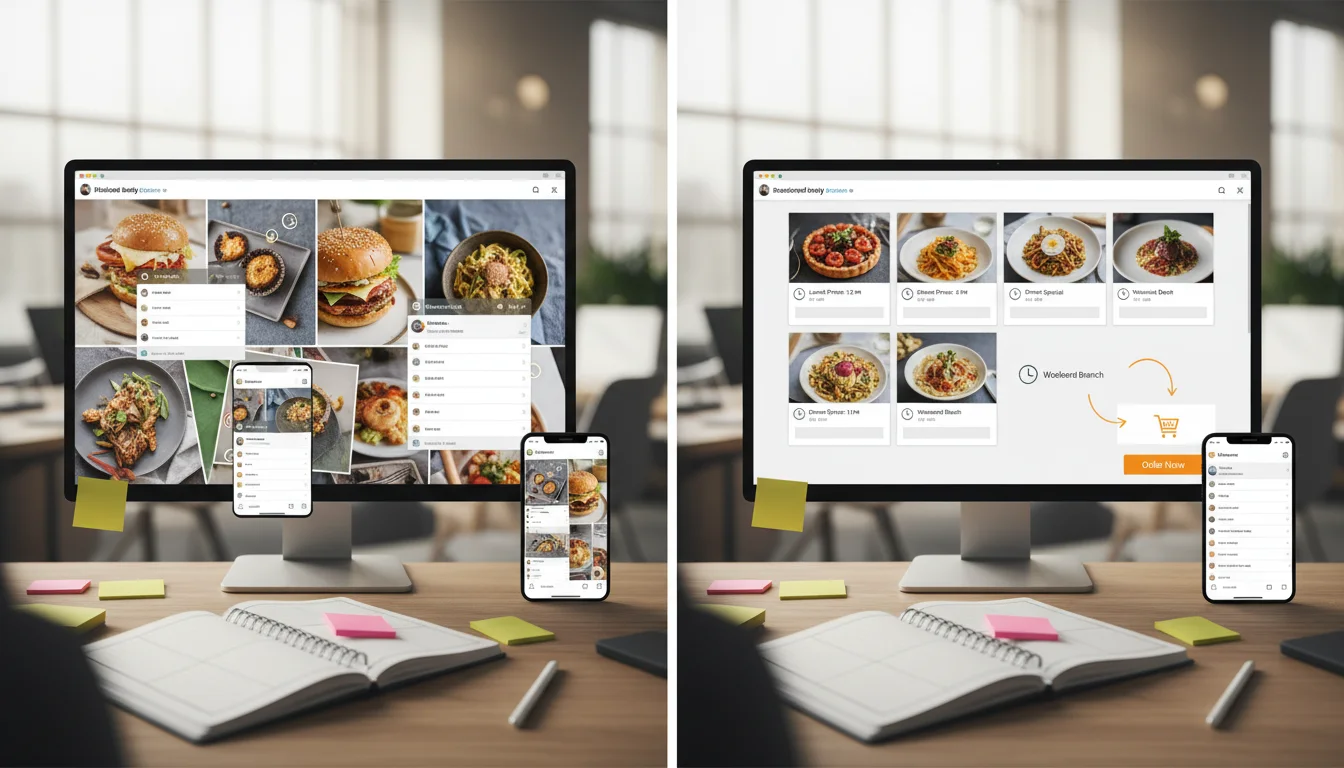
Highlights convert when every folder has a clear first slide, a clear last slide, and a repeatable layout.
- First slide: what this folder is and who it’s for (quick and obvious).
- Middle slides: 3 to 6 slides that answer the guest question. Keep text short.
- Last slide: a simple CTA: “Order here,” “Call us,” or “Get directions.”
If the CTA is “DM us,” expect delays and lost orders during busy hours. A better move is to route guests to a clean link in bio page with big order/call/directions buttons.
The weekly maintenance system (15 minutes)
Most highlights fail because they are built once and forgotten. Treat highlights like an operational asset.
- Update Specials: remove expired offers and publish one current special.
- Check ordering links: test pickup/delivery links and confirm they open fast.
- Refresh Menu: rotate two top sellers and remove items you no longer push.
- Verify hours: fix holiday hours and keep the “Hours + Location” folder accurate.
If your team already maintains a weekly posting rhythm, align highlights to that same cadence so guests always see what’s current.
How to track if highlights are working
Highlights are not a reporting nightmare. Track a few simple numbers weekly.
- Profile visits and website taps (Instagram insights).
- Bio link clicks to your order/call/directions buttons (use UTM links).
- Calls and directions requests from Google Business Profile (to validate lift).
If you want social to drive measurable outcomes, pair highlights with a clean website path and basics like fast menu pages and clear conversion CTAs.
Common mistakes that make highlights worse
- Too many folders that nobody opens.
- Outdated prices, hours, or seasonal items.
- Highlights that look like ads but don’t explain how to order.
- A “DM us” workflow that staff can’t keep up with on weekends.
- Sending everyone to a slow homepage instead of a conversion-focused page.
When this is fixed, restaurants usually see fewer repetitive questions and a smoother path from “I saw this on Instagram” to “I placed an order.”
Want this set up as a repeatable system?
Sowynet helps restaurants build a conversion-first social system that connects highlights, posting, link in bio, and the website path to order.
How Sowynet helps restaurants execute this
A restaurant highlight system only works when it is connected to the real conversion path: a fast ordering link, a clean menu experience, and a weekly rhythm the team can maintain.
- Audit your current profile, highlights, and bio path for friction.
- Build a 4–6 folder highlights map aligned to ordering and offers.
- Connect highlights to a conversion-first link in bio page and fast menu pages.
- Add tracking so you can see which links drive calls/orders.
- Run a weekly scorecard so the system stays current.
If you want help, book a consultation and we will map the first week of fixes.
Frequently asked questions
Common restaurant questions
Use these to align owners and managers quickly.
Do Restaurant Instagram Story Highlights help increase orders?
They can, when highlights reduce friction. If a new guest can quickly see how to order, what to try, and what your hours are, you get fewer drop-offs and more calls/orders.
How many Instagram Story Highlights should a restaurant have?
Start with 4 to 6 highlight folders. Too many highlights create decision fatigue and bury the ordering path.
What should a restaurant put in Instagram Highlights first?
Put the highest-intent actions first: Order/How to Order, Menu (or Top Sellers), Hours/Location, and one proof folder like Reviews or Guest Favorites.
How often should restaurants update Instagram Highlights?
Weekly is a practical baseline, plus updates anytime hours, offers, ordering links, or menu pricing change.
Should highlights link to a homepage or a link in bio page?
Most restaurants convert better with a dedicated link in bio page because it keeps the visitor focused on ordering, calling, or directions with fewer clicks.
Quick summary
Short version for busy teams
Pain: profile views don’t turn into orders because guests can’t quickly find the menu, hours, or ordering steps. Fix: build restaurant Instagram Story Highlights around a small folder map (Order, Menu, Specials, Hours, Reviews) and maintain it weekly. Result: fewer drop-offs, fewer repetitive DMs, and more calls/orders from the same social traffic.
Related reading
Explore related guides and service pages
These links expand the conversion system around social, local presence, and website basics.
Loading related resources...
Loading recent posts...