Networking
Secure Camera Network Checklist Before Adding IP Cameras
Harden networks before deploying IP cameras so security footage stays protected and uptime stays high.
Harden networks before deploying IP cameras so security footage stays protected and uptime stays high.
The pain usually starts after cameras are installed on the same flat network as POS, office devices, or guest Wi-Fi. A default password gets missed, one cheap switch is overloaded, or a remote access setting opens more exposure than the owner expected.
The fix is to treat IP cameras like a separate security system from day one. Use this checklist alongside our security and networking services to lock down traffic, admin access, firmware, and monitoring before cameras become another unmanaged risk. For most businesses, that work pairs naturally with a network refresh checklist and a simple disaster recovery plan for small business networks.
Key takeaways
Harden networks before deploying IP cameras so security footage stays protected and uptime stays high.
- Segment cameras on their own VLAN with firewall rules.
- Lock down admin access, passwords, and firmware before go-live.
- Monitor bandwidth and alerts to catch issues early.
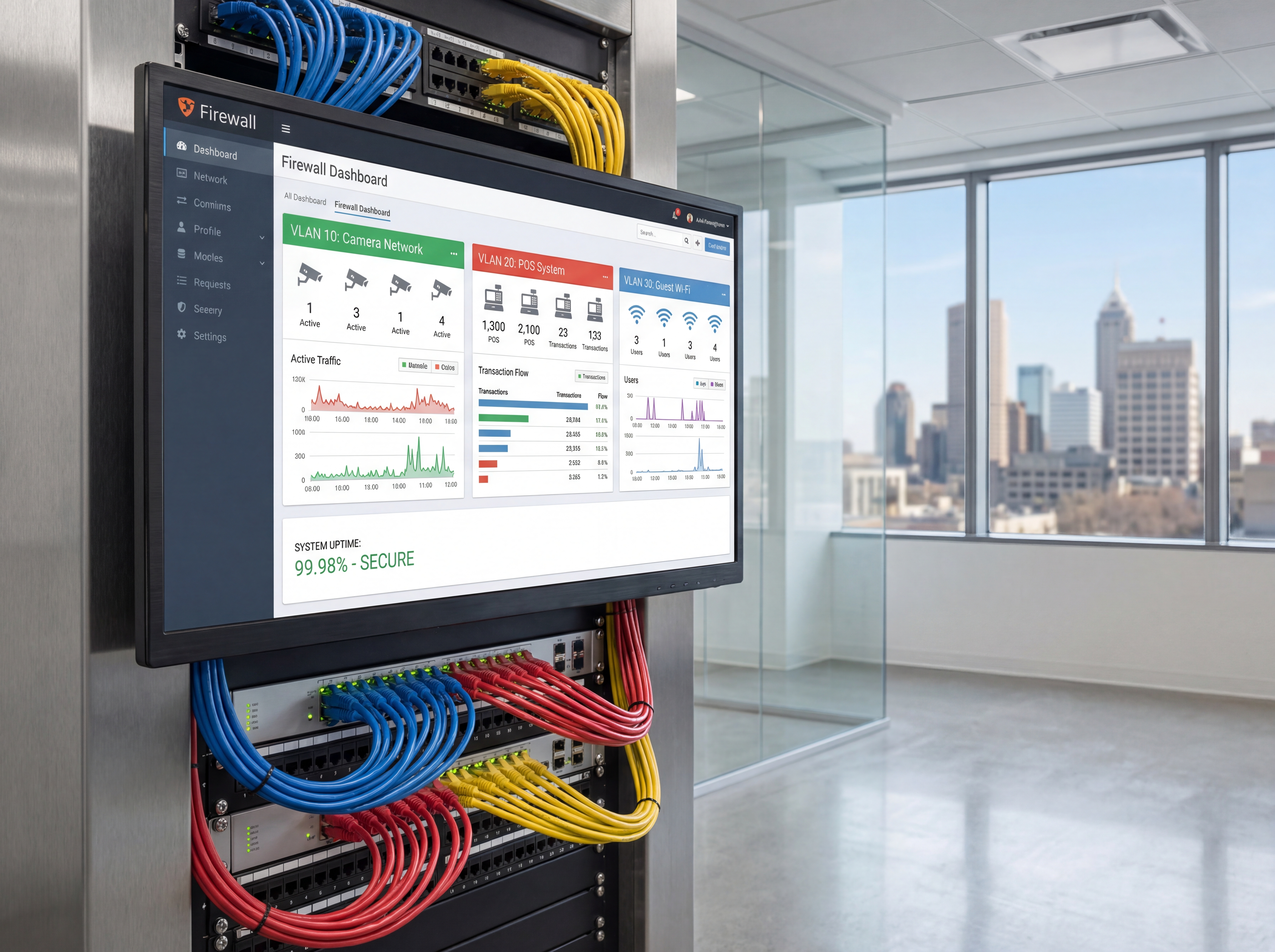
Segment and secure: secure camera network
Keep surveillance traffic isolated from POS, guest, and staff networks.
- Create dedicated VLANs and SSIDs for cameras with restricted egress.
- Use strong, unique credentials and MFA for NVRs or cloud accounts.
- Disable unused services and change default ports when possible.
Monitor and maintain
Healthy networks keep cameras recording when you need them.
- Track bandwidth so camera spikes don't starve POS or voice.
- Schedule firmware updates and config backups quarterly.
- Add alerts for offline cameras, storage errors, and failed logins.
Implementation roadmap
Move from camera planning to a hardened deployment that protects footage and the rest of your network.
- Inventory every camera, NVR, switch, uplink, and remote-access requirement before install day.
- Create a dedicated camera VLAN with firewall rules that limit east-west movement.
- Lock down credentials, admin roles, MFA, and outbound internet access.
- Test bandwidth, PoE load, recording, and alerting before users depend on the system.
- Schedule firmware, backup, and audit checks so the environment stays hardened.
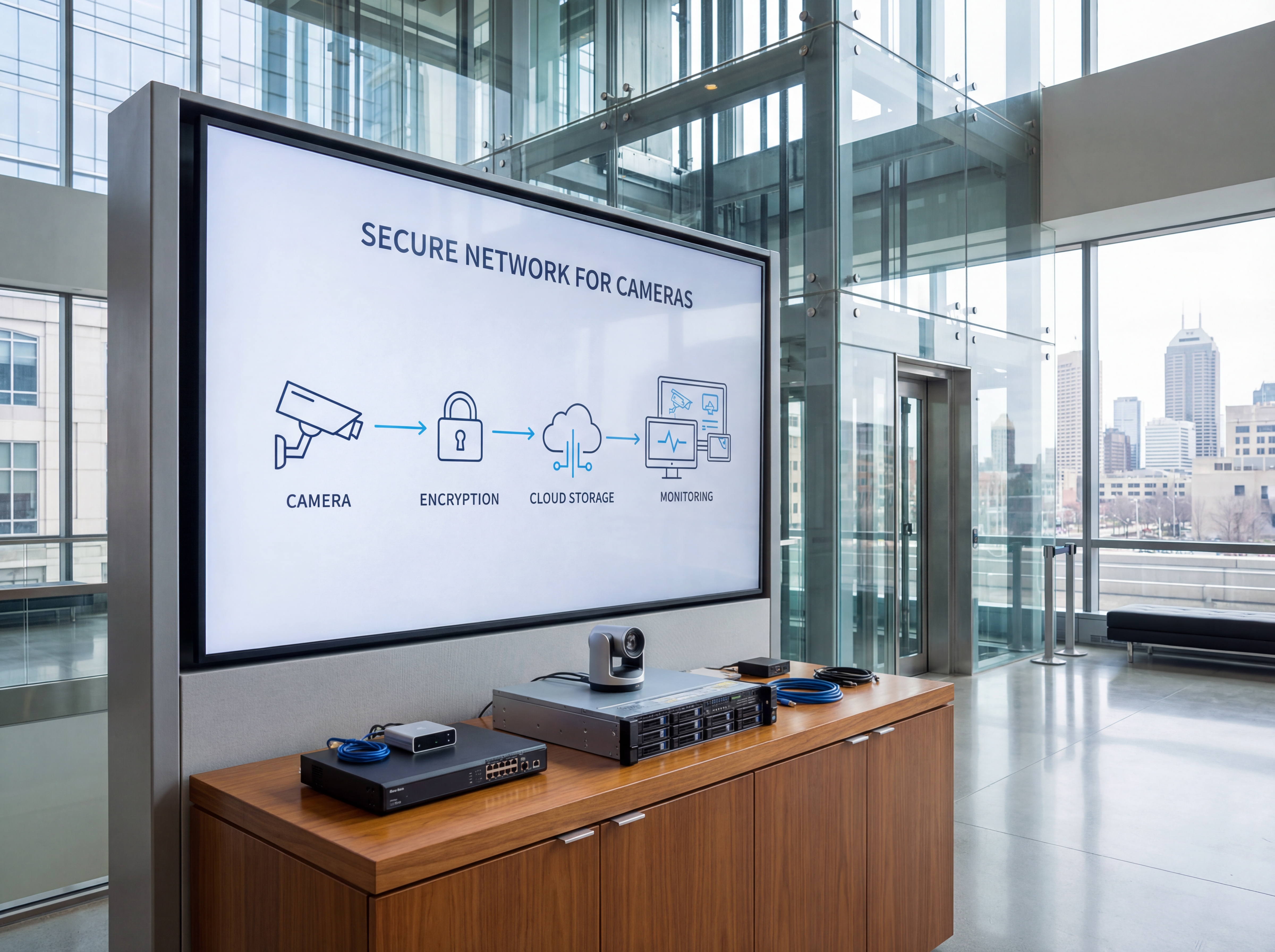
Tools, metrics, and templates
Bring data to every decision. Track adoption, uptime, and ROI so stakeholders stay aligned.
What to monitor
- Uptime and alert responsiveness
- Bandwidth and storage utilization
- User access changes and audit logs
- Ticket patterns and recurring fixes
Keyword & intent targets
- secure camera network
- VLAN for cameras
- network hardening
- IP camera security
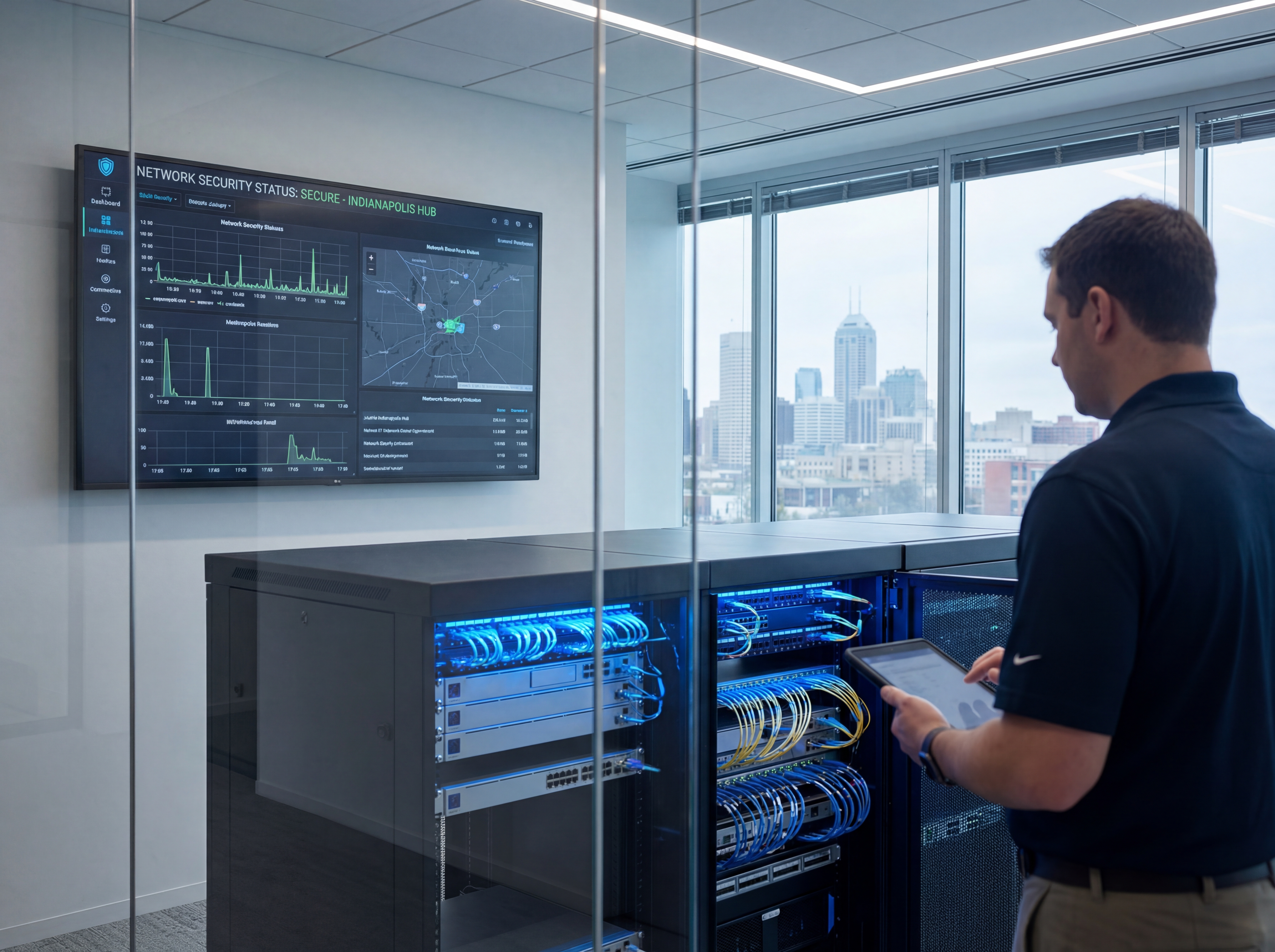
Playbook: plan, deploy, maintain
Use this three-phase outline to keep projects predictable and make sure every stakeholder knows what is happening next.
- Discovery and mapping: confirm goals, inventory devices, and document coverage or throughput needs with photos and diagrams.
- Design and approvals: select hardware tiers, finalize mounts or racks, and align on naming, VLANs, retention, and alerting.
- Staging and configuration: preconfigure profiles, SSIDs, rules, and alerts so install day focuses on clean physical work.
- Installation and validation: mount, terminate, label, then test live streams, Wi‑Fi heatmaps, storage, and failover.
- Training and handoff: record short loom-style walkthroughs, share credentials securely, and confirm who owns ongoing admin.
- Ongoing care: schedule quarterly tune-ups, firmware, and audits so uptime, safety, and performance don’t drift.
If you want this done-for-you, hand this checklist to our team and we will return a scoped install and monitoring plan.
Common mistakes to avoid
Most delays come from small oversights. Prevent them up front.
- Skipping a site walk: without photos and measurements, mounts, conduit, and cable paths get improvised on install day.
- Under-sizing power or bandwidth: PoE budgets, UPS capacity, and uplink headroom need headroom for growth.
- No naming conventions: unlabeled ports, cameras, SSIDs, or VLANs slow troubleshooting and confuse future admins.
- Forgetting user access: define who can view, export, or administer before launch to avoid security gaps.
Measurement and reporting
Report on outcomes so leadership sees ROI and teams stay funded.
Operational KPIs
- Uptime and mean time to restore
- Alert volume, false positives, and response times
- Storage utilization vs. retention targets
- Bandwidth headroom during peak use
Business KPIs
- Incident reductions and resolved tickets
- Safety/compliance milestones achieved
- Customer or tenant satisfaction scores
- Time saved on audits and investigations
Share a one-page monthly summary that highlights action items, blockers, and upcoming changes so every stakeholder stays aligned.
Indiana pre-install checklist for a secure camera network
Before cameras go live, document which switch stack they will use, whether that gear already supports POS or voice traffic, and how remote viewing will be handled. That is where most avoidable risk begins.
The fix is a short pre-install checklist that covers segmentation, firewall policy, credential ownership, and patch status before anyone scans a QR code or enables a cloud app.
We use this process with Indiana businesses that need cameras without exposing the rest of the network to unnecessary traffic or admin sprawl.
- Put cameras and NVRs on their own VLAN or physically separate network where possible.
- Restrict outbound internet access to only the services the system truly needs.
- Replace default passwords and assign named admin owners before launch.
- Check PoE budgets, uplink speed, and storage write capacity under load.
- Turn on logs and alerts for offline cameras, failed logins, and storage errors.
- Document patch cadence and who approves firmware updates.
If you want help with the pre-install review, schedule a site walkthrough with our team.
Operational playbook for a secure camera network
Once the cameras are live, the goal is to keep the environment locked down without making support impossible. Standardize who can log in, who can export footage, and how systems are patched, backed up, and reviewed.
That playbook reduces the chance that a single turnover event or rushed install leaves old credentials in place, ports open, or critical alerts unseen.
- Review admin users and remove old access after staffing changes.
- Back up NVR and firewall configs after major updates.
- Store exports in encrypted, access-controlled locations.
- Review camera uptime, failed logins, and storage alerts monthly.
- Test remote access methods so emergency viewing does not require unsafe shortcuts.
- Schedule quarterly firmware review windows instead of ad hoc updates.
Need help? Book a security review and we will build the playbook.
Need a pre-install check?
We audit networks, create VLANs, and harden accounts before cameras go live.
Secure my networkApproval checklist for a secure camera network
Before approving a camera rollout, most Indiana teams want proof that the network will stay stable and the security settings will not be an afterthought. A short checklist keeps operations, ownership, and IT aligned.
- VLAN and firewall diagram for the camera environment.
- PoE, uplink, and storage capacity check under expected load.
- Named admin owners and MFA plan for every management surface.
- Remote access policy and approved support method.
- Patch and config-backup schedule before go-live.
- Incident response contacts for both physical security and IT.
We can provide these documents as part of a site survey.
How Sowynet secures camera networks before deployment
Our team handles the pre-install security review, segmentation plan, validation checks, and handoff so you do not inherit a camera system that weakens everything around it.
- Discovery call to confirm camera goals, remote access needs, and network constraints.
- On-site review of switches, VLANs, uplinks, and existing security controls.
- Hardening plan for admin access, firewall rules, and monitoring.
- Deployment testing for recording, alerts, bandwidth, and user access.
- Quarterly check-ins for updates, audit cleanup, and support.
If you want a proposal, request a security consult.
Execution framework
Secure the camera network like the rest of the business stack
Pain: cameras get treated like simple endpoints, but weak passwords, flat networks, and open remote access can turn them into easy security gaps.
Fix: isolate surveillance traffic, lock down admin access, update firmware, and define one standard for remote viewing and vendor support.
Result: the camera system stays easier to manage, less exposed, and less likely to create a hidden risk across the rest of the network.
- Place cameras and recorders on segmented networks with limited lateral access.
- Use strong credentials and remove default accounts before go-live.
- Control vendor and remote access through one approved method.
- Update firmware on a schedule and verify streams after each change.
- Review outbound traffic and unnecessary services on recorders and cameras.
- Document the security baseline so new cameras follow the same standard.
If the camera network grew without a security standard, schedule a security review and we will help tighten it.
Frequently asked questions
Common questions
Share these answers with stakeholders or assistants to speed approvals.
Do cameras slow down Wi-Fi?
They can. Segmentation and wired backhaul keep high-bitrate streams off Wi-Fi where possible.
Should cameras reach the internet?
Limit outbound access to required services or trusted monitoring tools.
How often should I update firmware?
Quarterly at minimum, or sooner for critical security patches.
Quick summary
Networking at a glance
Key points to share with teams before planning.
- Isolate camera traffic with VLANs and rules Isolate camera traffic with VLANs and rules.
- Harden credentials, ports, and firmware Harden credentials, ports, and firmware.
- Monitor bandwidth, uptime, and alerts Monitor bandwidth, uptime, and alerts.
Use this summary to give your team fast context.
Pain - Fix - Result Framework
Why camera systems need their own security baseline
Pain: Surveillance gear often gets deployed quickly, then left on flat networks with broad access and weak maintenance habits.
Fix: Segment the devices, harden access, and use one support standard for remote viewing, updates, and vendor login.
Result: Better protection, cleaner support practices, and lower risk from a system that is often overlooked.
Next step
Use one baseline for every camera deployment
Use the related service page to define segmentation, admin access, firmware, and remote-support rules before the next expansion.
That keeps the system easier to secure and easier to support.
It also reduces the chance that one weak device affects the rest of the network.
Review security and networking supportRelated reading
Explore related guides and service pages
These links expand the topic and help readers compare practical next steps.
Loading related resources...
Loading recent posts...