Networking
Ubiquiti Network Design Indiana: Principles for Buildings
Design Ubiquiti networks for Indiana offices, campuses, and homes with coverage, security, and PoE capacity in mind.
Ubiquiti design decisions matter most before the first access point is mounted. Indiana teams often like the UniFi ecosystem, but the real success comes from coverage planning, PoE budgeting, VLAN structure, and controller security, not just the hardware brand.
Pain: the business wants a clean Ubiquiti deployment, but the design still depends on rough square-foot guesses and generic defaults. Fix: map density, materials, backhaul, controller roles, and future device load before installation begins. Result: cleaner Wi-Fi, simpler management, and a UniFi setup that is easier to expand and support.
Use this as a design worksheet or review checklist alongside our security and networking services. It usually pairs with a network refresh checklist and a camera hardening checklist when UniFi also supports surveillance.
Key takeaways
Good Ubiquiti design starts with coverage, backhaul, and controller planning, not just picking access points from a product list.
- Plan wired backhaul and AP density based on walls and square footage.
- Reserve PoE budget for cameras, APs, and VoIP with headroom.
- Use VLANs and firewall rules to isolate cameras, POS, and guests.
Coverage and capacity: Ubiquiti network design Indiana
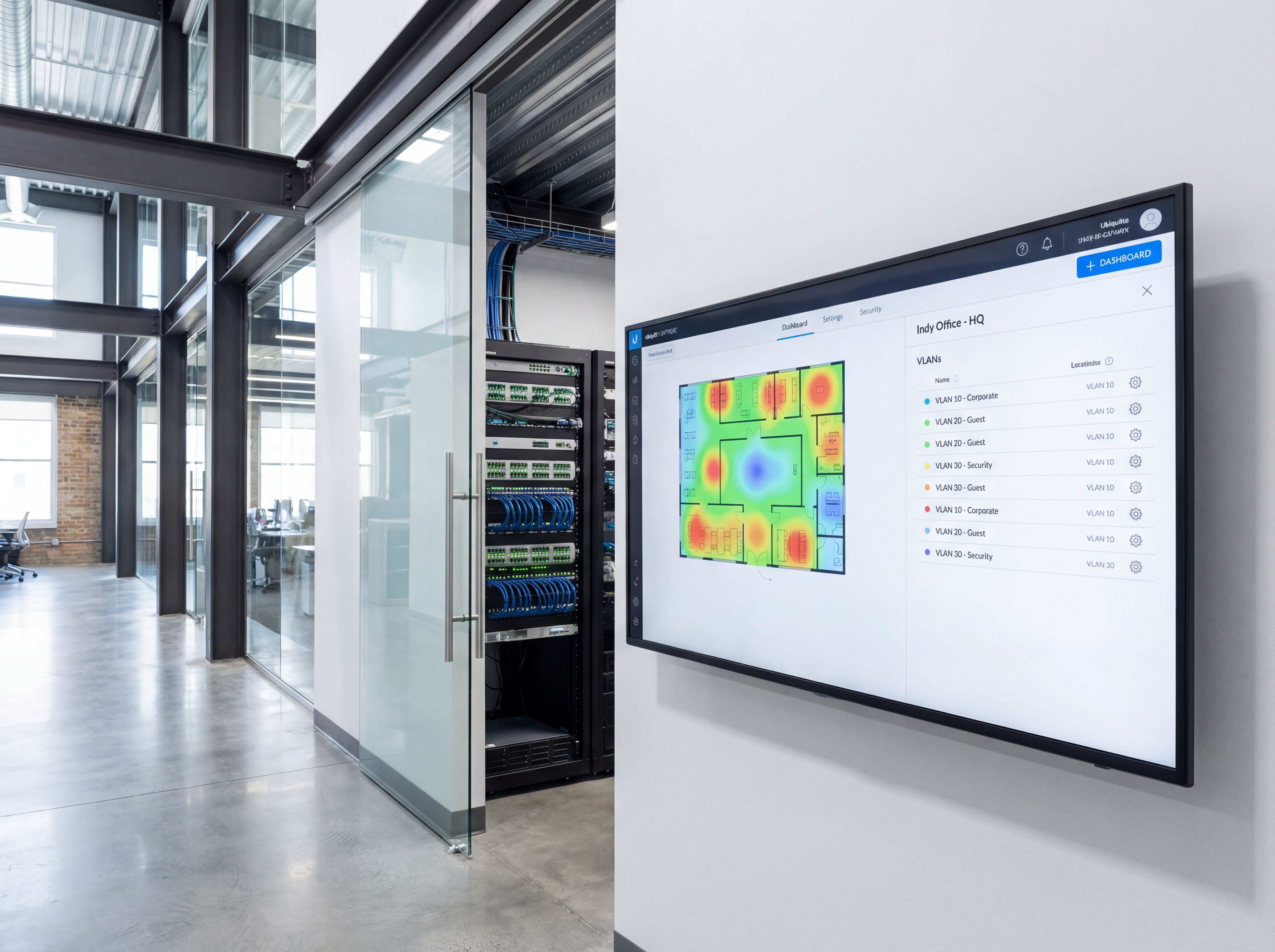
Place APs based on building materials, not just square footage.
- Use heatmaps to avoid overlap and dead zones in brick or metal structures.
- Backhaul APs with wire where possible; mesh only where cabling is impossible.
- Size switches for current and future PoE loads.
Security and management
Keep Unifi deployments simple, documented, and secure.
- Create VLANs for cameras, POS, guests, and staff with clear DHCP scopes.
- Enforce MFA for controllers and keep backups versioned.
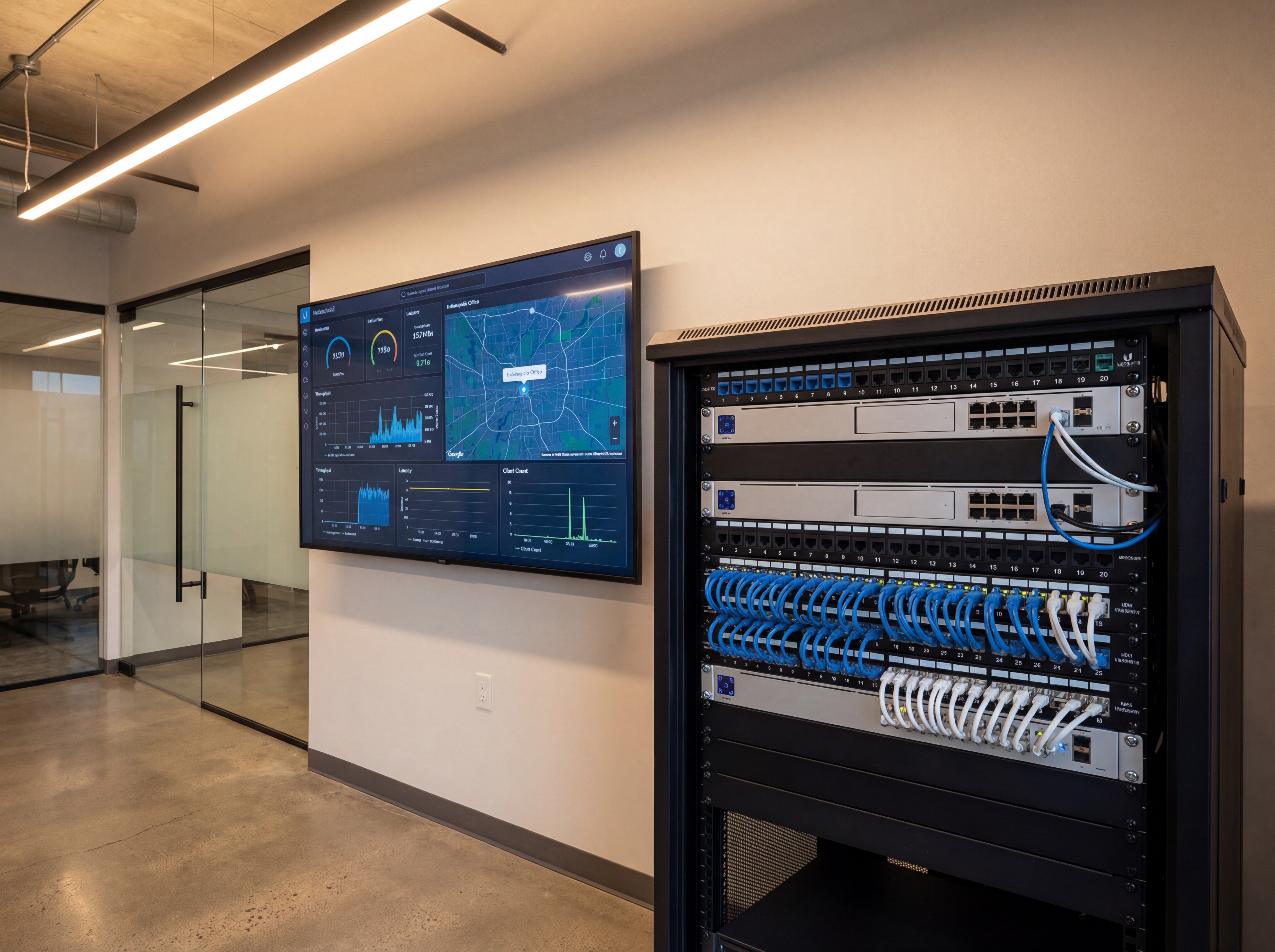
- Monitor uplink utilization and alerts so you catch issues early.
Implementation roadmap
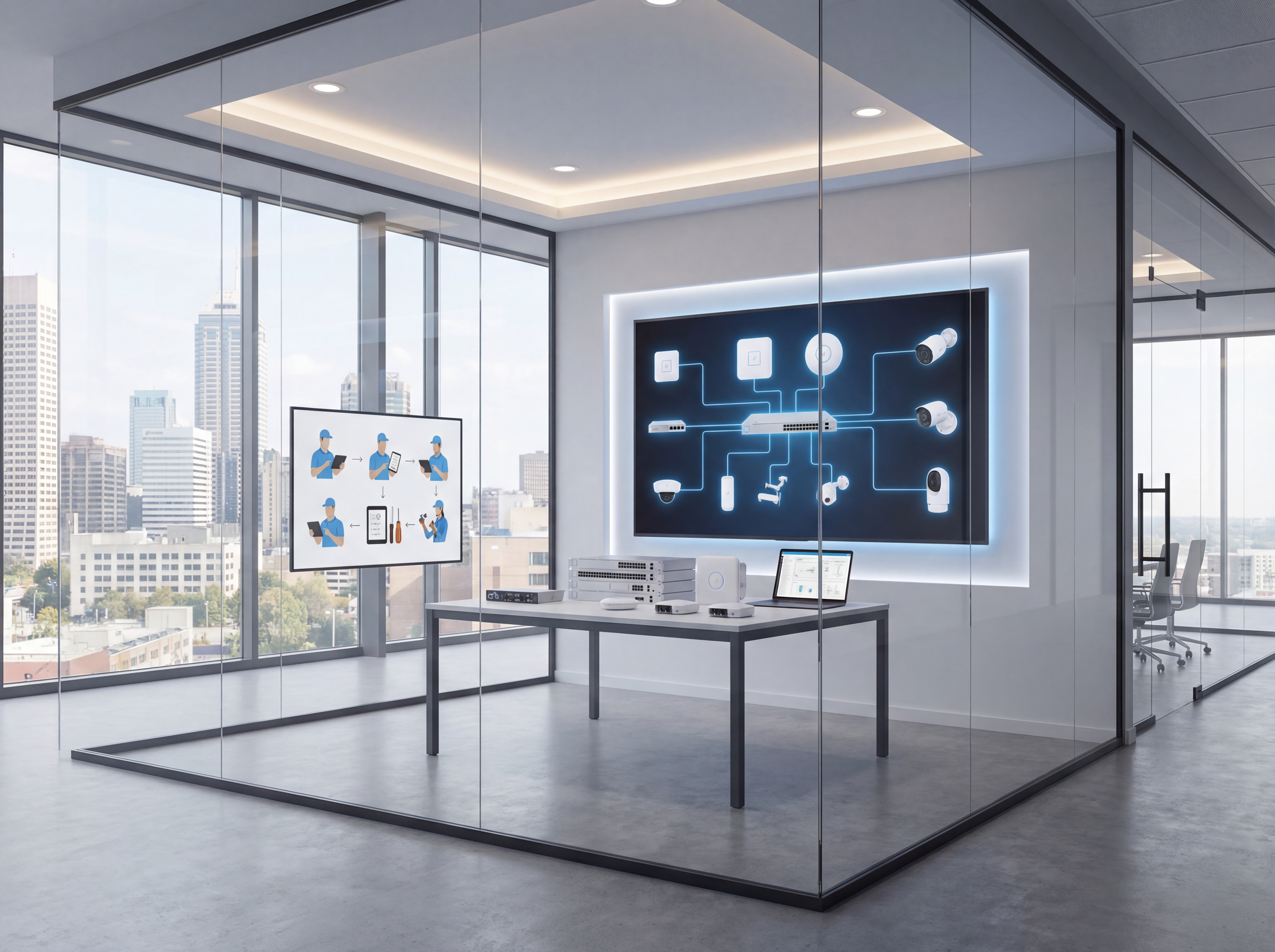
Move from planning to live deployment with a clear five-step process.
- Discovery call to confirm goals, budget, and preferred hardware.
- Site survey with photos, mounting heights, and pathing for power and data.
- Configuration templates for naming, VLANs, retention, and alerting.
- On-site install with validation checklists and user onboarding.
- Post-launch monitoring, reporting, and quarterly tune-ups.
Tools, metrics, and templates
Bring data to every decision. Track adoption, uptime, and ROI so stakeholders stay aligned.
What to monitor
- Uptime and alert responsiveness
- Bandwidth and storage utilization
- User access changes and audit logs
- Ticket patterns and recurring fixes
Keyword & intent targets
- Ubiquiti design Indiana
- Unifi best practices
- PoE planning
- VLAN design
Playbook: plan, deploy, maintain
Use this three-phase outline to keep projects predictable and make sure every stakeholder knows what is happening next.
- Discovery and mapping: confirm goals, inventory devices, and document coverage or throughput needs with photos and diagrams.
- Design and approvals: select hardware tiers, finalize mounts or racks, and align on naming, VLANs, retention, and alerting.
- Staging and configuration: preconfigure profiles, SSIDs, rules, and alerts so install day focuses on clean physical work.
- Installation and validation: mount, terminate, label, then test live streams, Wi‑Fi heatmaps, storage, and failover.
- Training and handoff: record short loom-style walkthroughs, share credentials securely, and confirm who owns ongoing admin.
- Ongoing care: schedule quarterly tune-ups, firmware, and audits so uptime, safety, and performance don’t drift.
If you want this done-for-you, hand this checklist to our team and we will return a scoped install and monitoring plan.
Common mistakes to avoid
Most delays come from small oversights. Prevent them up front.
- Skipping a site walk: without photos and measurements, mounts, conduit, and cable paths get improvised on install day.
- Under-sizing power or bandwidth: PoE budgets, UPS capacity, and uplink headroom need headroom for growth.
- No naming conventions: unlabeled ports, cameras, SSIDs, or VLANs slow troubleshooting and confuse future admins.
- Forgetting user access: define who can view, export, or administer before launch to avoid security gaps.
Measurement and reporting
Report on outcomes so leadership sees ROI and teams stay funded.
Operational KPIs
- Uptime and mean time to restore
- Alert volume, false positives, and response times
- Storage utilization vs. retention targets
- Bandwidth headroom during peak use
Business KPIs
- Incident reductions and resolved tickets
- Safety/compliance milestones achieved
- Customer or tenant satisfaction scores
- Time saved on audits and investigations
Share a one-page monthly summary that highlights action items, blockers, and upcoming changes so every stakeholder stays aligned.
Indiana rollout plan for Ubiquiti Network Design Principles
Ubiquiti Network Design Principles works best when the rollout starts with the right topology. Map device density, work areas, and any camera or POS needs before ordering hardware.
A clear cabling plan keeps APs and switches where they should be, while VLANs protect sensitive traffic from guest networks.
We deliver Indianapolis and Carmel builds with labeled wiring, tested uplinks, and documented settings for easy support.
- Identify coverage gaps and dead zones in advance.
- Plan switch placement for PoE loads and uplinks.
- Separate business, guest, and IoT traffic.
- Standardize SSID naming and password rotation.
- Test bandwidth for video, VoIP, and cloud apps.
- Document maintenance windows and escalation steps.
Need help with the rollout? Schedule a network assessment.
Performance checklist for Ubiquiti Network Design Principles
Once the network is live, performance monitoring keeps Ubiquiti Network Design Principles dependable. Track usage by zone, watch for interference, and adjust AP power to keep coverage consistent.
A documented support plan keeps staff moving if something breaks. That matters for Indiana businesses that rely on cloud apps, cameras, and VoIP.
- Baseline upload and download speeds by site.
- Check roaming performance and handoff quality.
- Audit switch ports and PoE budgets quarterly.
- Rotate passwords and refresh guest policies.
- Review device inventory and replace aging hardware.
- Document escalation steps for outages.
Need ongoing help? Use our support portal or request a site visit.
Want a Unifi design review?
We blueprint Indiana networks with labeled diagrams, configs, and support plans.
Book a design sessionApproval checklist for Ubiquiti Network Design Principles
Before approving Ubiquiti Network Design Principles, confirm the plan accounts for device count, coverage goals, and ongoing support. This keeps Indiana sites stable after rollout.
- Coverage map for work areas and parking lots.
- PoE budget for access points and cameras.
- Network diagram with VLAN segmentation.
- ISP backup or failover plan.
- Maintenance windows and update plan.
- Support escalation and response times.
We supply these artifacts as part of every network assessment.
Sowynet rollout plan for Ubiquiti Network Design Principles
We deliver a clean install with documented settings so Indiana teams can support the network after launch. Our process keeps disruptions low and performance high.
- Design review and device inventory.
- Infrastructure prep and staging.
- On-site install and validation testing.
- Training for staff and admins.
- Ongoing monitoring and support.
Ready to upgrade? Request a network consult.
Execution framework
Design UniFi networks around coverage, switching, and management habits
Pain: UniFi projects often look simple until inconsistent device placement, weak uplinks, and poor controller habits start creating recurring issues.
Fix: plan the design around AP density, switching roles, controller access, VLANs, and the way the team will actually manage the site after install.
Result: the network performs better day to day and stays easier to expand without messy rework.
- Map AP placement with building materials and real device density in mind.
- Separate switching, gateway, and wireless decisions instead of buying by bundle alone.
- Define VLANs and SSIDs around business needs, not generic defaults.
- Keep controller access and backup practices documented from day one.
- Check uplinks and PoE budget before adding more APs or cameras.
- Review the design after rollout so future sites can reuse what worked.
If you are planning or cleaning up a UniFi deployment, schedule a design review and we will help map the right layout.
Frequently asked questions
Common questions
Share these answers with stakeholders or assistants to speed approvals.
How many APs do I need?
It depends on construction. Drywall offices may need 1 per 1,000-1,500 sq ft; masonry or metal needs more density.
Should I use mesh?
Mesh is fine for light areas; wire APs where you can for stability and throughput.
How do I protect the controller?
Enable MFA, limit admin roles, keep backups, and place controllers on protected VLANs.
Quick summary
Networking at a glance
Key points to share with teams before planning.
- Design AP placement from materials and density, not guesses Design AP placement from materials and density, not guesses.
- Wire backhaul and size PoE for growth Wire backhaul and size PoE for growth.
- Segment traffic and secure controllers Segment traffic and secure controllers.
Use this summary to give your team fast context.
Pain - Fix - Result Framework
Why UniFi networks still need real design work
Pain: Friendly interfaces can hide weak placement, thin uplinks, and loose management practices until users start feeling the instability.
Fix: Treat the design like a full network plan with clear roles, coverage goals, VLANs, and controller standards.
Result: Better reliability, easier expansion, and less time spent chasing configuration drift.
Next step
Use the platform well by planning the site properly first
Use the related service page to map AP placement, switching, VLANs, and controller access before you scale the deployment.
That keeps the system clean and supportable as more devices are added.
It also makes the platform a better fit for multi-site or camera-heavy environments.
Review UniFi network designRelated reading
Explore related guides and service pages
These links expand the topic and help readers compare practical next steps.
Loading related resources...
Loading recent posts...