Menu photo enhancement
Restaurant Menu Photo Enhancement That Keeps Food Real
I keep hearing the same thing from restaurant owners: "Our food tastes great, but our menu photos do not show it." This service keeps your food real and upgrades lighting, background, and presentation so people feel hungry when they see your menu.
Key takeaways
Your food stays real. The scene gets better. You buy by final delivered images: 10, 20, 40, or full-menu 50.
- No food swap. The dish itself remains the same item customers will receive.
- Better appetite appeal. Lighting, contrast, and composition are tuned to make plates look fresh.
- Conversation first. We review your menu goals, then recommend the best package and timeline.
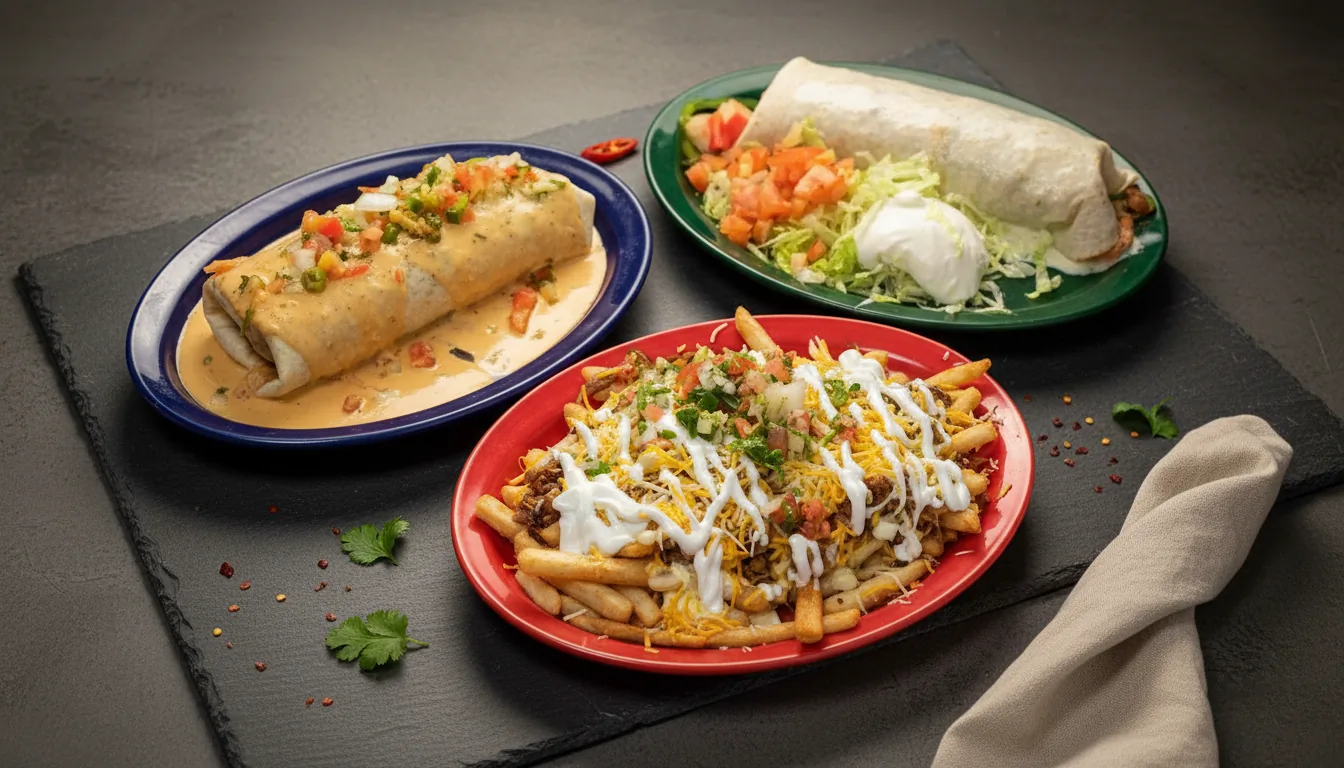
The story restaurant owners tell me every week
Picture a Friday dinner rush. Orders are flying in. A team member grabs a quick phone shot between tickets. The dish tastes amazing, but the photo looks dark or messy. Customers scroll fast. If the image looks weak, they skip the item.
This is where we help. We do not fake your food. We keep the exact dish your customer will get. Then we fix the scene around it so the photo looks clean, true, and worth ordering.
What restaurant owners say hurts
- Great dishes look average in rushed phone photos.
- Mixed backgrounds make the menu feel inconsistent.
- Low-quality images lower clicks and order confidence.
- Reshooting takes time crews do not have.
How we solve it
- Balanced light so texture and color are clear.
- Clean scenes that keep attention on the dish.
- Consistent look across apps, web, and social.
- Fast delivery so you can publish quickly.
What changes and what stays the same
What changes
- Lighting is balanced so details are clear.
- Background clutter is removed or replaced.
- Angles, crop, and framing are adjusted for menu use.
- Color and texture are tuned for appetite appeal.
What stays the same
- The same dish, toppings, and portions remain visible.
- Brand plateware and style can be preserved when needed.
- Your menu promise stays honest.
- No false ingredients are added.
Scope disclaimer
- Mandatory scope line: food remains intact; lighting/background/presentation are enhanced.
- Mandatory scope line: counts refer to final delivered images, not uploads.
Pain first, result after: 7 real plate stories
We reviewed all uploaded examples. The strongest wins came from background cleanup, tighter framing, and better light direction while keeping each dish true to what is served.
Plate 1: grilled chicken salad
Pain: kitchen context and flat light made the salad look dull. Fix: changed angle, contrast, and scene cleanup. Result: avocado and grilled protein texture now stand out right away.
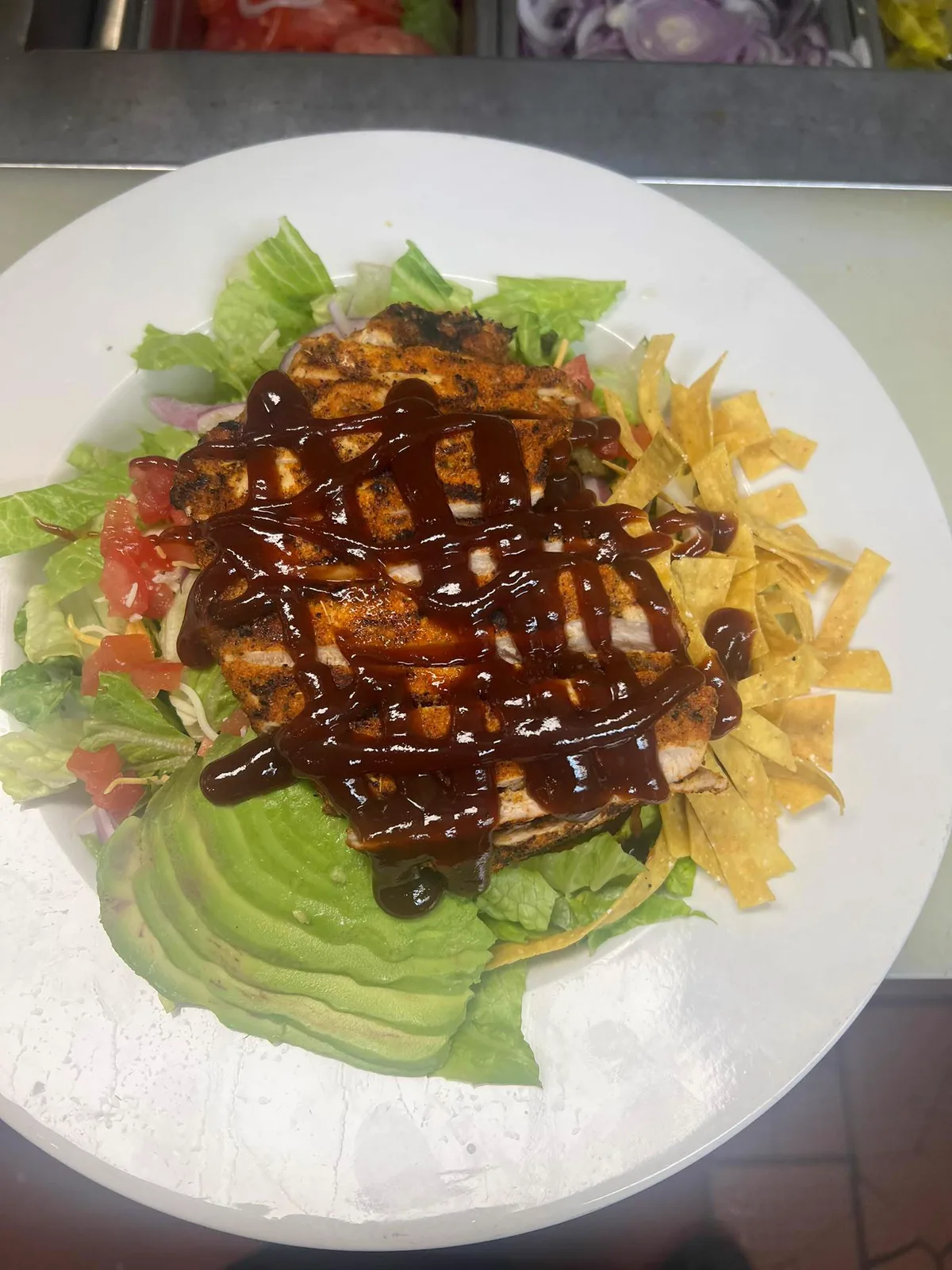
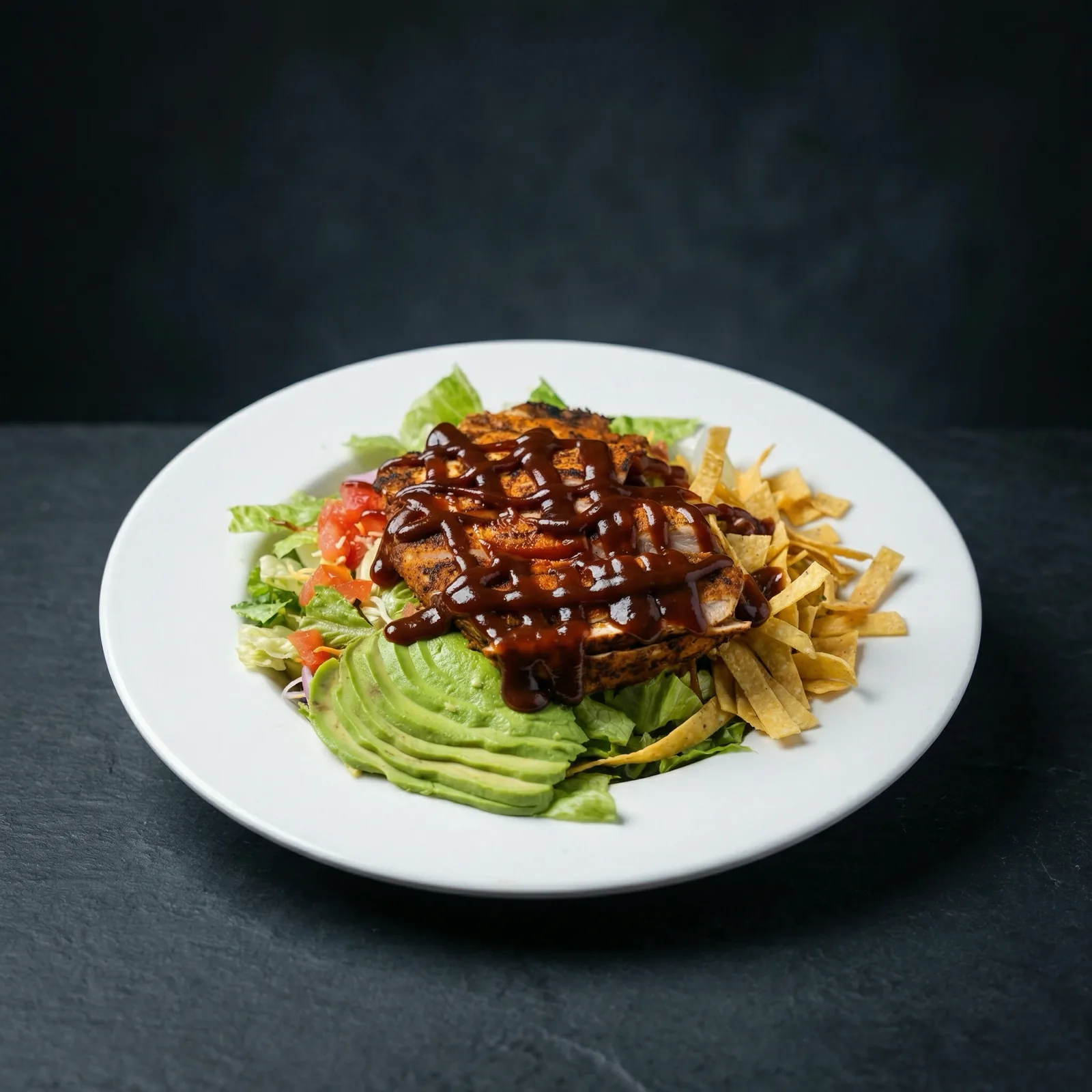
Plate 2: dessert cup
Pain: a busy sign and rough background distracted from the dessert. Fix: removed clutter and softened depth. Result: swirl and cherry topping look cleaner and more premium.
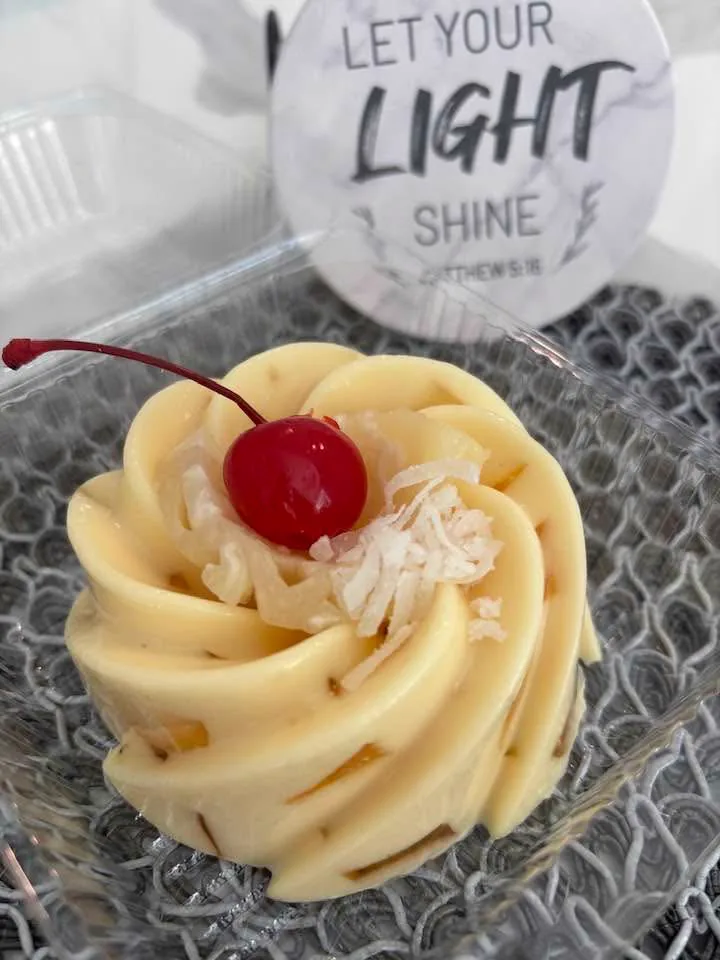
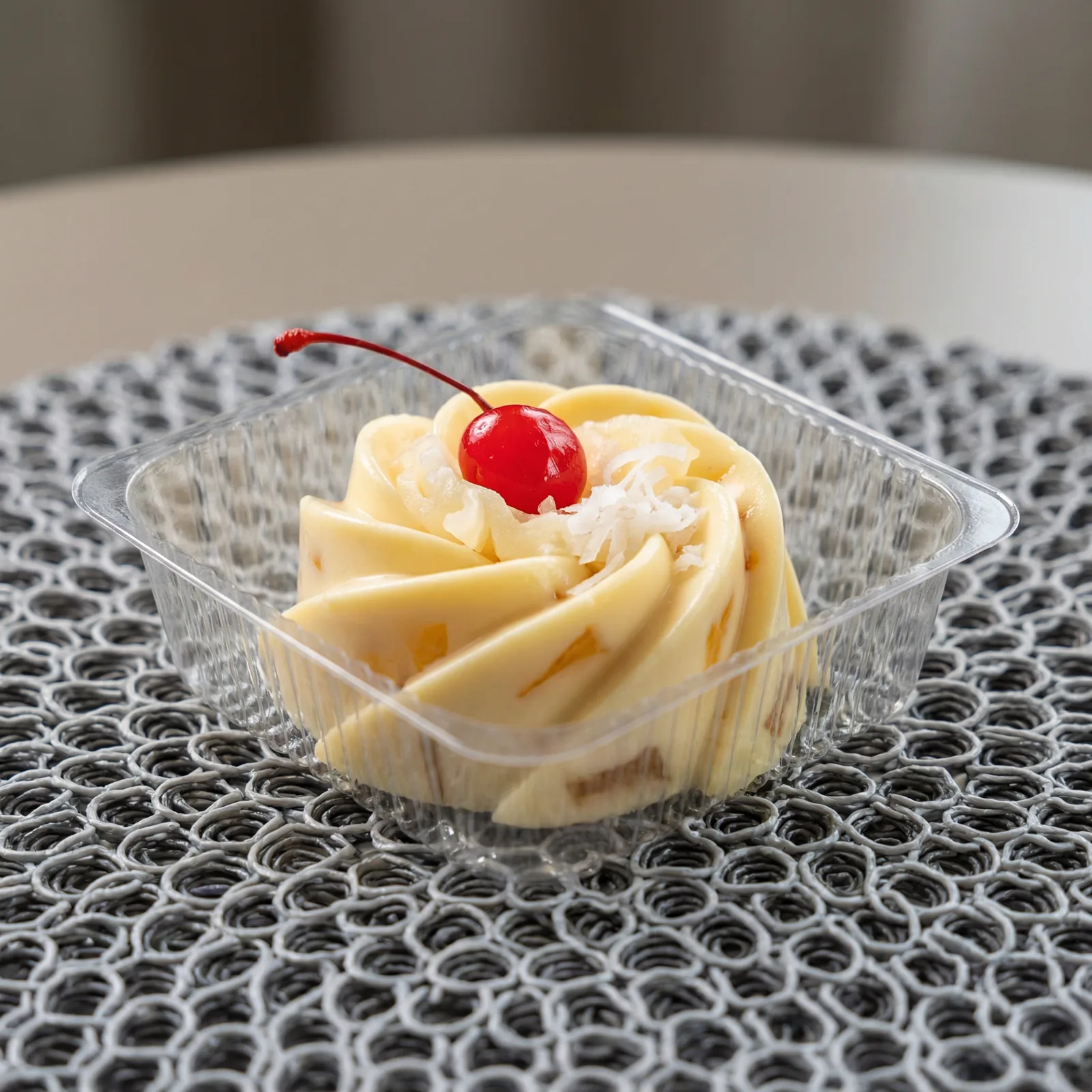
Plate 3: ring dessert tray
Pain: mixed background pieces and uneven shine pulled attention away. Fix: controlled highlights and simplified the scene. Result: tray details and product shape read clearly in small menu thumbnails.
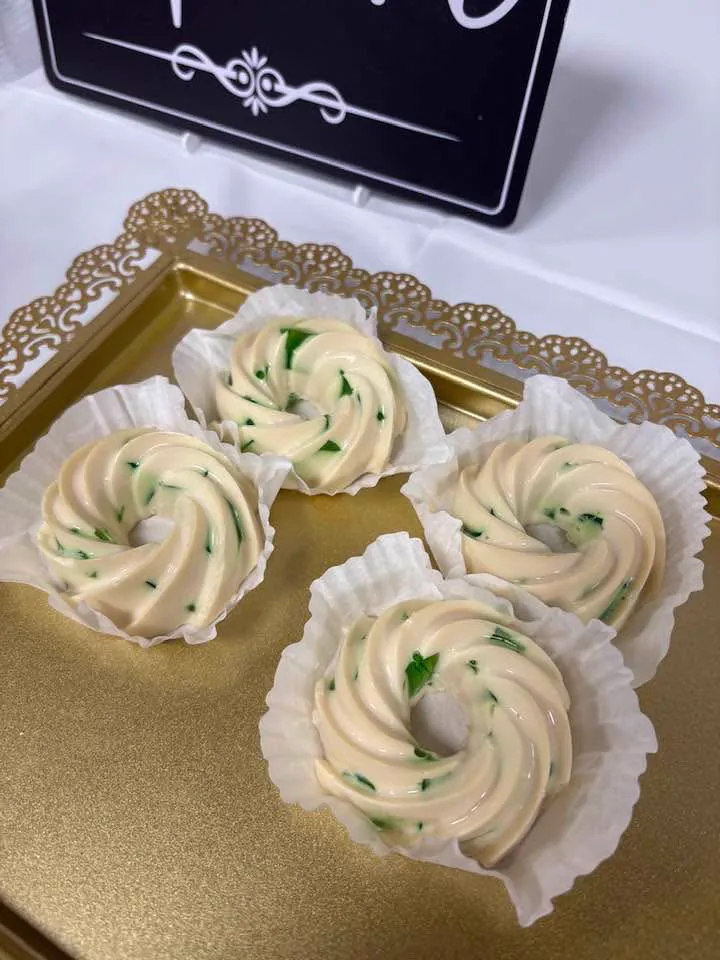
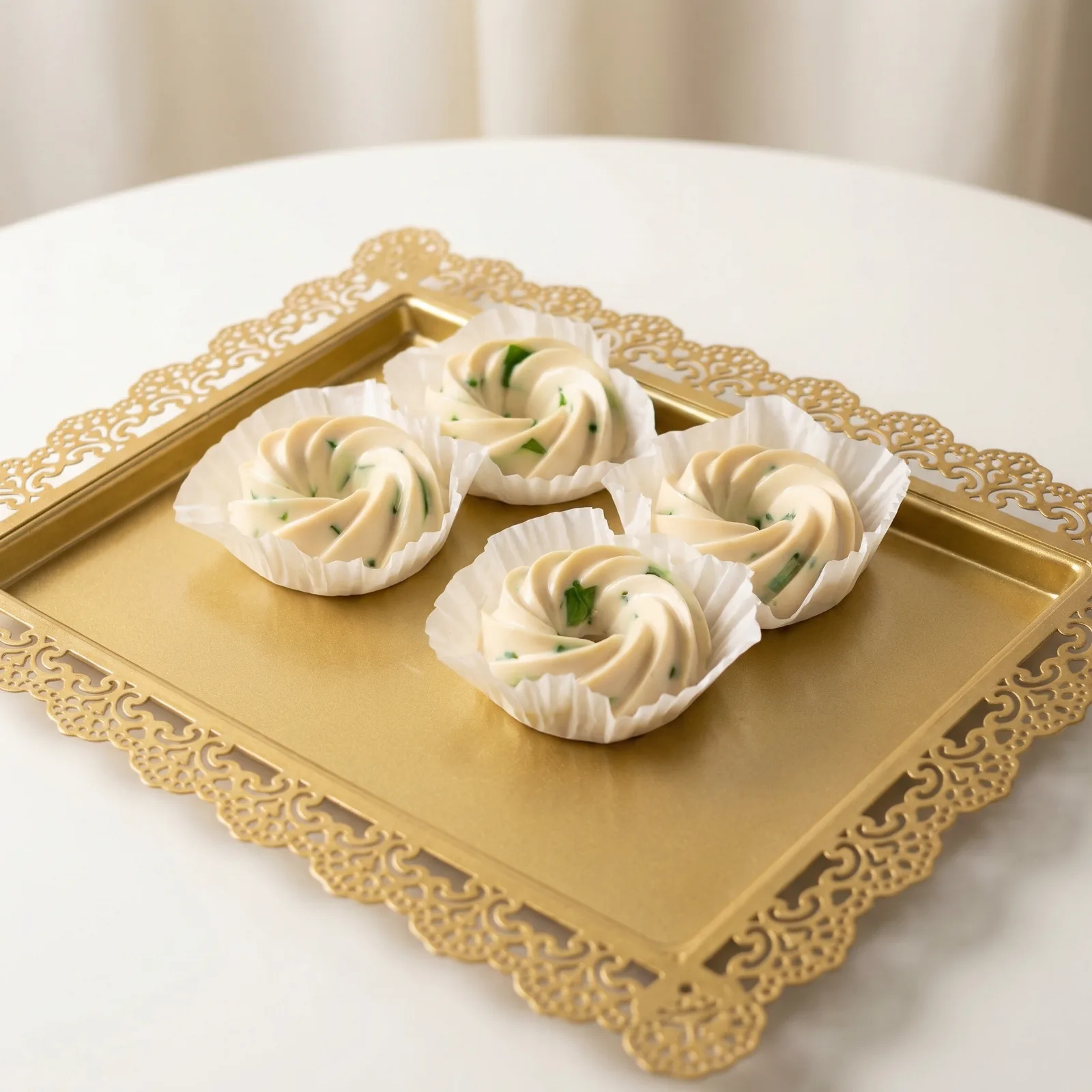
Plate 4: soup and rice
Pain: the casual table shot felt random and hard to read. Fix: cleaner framing with better separation between items. Result: soup, rice, and avocado are easy to understand at a glance.
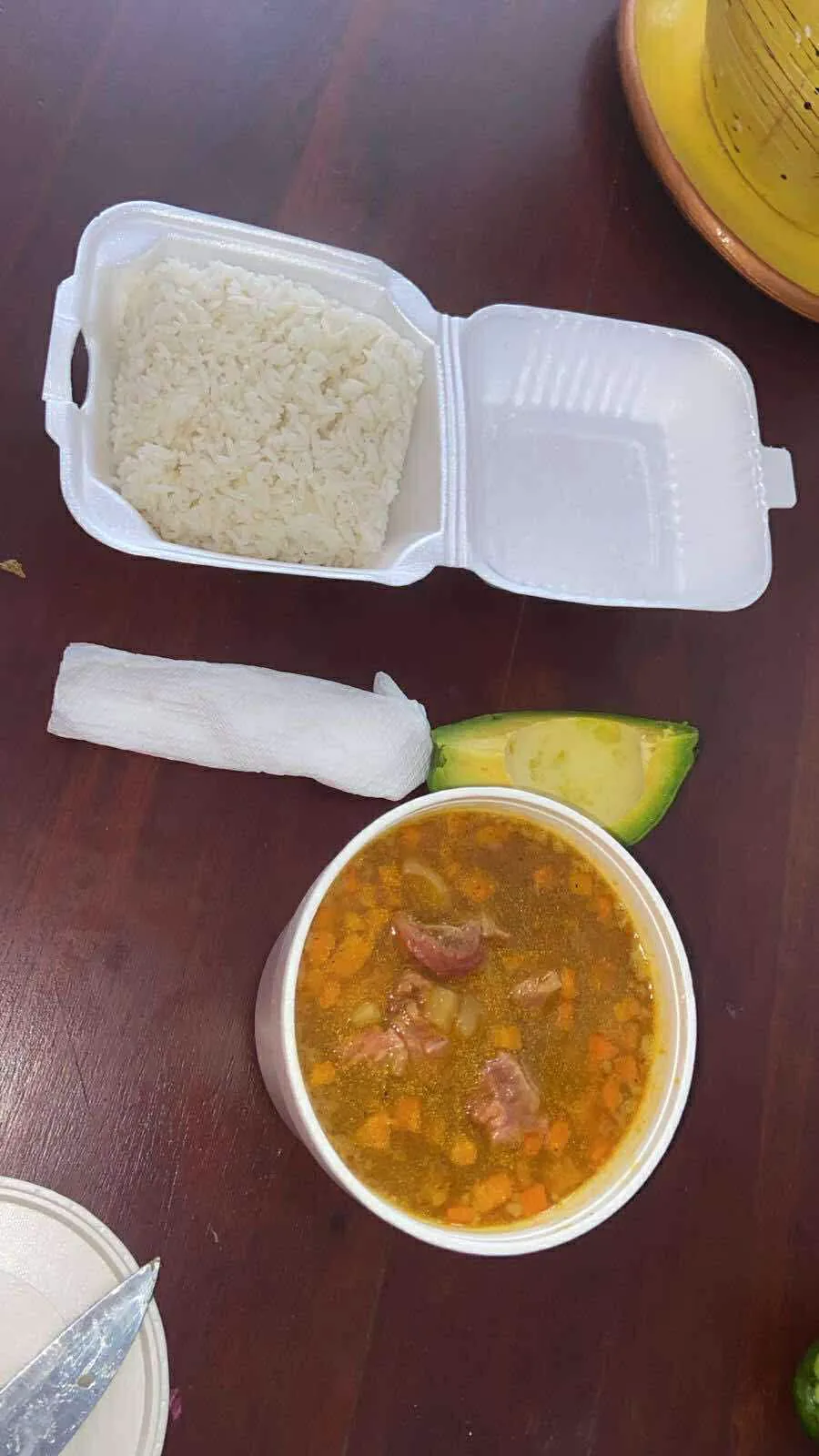
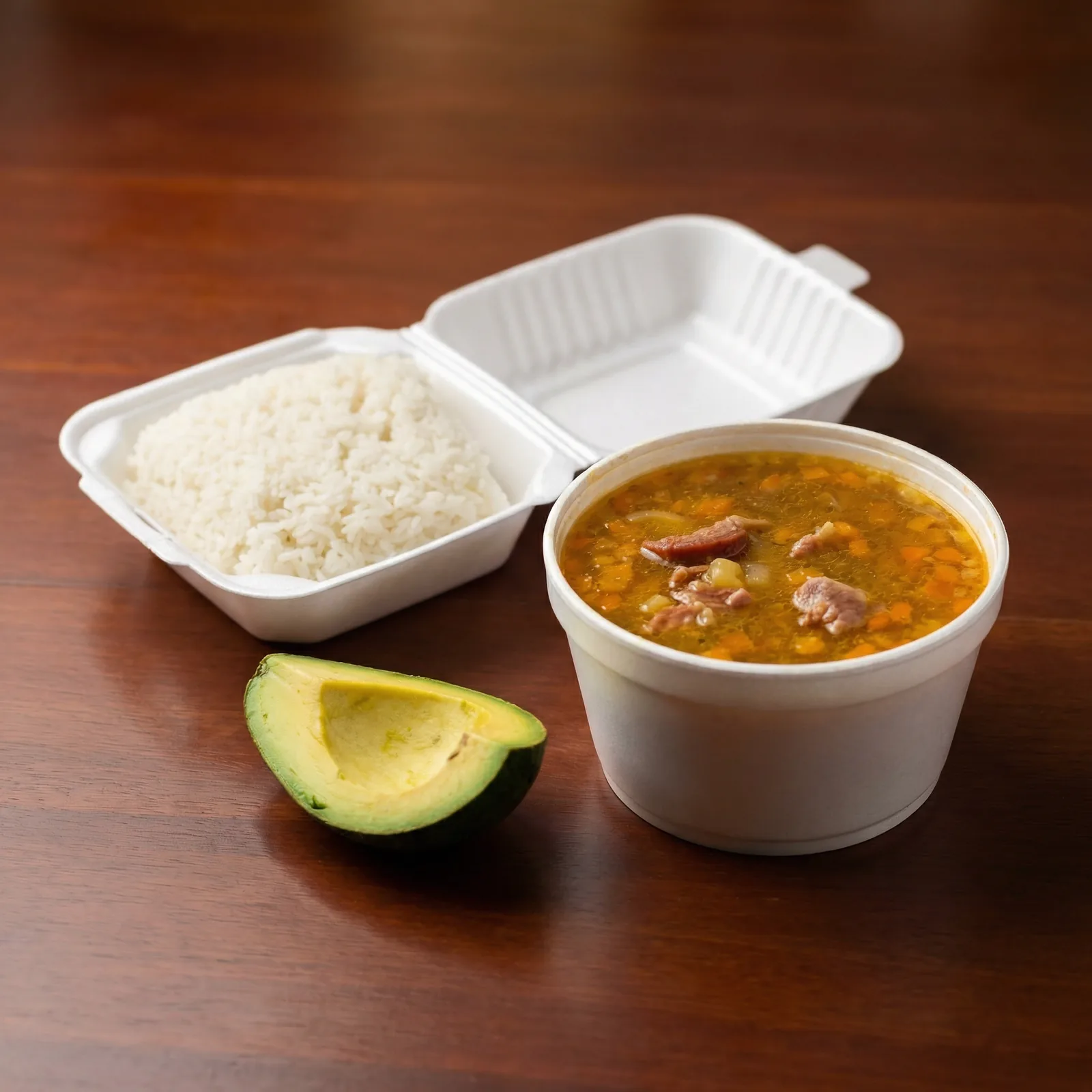
Plate 5: loaded fries
Pain: overhead framing flattened the fries and toppings. Fix: side angle plus contrast tuning. Result: height, cheese, and pico texture look richer and more craveable.
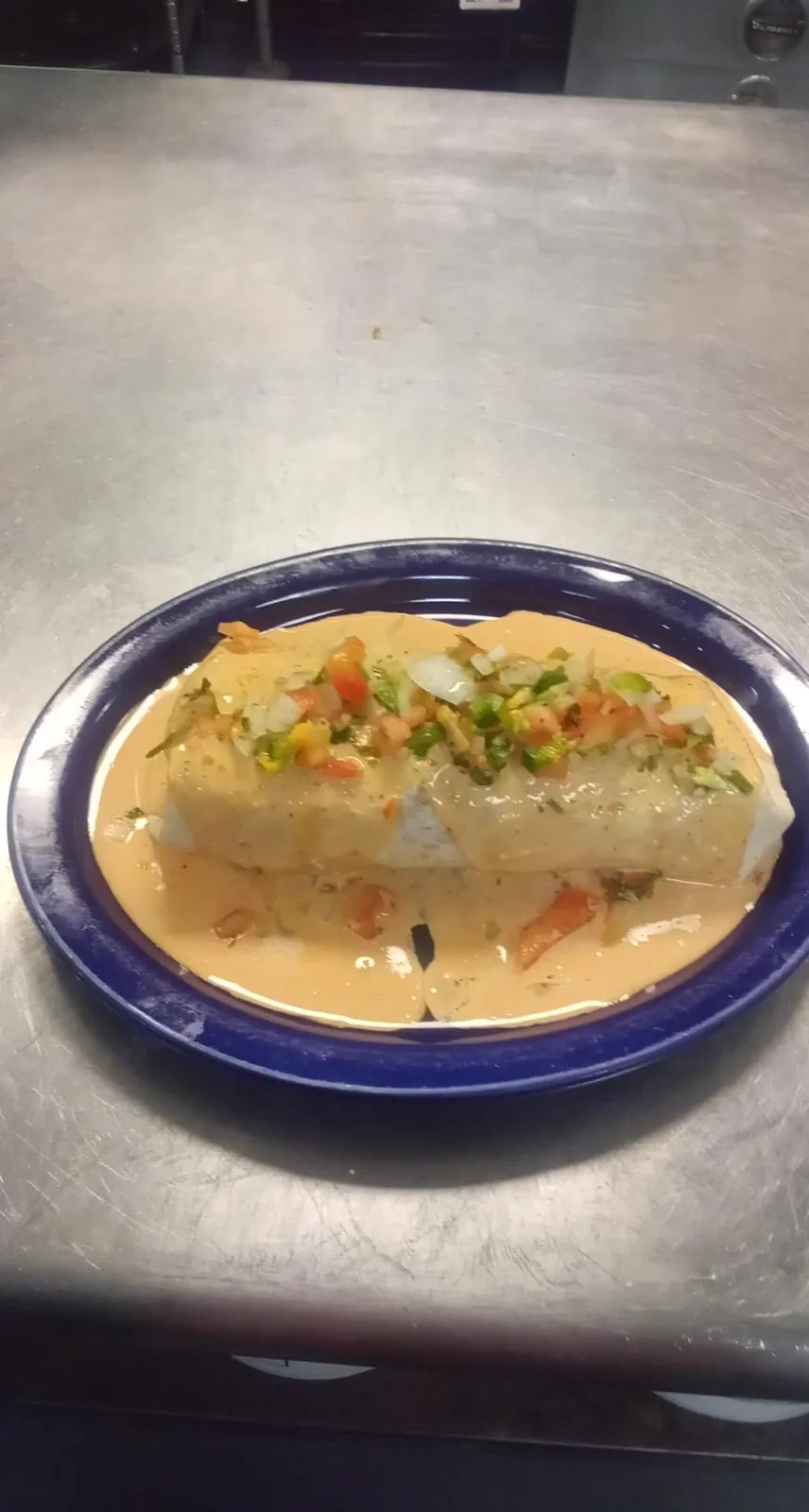
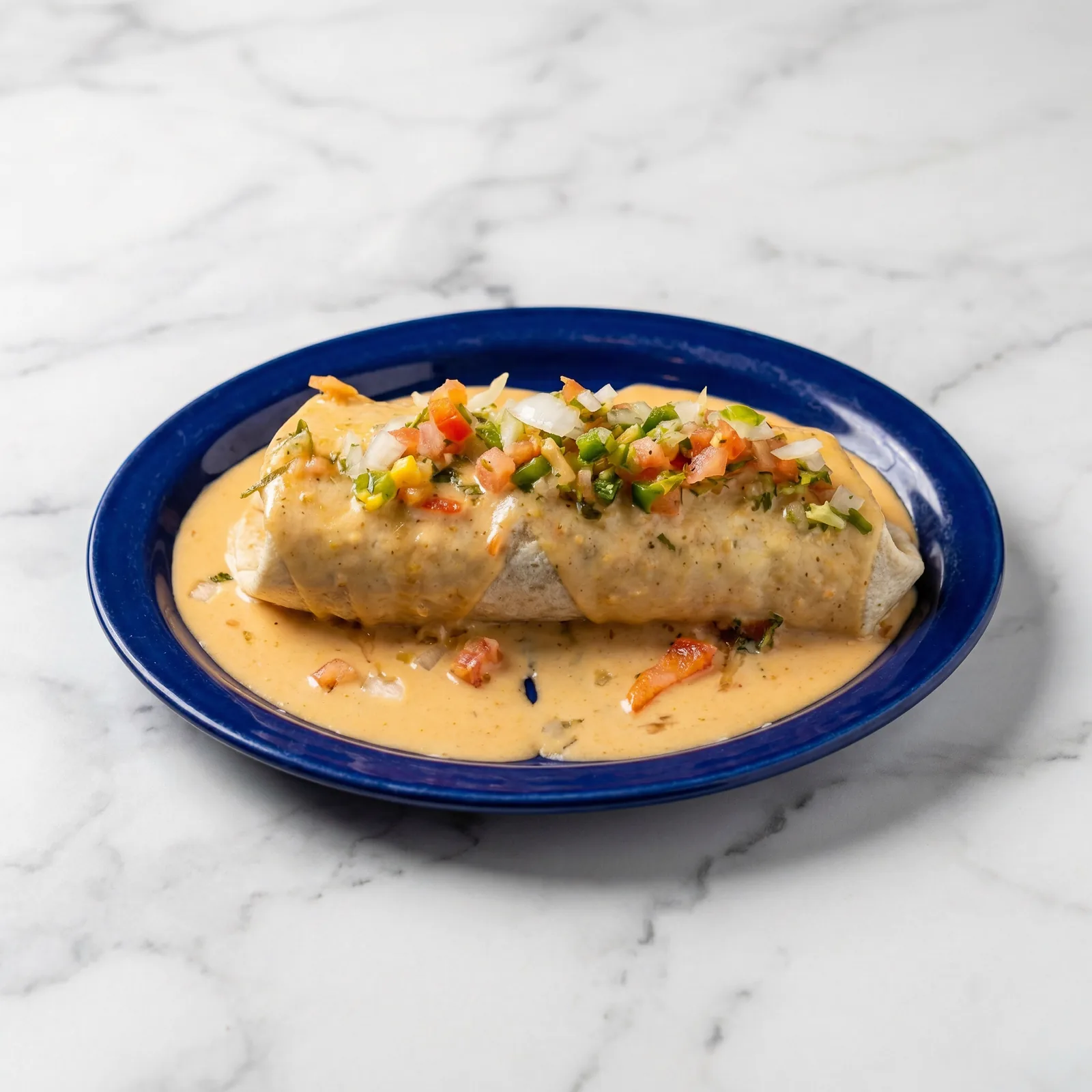
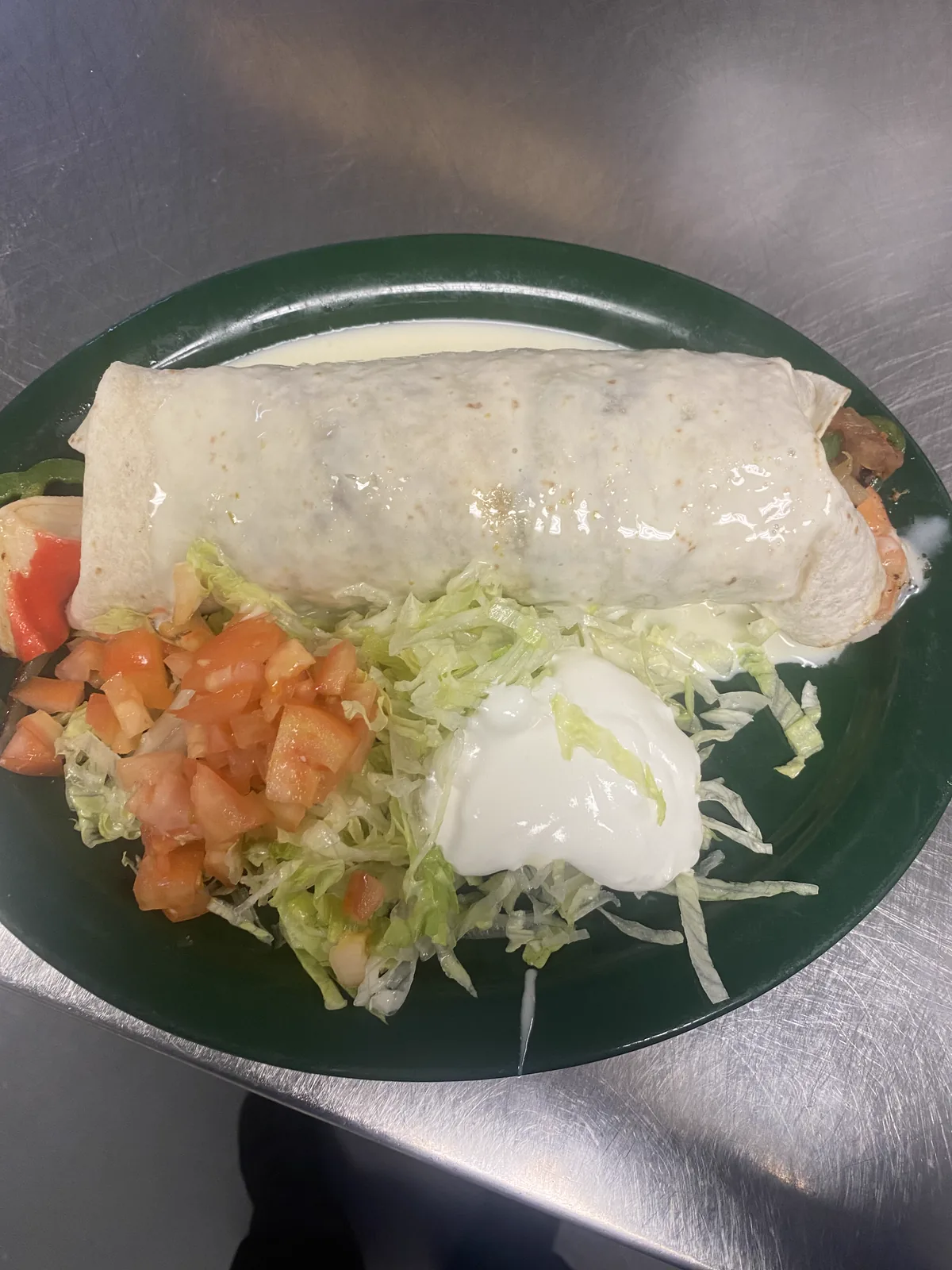
Plate 6: burrito in cream sauce
Pain: cold prep-table reflections made the burrito look less appetizing. Fix: cleaner base and controlled highlight rolloff. Result: sauce tone looks warmer and more inviting.
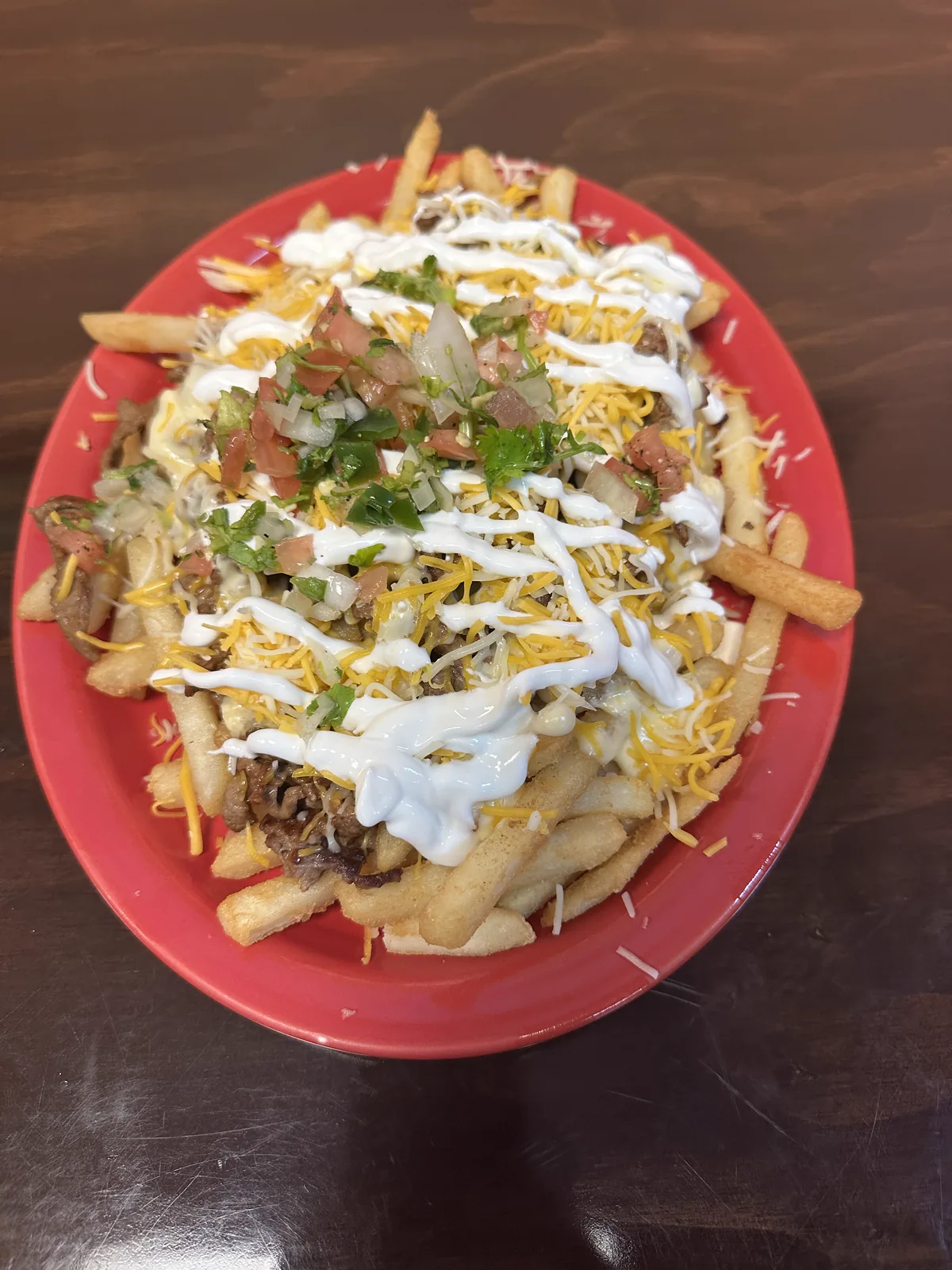
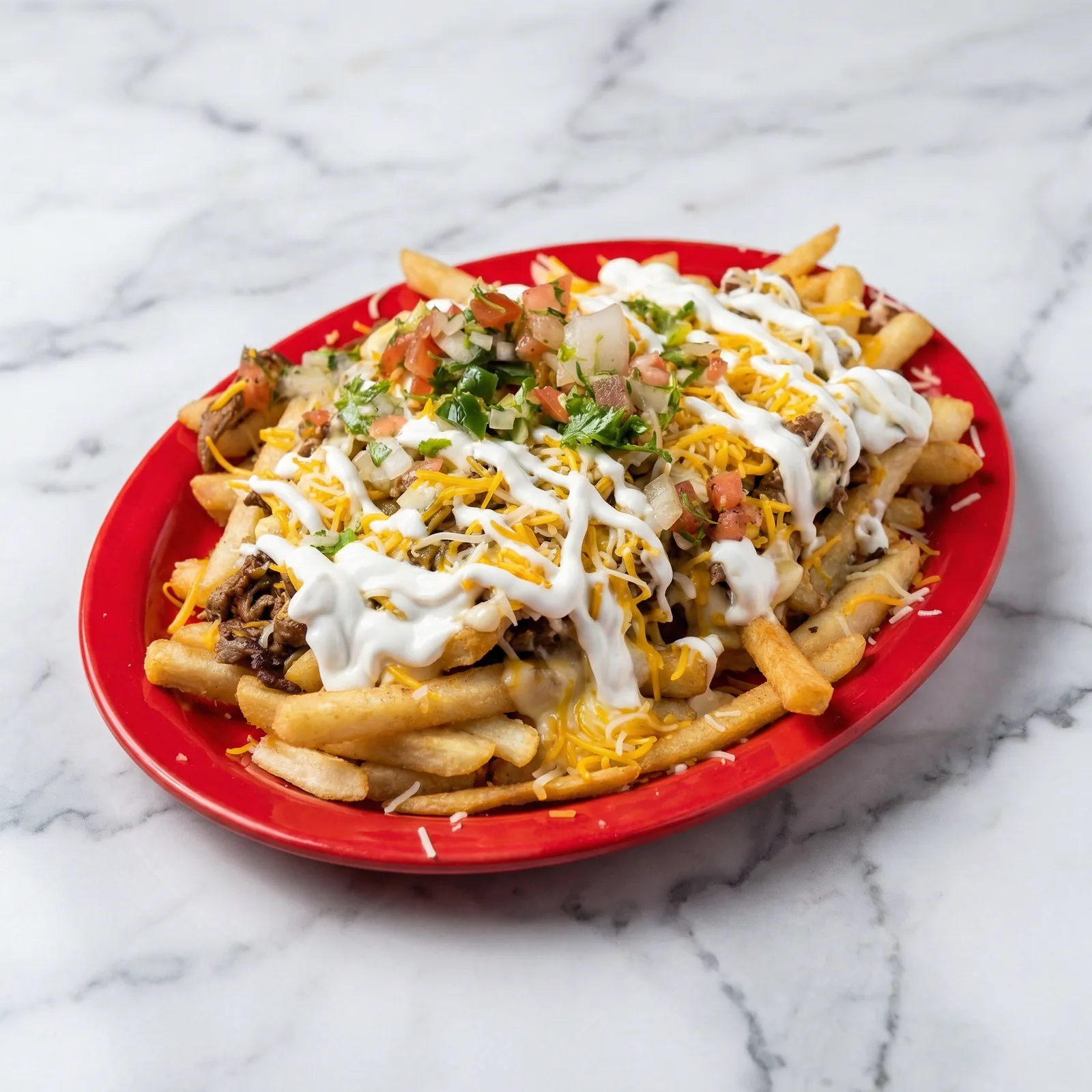
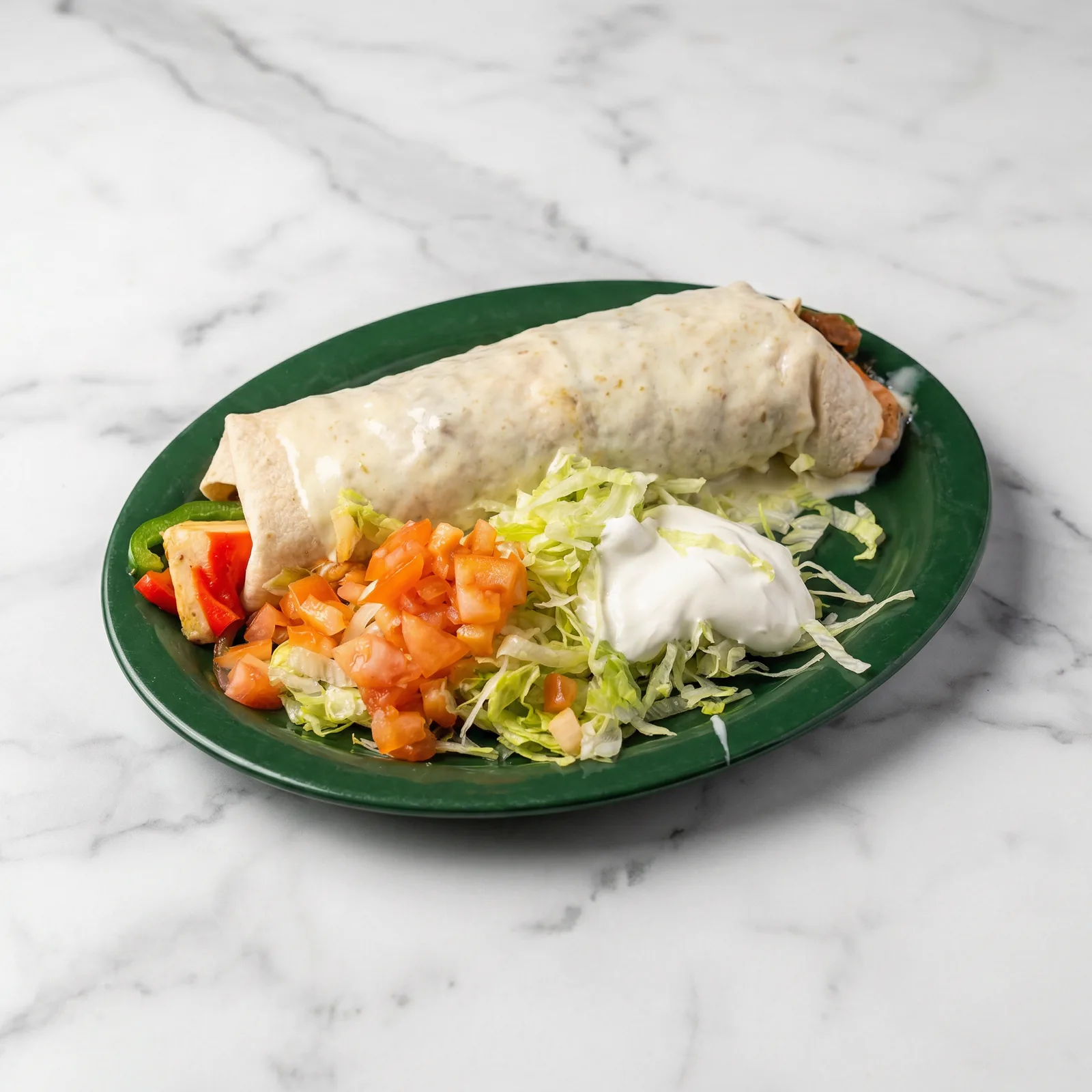
Plate 7: burrito verde plate
Pain: bright flash and edge clutter reduced detail. Fix: scene cleanup and balanced contrast. Result: lettuce, crema, and tortilla read sharper and feel fresher.
Short video previews (optimized for social)
These clips are exported in vertical 540x960 MP4 so they look like reels while loading fast on the blog.
Why restaurants buy this service
- Pain: low-quality images lose clicks. Solution: stronger visuals that lift order confidence.
- Pain: teams do not have time to reshoot. Solution: improve existing photos fast.
- Pain: channels look inconsistent. Solution: one clean style across menu apps and social.
- Pain: owners fear overediting. Solution: keep food real and improve only scene quality.
- Pain: seasonal launches move fast. Solution: short SLA windows for quick publishing.
Step-by-step onboarding
- Pick a package and pay using Stripe Payment Link.
- Upload your source photos (phone photos are fine).
- We review, select the strongest shots, and confirm scope.
- First enhanced batch is delivered inside your SLA window.
- You request revision round(s) based on package.
- Final web-ready files are delivered and organized.
How to choose the right restaurant menu photo enhancement package
If you are comparing restaurant menu photo enhancement options, start with your real publishing need for the next 30 to 60 days. Most teams need enough volume for menu apps, social posts, and a few seasonal promos. That is why the package size should match final delivered image count, not just how many files you can upload.
Use Essentials when you need to quickly improve restaurant menu photos for a short menu or one campaign. Choose Pro Menu when you have a broader catalog and want stronger consistency across categories. Choose Signature when you need a deeper refresh across core categories. Choose Full Menu when you want a full-menu refresh with up to 50 final images and 2-3 revision rounds. This is full menu refresh pricing for complete catalog updates. Better photos make more orders, not just nicer pictures.
- Count dishes by category first: entrees, combos, sides, and desserts.
- Prioritize best sellers and high-margin items before lower-volume items.
- Leave room for seasonal dishes so you avoid urgent overage later.
- Align package choice with your launch timeline and revision needs.
Where improved restaurant menu photos drive more orders
Better visuals are not only for your website. Restaurant menu photo editing has the strongest impact when the same quality appears in every customer touchpoint. People compare dishes fast on mobile screens, so clean lighting and clear composition help them decide quicker and with more confidence.
When your photos look consistent across channels, your brand feels more trustworthy. That trust can lift click-through rate, reduce hesitation, and improve conversion from view to order.
- Delivery apps: Uber Eats, DoorDash, and Grubhub listing images.
- Google Business Profile: menu highlights and offer posts.
- Owned channels: website menu pages and online ordering flows.
- Social channels: Instagram, Facebook, and short promo content.
- In-store screens: digital menu boards and tabletop QR menus.
Upload checklist for better menu photo editing results
You do not need studio files to get good outcomes. Phone photos are usable when they are steady and clear. The goal is simple: make sure the dish is visible, in focus, and not blocked by clutter. This helps the enhancement workflow move faster and keeps your SLA on track.
- Send the original file when possible, not a compressed screenshot.
- Keep the full plate in frame and avoid cutting off key ingredients.
- Take two or three angle options for each dish.
- Avoid strong shadows from overhead lights or direct flash.
- Name files by dish so review and delivery are easier.
- Flag any non-negotiable brand details before editing starts.
Pricing and package scope
| Package | Price | Final images | Revisions | SLA | Overage / image |
|---|---|---|---|---|---|
| Essentials | $199 | Up to 10 | 1 round | 48h | $18 |
| Pro Menu | $319 | Up to 20 | 2 rounds | 24-36h | $15 |
| Signature | $579 | Up to 40 | 2 rounds | 24-36h | $13 |
| Full Menu | $699 | Up to 50 | 2-3 rounds | 24-36h | $12 |
Why this pricing structure works
This structure gives owners a true full-menu option, raises perceived value, and still stays competitive next to full photography pricing. Better photos make more orders, not just nicer pictures.
Why it works for buyers
- Clear full-menu tier for teams that want one complete refresh.
- More professional package ladder instead of only small tiers.
- Most small restaurants choose Pro Menu, mid-sized teams choose Signature, and serious operators choose Full Menu. This increases average order value naturally.
- Still competitive versus booking a full food photography session.
Quick buyer comparison
- DIY phone photos: very low cost, but quality and consistency usually stay weak.
- Internal notes: cheap and fast, but often low-impact for real menu conversion.
- Our service: fast, consistent, and built for sales performance across channels.
Decision support
Raw upload vs enhancement vs full reshoot
| Option | Best when | Tradeoff |
|---|---|---|
| Raw phone upload | You need something posted immediately and quality is not mission-critical yet. | Low consistency, weaker appetite appeal, and weaker click confidence. |
| Menu photo enhancement | The food is real and usable, but lighting, framing, or background is holding it back. | Best for speed and value, but still depends on having usable original photos. |
| Full reshoot | You need a complete brand reset or the existing photos are too weak to salvage. | Higher cost, more coordination, and more disruption for the kitchen. |
Channel planning
Where enhanced menu photos usually create the most lift
Fastest conversion lift
- DoorDash and Uber Eats listings
- Google Business Profile menu highlights
- Mobile menu pages and online ordering flows
Brand consistency lift
- Instagram and Facebook promo posts
- Printed menus and tabletop QR menus
- Digital menu boards and seasonal launch assets
This helps owners choose the right package. If your biggest gap is delivery-app click-through, prioritize best sellers first. If the goal is a broader brand cleanup, step up to Signature or Full Menu. If you also need stronger local discovery, pair this work with our local SEO for restaurants guide and our Google Business Profile social-links guide.
Scope clarity
What owners should expect from delivery, revisions, and final files
- Delivered count: counts refer to final delivered images, not uploads.
- Editing scope: food remains intact; lighting/background/presentation are enhanced.
- File readiness: final images are prepared for web, menu apps, and general marketing use.
- Revision scope: revision rounds depend on tier and should be used to refine consistency, not change the dish itself.
This keeps expectations clear before the project starts and avoids the common problem where owners assume uploaded file count and final delivery count are the same. If you want to connect visuals to a broader restaurant growth plan, review how SEO services work for small restaurants.
Start with a quick menu photo strategy call
Tell us how many dishes you need, your deadline, and where photos will be used. We will recommend the best package and next steps.
Book a consultationRestaurant menu photo enhancement FAQs
Common questions
How much does restaurant menu photo enhancement cost?
Pricing is fixed by final delivered images: Essentials $199 (up to 10), Pro Menu $319 (up to 20), Signature $579 (up to 40), Full Menu $699 (up to 50). Overage is $18, $15, $13, or $12 per extra final image by tier.
How many final menu photos are included in each package?
Essentials includes up to 10 final images, Pro Menu up to 20, Signature up to 40, and Full Menu up to 50. Counts refer to final delivered images, not uploads.
How fast is restaurant menu photo editing delivery?
Essentials is delivered in 48h. Pro Menu, Signature, and Full Menu are delivered in 24-36h. Revisions: 1 round for Essentials, 2 rounds for Pro Menu and Signature, and 2-3 rounds for Full Menu.
Do you change the food itself in menu photos?
No. Food remains intact; lighting/background/presentation are enhanced. We do not add fake ingredients or change portions.
Can you improve phone photos for Uber Eats, DoorDash, and Google menus?
Yes. We can enhance phone photos and deliver clean files ready for menu apps, Google Business Profile, and social posts.
When should a restaurant choose enhancement instead of a full reshoot?
Choose enhancement when the dish is real and usable but the lighting, framing, or background is weak. A full reshoot makes more sense when the current photos are too inconsistent or too low quality to salvage.
Which channels benefit first from better menu photos?
Delivery apps, Google Business Profile menu highlights, and mobile ordering pages usually show the fastest lift because customers compare dishes quickly in those spaces.
Quick summary
Restaurant menu enhancement at a glance
Concierge service for restaurants that keeps food real and improves lighting, background, and presentation for stronger menu performance.
- Scopefood remains intact; lighting/background/presentation are enhanced.
- Pricing$199 for 10, $319 for 20, $579 for 40, and $699 for up to 50 final delivered images.
- Delivery48h Essentials, 24-36h Pro Menu, Signature, and Full Menu, with 1, 2, 2, and 2-3 revision rounds by tier.
Related resources
- Local SEO for restaurants guide
- Google Business Profile social links guide
- Do SEO services work for small restaurants?
- SEO services for local business growth
- Restaurant website support for menus, hours, and offers
- Social media services for restaurants
- Monthly website support plans
- Request a strategy session with Sowynet
Loading related resources...
Loading recent posts...